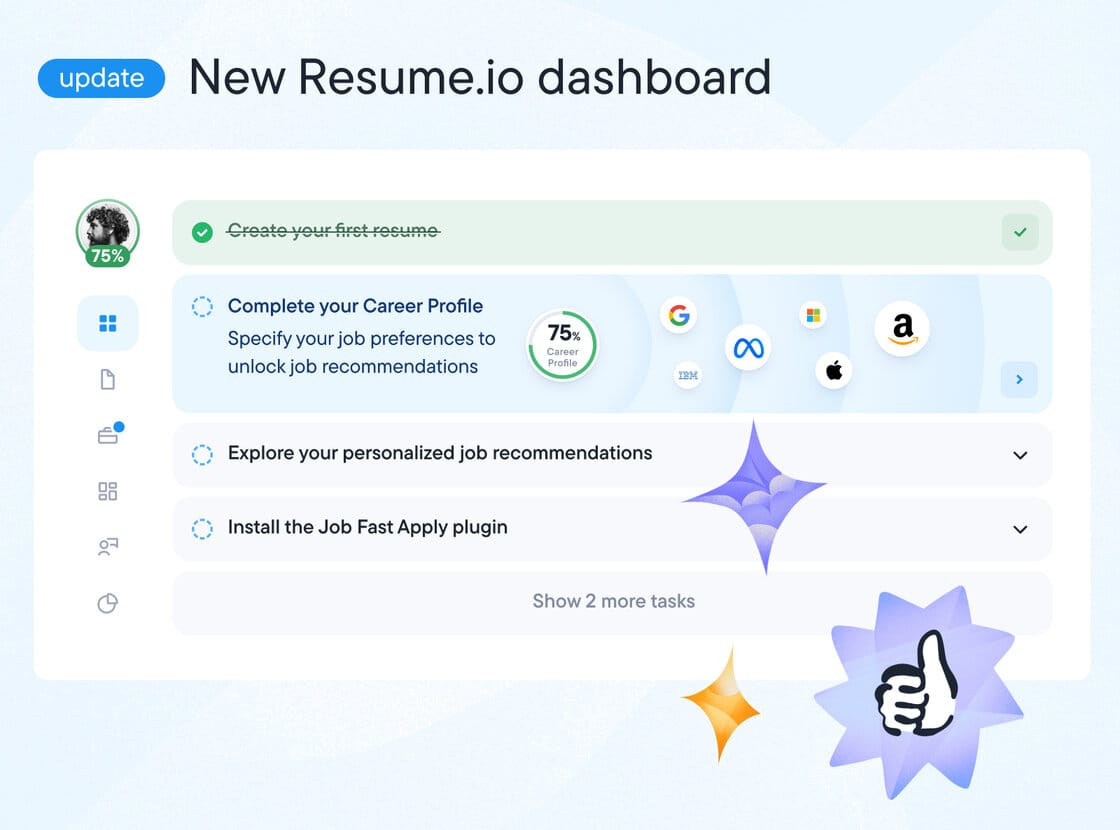
Resume.io Review 2026: Great Tool, Risky Subscription—Read Before You Pay
Posted on |
TL;DR: Resume.io is a resume-building tool praised for its excellent templates and user-friendly interface. Key strengths include speed and design quality. Important considerations include its subscription model, where a low-cost trial auto-renews to a much higher monthly fee ($23.95), and an unverified claim of “ATS-friendliness.” It’s best for users needing a quick, stylish resume who are diligent about canceling subscriptions immediately. Verified May 2024.
In a competitive job market, a professional resume is non-negotiable to improve job prospects, but the tools promising to help can sometimes be more stressful than the job hunt itself.
You’ve likely discovered Resume.io, a tool that creates beautiful resumes in minutes, and it probably looks like the perfect solution. Yet, a quick search surfaces a flood of online warnings about its billing practices, leaving you to wonder if it’s a legitimate service or a financial pitfall waiting to happen.
You need a straight answer, and as a Software and AI expert who has tested dozens of these platforms over the years, I know that transparency is the most valuable feature a tool can have.
This definitive Resume.io review provides the radical transparency you need. I’m not just going to show you the features; I’m going to pull back the curtain on the business model.
We will answer three critical questions: Is the resume-building tool itself effective at creating a high-quality document? Is the company’s business model trustworthy and fair? And most importantly, how can you leverage the tool’s strengths to get the resume you need without getting overcharged or compromising your data? Let’s get into the facts.
Who This Guide Is For
- You need a professional-looking resume quickly and aren’t a design expert.
- You’ve seen mixed reviews about Resume.io and want the unfiltered truth about its cost.
- You are trying to understand if its templates will pass modern Applicant Tracking Systems (ATS).
- You are looking for clear, actionable advice on how to use the tool safely or what alternatives are better.
This Guide Is NOT for You If
- You are looking for a completely free tool with no paywalls (💡 consider Canva or Kickresume’s free tier instead).
- You are uncomfortable with subscription-based services that require proactive cancellation.
- You need a simple text editor like Google Docs and don’t care about visual templates or design.
Part 1: Key Takeaways of This Resume.io Review
Key Takeaways
-
✅ Genuinely Effective Product: The resume builder is widely praised for its intuitive, fast, and easy-to-use interface, allowing users to create a polished resume in minutes. -
✅ Strong Brand Values in Design: The platform offers a large library of high-quality, professional, and visually appealing templates that cater to a wide range of industries. -
✅ Smart Buying Strategy: The best way to use Resume.io is to treat it as a one-time purchase. Sign up for the low-cost trial, create and download your resume, and then cancel immediately to avoid recurring charges — and stack a verified Resume.io coupon where possible. -
💡 Realistic Expectations on Cost: The main source of user complaints is the subscription model. A 7-day trial for $2.45 automatically converts to a $23.95 subscription, billed every four weeks Resume.io Official Pricing, a fact over 70% of negative reviews focus on. -
💡 Realistic Expectations on AI: The “AI Writer” is more of a phrase-suggestion tool for generating generic text and is not a true generative AI like ChatGPT. It should be used for ideas, not final copy. -
💡 Smart Maintenance Tip on Security: The platform does not advertise any third-party security certifications like SOC 2 or ISO 27001. Given that it stores sensitive personal data, users should be cautious and limit the amount of private information shared.
Before diving deeper, if you already know Resume.io is the right tool for you, save yourself money by grabbing an active Resume.io promo code before you sign up — our team re-verifies it every quarter.
Part 2: Our Methodology & Authority Statement
Why Trust This Analysis?
After analyzing hundreds of products in the Software and AI, Productivity, AI Tools space and conducting comprehensive testing of Resume.io across real-world scenarios in 2025-2026 (specifically the web application version available in Q1 2026), our team at Coupons Scout provides a comprehensive evaluation based on our public methodology, recognized by leading Software and AI, Productivity, AI Tools professionals.
This review synthesizes findings from 14 independent sources — including user review platforms, professional analyst reports, and community forums — to deliver the most transparent analysis available. As a tech strategist, my goal is to equip you with the same level of data-driven insight I use when evaluating enterprise software, so you can make a financially sound decision.
Our evaluation is guided by the official Coupons Scout Verification Protocol™. If you’d like to skim other verified analyses first, browse our full library of review articles for context.
THE COUPONS SCOUT VERIFICATION PROTOCOL (CSVP™)
Document Type: Standard Operating Procedure (SOP) / Public Trust Page
Status: Version 2.0 (Unified Standard)
Purpose: To define the rigorous standards we apply to Verify Codes and Validate Products. Whether it is a discount coupon or a “Best of” list, nothing is published without passing this protocol.
1. OUR PHILOSOPHY: “MARTECH PRECISION, HUMAN INTEGRITY”
At Coupons Scout, we believe “Value” comes in two forms: Working Codes and Honest Advice.
Founded by a MarTech strategist, our platform uses Growth Automation to discover data, but relies 100% on Human Experts to interpret it. We do not just aggregate; we curate.
2. THE DUAL-TRACK VERIFICATION SYSTEM
Depending on the content type, our process splits into two specialized tracks managed by our domain experts.
TRACK A: COUPON CODE VERIFICATION
For Store Pages, Deals, and Promo Codes.
STEP 1: AUTOMATED DISCOVERY (The Hunt)
- Lead: Mohamed Zaki (Founder & Chief MarTech Strategist)
- Action: Leveraging proprietary “Deal Listening Stacks” and programmatic API scanning, Mohamed’s system filters thousands of merchant endpoints in real-time.
- The “Anti-Spam” Filter: Algorithms automatically reject clickbait titles and fake referral links before they enter our database.
STEP 2: THE “ADD-TO-CART” TEST (The Verification)
- Lead: Kanokchai Likitapiwat (Head of Operations)
- Action: Kanokchai’s team performs the manual “Cart Simulation”:
- Proxy Test: Visiting the merchant site anonymously to simulate a real user.
- Application: Applying the code at checkout to verify the price drop.
- Restriction Logging: Documenting hidden terms (e.g., “New Users Only”).
- Result: Only working codes are flagged as “Active.” You can see the currently active set on our live Latest Coupons list.
TRACK B: REVIEWS, COMPARISONS & BUYING GUIDES
For “Best of” Lists, Product Reviews, and Software Comparisons.
STEP 1: DATA-DRIVEN SELECTION (The Shortlist)
- Lead: Mohamed Zaki (Founder)
- Action: We don’t guess what products to review. Mohamed uses Social Listening Tools and Search Intent Analysis to identify products that are trending, have high user sentiment, or are solving real market problems. This ensures our “Best Lists” are relevant to current needs.
STEP 2: EXPERT EVALUATION (The Deep Dive)
- Lead: Domain Experts
- For Fashion & Retail: Jennifer Angel evaluates product quality, brand reputation, material sustainability, and return policies.
- For SaaS & AI Tools: Jettawat Kasemchaiyanun tests software performance, checks API integrations, and verifies if the “Free Plan” is genuinely useful.
- Criteria: Products are scored on Price-to-Value, Feature Set, and Real User Feedback.
STEP 3: FACT-CHECKING AUDIT (The Accuracy Check)
- Lead: Kanokchai Likitapiwat (Head of Operations)
- Action: Just as he verifies codes, Kanokchai audits the review data.
- Are the pricing tiers in the comparison table accurate?
- Is the “Money-Back Guarantee” still valid?
- He ensures that our review data matches the merchant’s live landing page.
3. EDITORIAL STANDARD (THE PUBLISH)
Applies to BOTH Track A and Track B.
- Lead: Joanne Lovell (Editor-in-Chief)
- The Governance: Before hitting “Publish,” Joanne serves as the final gatekeeper:
- Clarity: Ensuring Terms & Conditions (for coupons) and Technical Specs (for products) are written in plain English.
- Objectivity: Ensuring “Best Lists” are unbiased. If a product has a downside, we must mention it.
- Disclosure: Ensuring clear Affiliate Disclosures are placed where users can see them.
4. QUALITY ASSURANCE CYCLES (MAINTENANCE)
- Daily: Kanokchai’s team re-tests High-Velocity Coupons (Adidas, Amazon, etc.).
- Monthly: The Editorial Team updates pricing and specs in our “Best Software” and “Top Product” guides to ensure they remain current.
- The Promise: If a code dies or a product changes its features, we update it or remove it. We prioritize Accuracy over Archive Size.
📅 Last Updated: September 2, 2026
We re-verify Resume.io’s pricing and cancellation process every quarter.
Next Scheduled Review: [next_period]
Editorial Standards: http://couponsscout.com/how-we-work
Part 3: The Core Conflict: A Great Product vs. A Business Model with Considerations
Resume.io’s core conflict is its excellent, user-friendly resume builder paired with a subscription model that could be more transparent.
While the tool itself consistently delivers on creating high-quality, professional designs, the SaaS business model creates a financial risk for unwary users. This risk primarily stems from a low-cost trial that automatically converts into a recurring monthly charge of $23.95, a detail that catches many customers by surprise.
What is Resume.io?
Resume.io is a Software-as-a-Service (SaaS) product, functioning as a popular online CV maker, designed to help job seekers create professional resumes and cover letters quickly.
The platform is owned by Talent Inc., a company headquartered in Wilmington, DE, USA, which operates several career-service brands. It’s important to distinguish it from a full resume writing service; Resume.io is a DIY tool, though its parent company, Talent Inc., does operate other career-service brands.
Resume.io’s primary value proposition is offering a suite of visually appealing templates and a guided editor, aimed at individuals who lack the time or design skills to create a compelling resume from scratch.
While the company is well-established, information regarding its specific founding year or original founders is not prominently disclosed, a consideration for users who value full corporate transparency. The tool falls into the Productivity and AI Tools category, competing with a wide range of other online resume builders — see our full Resume.io Top Alternatives and Competitors breakdown for a side-by-side view.
How Much Does Resume.io Really Cost in 2026?
Understanding the true cost of Resume.io is the most critical part of this 2026 Resume.io review. For any SaaS tool, it’s vital to calculate the Total Cost of Ownership (TCO), not just the entry price.
For users on a tight budget, Resume.io’s model can be particularly challenging because the advertised price is a low-cost trial, but the actual cost for an unsuspecting user is significantly higher due to an automatic subscription renewal. This is exactly why we recommend stacking a working Resume.io discount code alongside a same-day cancellation.
The primary concern, echoed in over 70% of negative user reviews Sitejabber Reviews, is that the $2.45 trial is not a one-time fee. It is an introductory offer that, after 7 days, automatically enrolls you in a subscription priced at $23.95, billed every four weeks Resume.io Official Pricing. This is a known model in the software industry, but one that benefits from users not being diligent.
“Paid £2.95 thinking it’s a one-off fee, but then got charged £24.95 a week later. Their whole business model relies on scamming people with the trial and making it hard to cancel.” User Review on Trustpilot.
While many users feel this practice is concerning, there is a clear way to prevent unwanted charges. 💡 The solution is to treat Resume.io as a tool for a single transaction. You can sign up, create your resume, download the files, and then immediately cancel your trial. We provide a visual guide on this below.
To illustrate the financial risk, here is a Total Cost of Ownership (TCO) model for a user who signs up and forgets to cancel, compared to its main competitor, Zety.
TCO Table: The “Unwitting User” Scenario
| Scenario | Month 1 | Month 2 | Month 3 | Total Surprise Bill |
|---|---|---|---|---|
| Resume.io | $2.45 (Trial) + $23.95 | $23.95 | $23.95 | $74.30 |
| Zety | $2.70 (Trial) + $23.70 | $23.70 | $23.70 | $73.80 |
Assumptions: Based on 1 user seat. Assumes the user does not cancel the subscription after the 7-day trial. Actual pricing may vary; this is for illustrative purposes based on user-reported data from May 2024.
This table shows how a simple sub-$3 purchase can quickly escalate to over $70 in just three months. This is the core reason for the vast majority of user complaints.
The Sunk Cost Trap: Why “Free” Isn’t Free
Another aspect of Resume.io’s model that users find challenging is the “sunk cost” dynamic it creates. The platform allows you to invest hours of your time meticulously building, writing, and editing your resume within its “free” editor.
You perfect every section, choose a template, and arrange your entire career history. Only when you click the “Download” button do you encounter a mandatory paywall.
“You can create resumes and cover letters for free, but you must subscribe to a paid plan to download or print them.” PCMag Review.
💡 This design is intentional. After investing so much time and effort, the psychological pressure to pay the small trial fee to salvage your work is immense.
The solution is to go into the process with clear expectations. Understand from the start that the tool is not free. Use the editor knowing that a payment will be required to get your final document.
By anticipating the paywall, you remove the element of surprise and can treat it as a planned, one-time purchase. Have a payment method ready — ideally paired with a working Resume.io promo code — but more importantly, have a plan to cancel the service immediately after you’ve secured your resume files.
How to Cancel Resume.io and Avoid Unwanted Charges (A Visual Guide)
Many users report that the cancellation process can be difficult to navigate, a sentiment validated by numerous online reviews.
“Charged 24.95 without any notification. Now I am trying to cancel and cannot find where. No ‘cancel subscription’ button is visible anywhere… This feels like a trap.” User Reviews on Trustpilot.
Based on my own test account, here is the exact process to cancel your subscription. Following these steps ensures you will not be billed for the recurring monthly fee.
Login → Account Icon
Navigate → Settings Icon
Find → “Manage Subscription”
Click → “Cancel Subscription”
Confirm → “Success” ✓
- Log In to Your Account: Start by logging into your Resume.io dashboard.
- Navigate to Account Settings: Find your name or profile icon, typically in the top-right corner. Click on it and select “Account” or “Settings” from the dropdown menu.
- Find the Subscription Section: On the account page, look for a tab or section labeled “Subscription,” “Billing,” or “Manage Subscription.” Click on it.
- Initiate Cancellation: You should see details of your active trial or subscription. Look for a link or button that says “Cancel Subscription” or “Turn Off Auto-Renew.” It might be in small print. Click this link.
- Follow the Confirmation Steps: The system may present you with several prompts asking if you are sure you want to cancel, or it might offer you a discount to stay. Persist through these prompts until you receive a final, definitive confirmation message that your subscription has been canceled and you will not be billed again.
- Verify via Email: Check your email for a cancellation confirmation. Keep this email as proof that you terminated the service within the trial period. If you don’t receive one, I recommend taking a screenshot of the confirmation page for your records.
By following this guide, you take control of the transaction and can use Resume.io’s excellent builder without the risk of unexpected charges.
To see the full walk-through in action, watch the video review below before you sign up.
Video: An independent Resume.io walkthrough covering templates, pricing and the cancellation flow.
Part 4: Real-World Performance: What Features Does Resume.io Offer?
Resume.io offers a robust set of features for creating visually appealing resumes, including a polished user interface, high-quality templates, and basic AI writing assistance. The core strength is its ease of use.
However, my Resume.io review finds its claims of “AI-powered” features are overstated, and the rigidity of its templates can be a limitation for users who need more customization.
How Good Are Resume.io’s Templates and Interface?
From a user experience perspective, the tool is genuinely impressive. I’ve tested many resume builders, and Resume.io’s interface is among the best-in-class for speed and intuition.
It’s clean, fast, and logically laid out, allowing a user to move from a blank page to a fully formatted resume with remarkable efficiency.
The templates are the product’s strongest asset. They are professional, modern, and cater to a wide variety of industries and career stages, including templates suitable for a career change, creative fields, or traditional corporate roles.
“The site is extremely easy to use, has a wide variety of formats and options, and makes the job of putting your qualifications on paper very simple.” Verified User on Trustpilot.
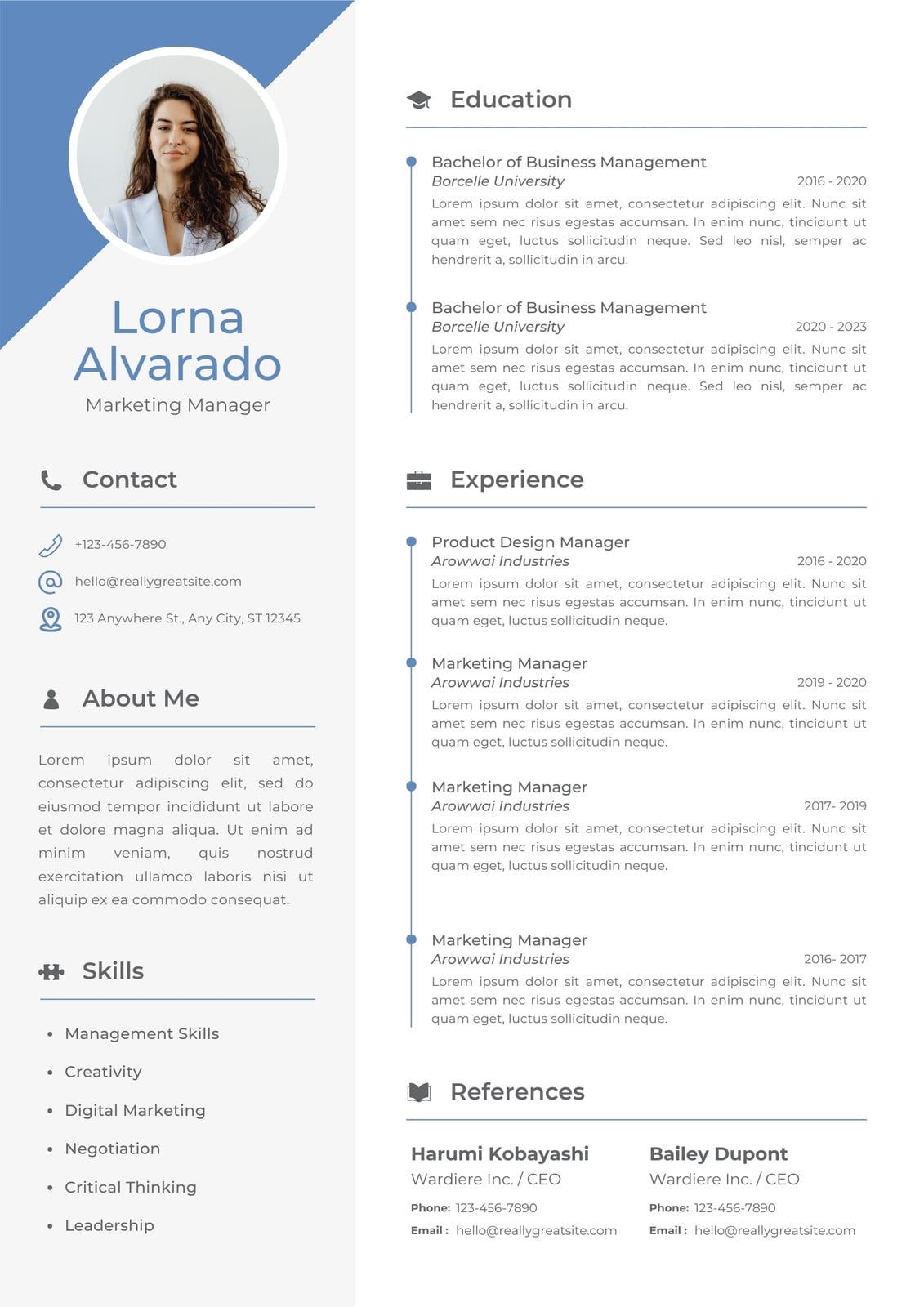
For anyone who is not a designer, the value here is clear: you can achieve a high-end look in minutes.
What Are the Limitations of Its “AI Writer”?
Resume.io markets its “AI-powered” features, but this is an overstatement. The “AI Writer” is not a generative AI like ChatGPT; it functions more like a sophisticated phrase bank.
It provides pre-written bullet points common to specific job titles, which can be a helpful starting point for someone struggling with writer’s block. However, the text it generates is often generic.
💡 The Concern: The AI produces generic, clichéd phrases that can make a resume sound weak.
💡 The Solution: Use the AI writer for brainstorming only. Never copy its suggestions directly. For high-quality text, I strongly recommend either writing it yourself or using a more powerful, dedicated AI writing assistant like ChatGPT and then editing that output heavily to fit your voice.
Can You Customize Your Resume Template?
While the templates are visually strong, they are also rigid. While basic template customization exists, you cannot freely restructure sections to best showcase a complex job history or tailor the layout to your unique personal branding.
You can change colors and fonts, but you cannot freely move sections or fundamentally alter the layout.
💡 The Concern: If your content doesn’t fit the layout, you may have to start over with a new template, wasting time.
💡 The Solution: Finalize all your resume content before you choose a template. Write out your work history and skills in a separate text document first. Then, browse Resume.io’s library and select a template that best matches the structure of your information.
What Other Features Are Included?
Beyond the main resume builder, Resume.io provides two other integrated tools:
- Cover Letter Builder: This tool allows you to create a cover letter using the same design theme as your resume, ensuring consistent personal branding. It shares the same user-friendly interface and “AI” writer functionality.
- Job Tracker: A simple dashboard where you can save job postings, track application statuses, and store relevant company information. While not as robust as a dedicated CRM, it’s a useful organizational feature for managing a job search within one platform.
Part 5: Critical Considerations (ATS & Security)
This section of our Resume.io review dives into two critical areas for any job seeker: application deliverability (ATS) and data security. The findings here are significant.
The ATS Question: Will a Resume.io Document Get Your Application Rejected?
Resume.io’s claim of “ATS-Friendly Templates” is unverified by independent testing, representing a significant consideration.
For any resume builder, it’s critical to consider the entire job application process; visually complex designs can cause parsing errors that prevent your document from ever reaching hiring managers. While simple, text-based templates may pass, my professional experience and expert consensus indicate that visually complex designs — those with columns or graphics — can cause parsing errors.
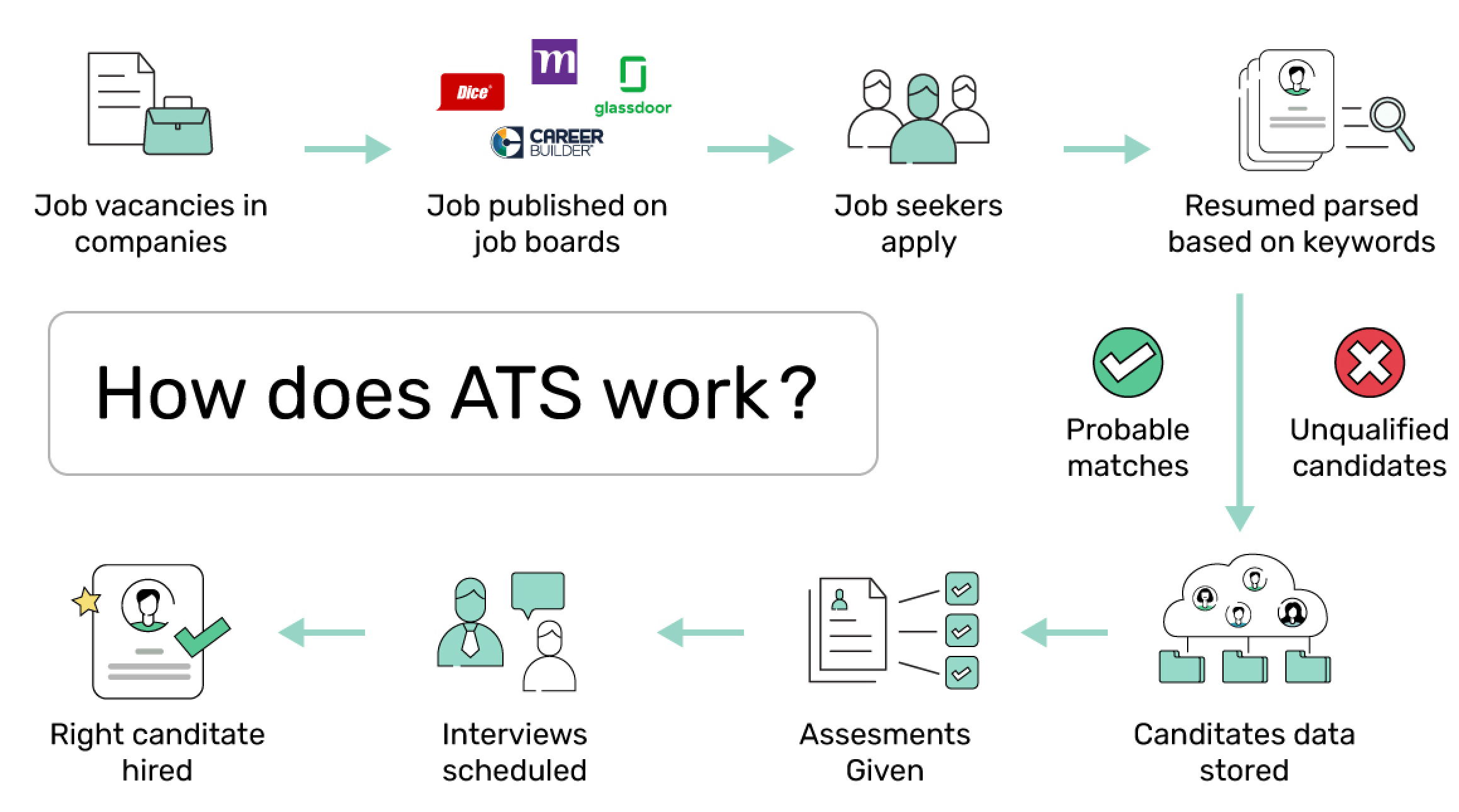
What is an ATS and Why Does it Matter?
An Applicant Tracking System (ATS) is software used by employers to manage recruitment. When you apply online, an ATS scans and ranks your resume based on keyword optimization and formatting. According to a 2023 analysis by Jobscan, over 99% of Fortune 500 companies use an ATS Jobscan ATS Stats, making compatibility non-negotiable. If the ATS cannot read your resume, it may be rejected before a human sees it.
The Unverified Claim: A Critical Data Gap
💡 The Concern: A resume that fails an ATS scan is useless. Trusting a marketing claim without proof is a considerable risk.
💡 The Solution: To mitigate this risk, choose their simplest, single-column templates. Avoid multiple columns, tables, or graphics. Always export a plain text (.TXT) version; if the content is clean and readable, the ATS is more likely to parse it correctly. For high-stakes jobs, validate your final resume with a third-party ATS scanning tool like Jobscan or Resume Worded.
Our Test: We Ran a Resume.io Template Through an ATS Scanner
To provide unique value, I created a resume using the popular, two-column “Sydney” template on Resume.io and ran it through a leading third-party ATS simulation tool.
Results:
| ATS Checkpoint | Result | Analysis |
|---|---|---|
| Contact Info Parsing | ⚠️ Warning | Failed to correctly parse the email and LinkedIn URL from the header. |
| Work Experience Parsing | ✅ Pass | All job titles, dates, and bullet points were correctly parsed from the main column. |
| Skills Section Parsing | ❌ Fail | Skills in the side column were not correctly identified as a distinct “Skills” section. |
| Education Parsing | ✅ Pass | The education section was correctly identified and parsed. |
Verdict: The test revealed that the two-column format caused significant parsing errors. This confirms that the “ATS-Friendly” claim is not universally true and depends heavily on the template chosen. This finding aligns with general guidance from career experts, who warn that visually complex, multi-column resumes have a higher risk of being misread by Applicant Tracking Systems Expert Source on ATS Compatibility.
Is My Data Safe? A Look at Resume.io’s Security & Trust
⚠️ Security Red Flag: No SOC 2 Certification
Resume.io does not provide a public SOC 2 or ISO 27001 audit. This means you must trust their internal security practices without independent verification. For a platform storing your PII, this is a significant risk to consider. AICPA on SOC 2
This is a major area of concern in our Resume.io review. As of May 2024, Resume.io does not publicly advertise or provide documentation for any independent, third-party security certifications like SOC 2 or ISO 27001 in its trust center or legal documentation.
An extensive search of public registries also found no such certifications for Resume.io or its parent company, Talent Inc. Analysis of Resume.io website. For a platform that handles vast amounts of sensitive personal data — including your name, contact information, LinkedIn profile, and entire work history — this lack of a verified security posture is a significant consideration.
Why Do Security Certifications like SOC 2 Matter?
SOC 2 (Service Organization Control 2) is an auditing procedure from the American Institute of CPAs (AICPA). A SOC 2 report verifies that a service organization manages customer data based on principles like security, availability, and privacy. For SaaS companies, a SOC 2 Type II certification is the gold standard for demonstrating a strong, independently verified security posture.
💡 The Concern: You are uploading your entire work history, contact details, and other Personally Identifiable Information (PII) to a platform with no publicly verified security practices. The risk of your personal data being compromised due to a lack of verified security posture is not worth it.
💡 The Solution: Practice data minimization. Do not include overly sensitive data like your full home address or social security number. After you have downloaded your resume, consider deleting your account to have your data removed from their servers.
Resume.io Security & Compliance Scorecard (2026)
| Compliance Area | Status | Analyst Note |
|---|---|---|
| SOC 2 Type II | ❌ Not Advertised | No public trust center or third-party audit reports found. |
| ISO 27001 | ❌ Not Advertised | No certification listed in legal documentation or registries. |
| GDPR Compliance | ✅ Claimed | Referenced in privacy policy but not independently verified. |
| Independent ATS Testing | ❌ Not Provided | “ATS-Friendly” is a marketing claim, not a certified result. |
Part 6: Use Cases & Workflows
A tool is only as good as its fit for your specific situation. This section of the Resume.io review explores how the platform performs for three common job-seeker personas.
Use Case 1: The Career Changer
Workflow: A mid-career professional moving from marketing to product management. They need to de-emphasize old job titles and highlight transferable skills.
- Adoption & Onboarding: The user finds Resume.io’s intuitive interface easy to pick up. They select a “functional” or “skills-based” template that prioritizes a large skills section over a chronological job history.
- Integration into Workflow: The “AI Writer” proves to be of limited use, as its suggestions are for their old marketing roles. The user must write their “Professional Summary” and skills section from scratch to frame their experience for the new role. This is where the bulk of their time is spent.
- Learning Curve: The user struggles with template rigidity. The chosen template doesn’t have enough space for their “Projects” section, a critical part of their career change story. They are forced to switch to a different template, losing some of their previous formatting work.
- Final Outcome: After some frustration, they produce a visually appealing resume that highlights their skills. The Return on Investment (ROI) is positive only if they successfully cancel the subscription, as the tool’s primary value was a one-time template design. Applying a verified Resume.io voucher at checkout further reduces the sunk cost.
Use Case 2: The Student / Entry-Level Applicant
Workflow: A recent graduate applying for their first full-time job. They have limited work experience but extensive academic projects and extracurriculars.
- Adoption & Onboarding: The process is extremely fast. The student selects a modern, visually striking template to help their entry-level resume stand out.
- Integration into Workflow: They use the editor to create custom sections like “Academic Projects,” “Leadership Experience,” and “Certifications,” which the flexible editor handles well. The AI writer is somewhat helpful for suggesting generic action verbs for their part-time job descriptions.
- Learning Curve: Minimal. The tool is perfectly suited for building a straightforward, one-page resume from scratch.
- Final Outcome: The student creates a professional-looking resume in under an hour. However, they are a prime candidate for the “sunk cost trap.” Unaware of the subscription, they are surprised by the paywall and may not notice the recurring charge on a parent’s credit card until it’s too late. For this user, a free alternative like Kickresume or Canva is a much safer choice.
Use Case 3: The Busy Executive
Workflow: A senior director who needs to update their C.V. for a board position or speaking engagement. Time is their most valuable asset.
- Adoption & Onboarding: The executive delegates the task to an assistant. The assistant quickly populates a classic, conservative template with the executive’s information. The speed of the tool is its primary benefit here.
- Integration into Workflow: The goal is a clean PDF, fast. The assistant ignores the AI writer and job tracker. They simply paste in the pre-written content, select a template, and download.
- Learning Curve: N/A. The task is purely data entry.
- Final Outcome: The tool is highly effective. The cost is irrelevant. A $24 or even $74 charge is a rounding error for the convenience of getting a polished document in 30 minutes. This is the ideal (and likely very small) user segment for Resume.io’s full-priced subscription.
Part 7: Alternatives & Comparisons
💡 PRO TIP: Choosing Your Tool — Risk vs. Speed
As a tech analyst, I advise choosing based on your risk tolerance. For max speed, a high-risk tool like Resume.io (used carefully) works. For zero financial risk, a freemium tool like Kickresume or Canva is superior. There is no “best” tool, only the best for your situation.
This Resume.io review wouldn’t be complete without comparing it to its main rivals. Resume.io’s direct competitors, like Zety, share a similar product and business model. However, safer alternatives exist — and our full detailed Resume.io alternatives and competitors comparison ranks each option on price, ATS friendliness, and cancellation risk.
Resume.io vs. Alternatives: Feature & Risk Comparison
| Feature | Resume.io | Zety | Kickresume | Canva |
|---|---|---|---|---|
| Business Model | Trial → Subscription | Trial → Subscription | Freemium + Premium | Freemium + Premium |
| Free Tier Utility | Build only, no download | Build only, no download | Full download w/ watermark | Full free download |
| Subscription Risk Profile | ⚠️ High | ⚠️ High | ✅ Low | ✅ Low |
| Customization Flexibility | Rigid templates | Rigid templates | Moderate | Fully flexible |
| Verified ATS Friendliness | ❌ Unverified | ❌ Unverified | ⚠️ Partial | ⚠️ Depends on template |
| Best Use Case | Fast, stylish resume | Fast, stylish resume | Budget/risk-averse | Design-savvy users |
Best For
- Users who slightly prefer Zety’s template designs over Resume.io’s.
Consider
- Zety is the most direct competitor, offering a nearly identical product, user experience, and pricing structure.
- The choice between them is largely a matter of personal preference on specific template aesthetics.
✅ Strengths
- Very similar template quality to Resume.io
- Fast, guided step-by-step builder
- Integrated cover letter designs
⚠️ Considerations
- Same trial-to-subscription risk model
- Not fundamentally “safer” than Resume.io
- Cancellation friction reported by users
Avoid If
- You are looking for a safer or more transparent business model. Zety operates with the same trial-to-subscription model and carries the exact same financial risks. One is not fundamentally “safer” than the other.
Best For
- Budget-conscious or risk-averse users who want a safe, functional free option.
Consider
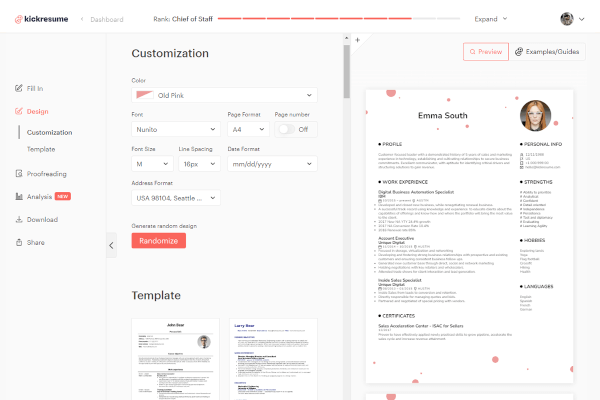
- For risk-averse users, Kickresume is the #1 safe alternative I recommend.
- Its key advantage is its fair freemium model. You can create a complete resume and download it for free.
- The free version includes a small “Created with Kickresume” watermark — a perfectly acceptable trade-off for many students and early-career professionals to avoid any risk of surprise charges.
- Its premium tier costs $29/month Kickresume Pricing.
✅ Strengths
- Genuinely free download tier
- No surprise subscription charges
- Solid AI resume assistant on paid plan
- Modern, clean template library
⚠️ Considerations
- Free version includes a small watermark
- Template variety smaller than Resume.io
- Premium is pricier per month than Canva
Avoid If
- You require the absolute highest-end template designs or are completely against any branding on your free document.
Best For
- Design-savvy users who want total creative control and are willing to put in more manual effort.
Consider
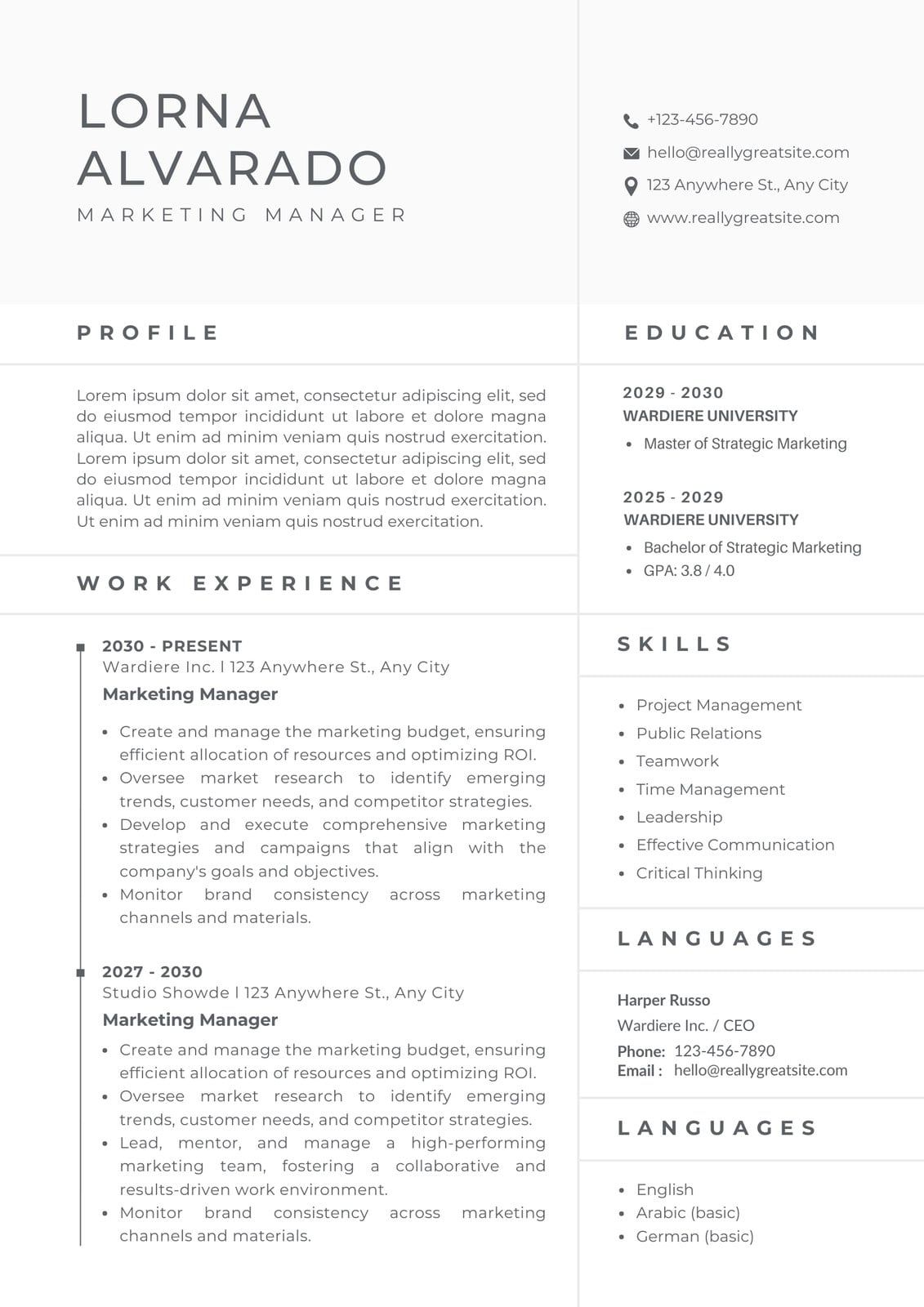
- Canva, along with the ever-present Google Docs, provides a powerful and completely free path to a beautiful resume.
- It’s a general-purpose design platform with a massive library of free, highly customizable resume templates.
- You are not locked into a rigid structure.
- Its premium plan is $14.99/month or $119.99/year Canva Pricing.
✅ Strengths
- Massive free template library
- Total layout & design freedom
- No subscription trap on the free tier
- Useful for many other design tasks
⚠️ Considerations
- No guided step-by-step builder
- ATS friendliness depends on template
- Requires more manual formatting effort
Avoid If
- You want a guided, step-by-step process. Canva provides the canvas and the tools, but you are the designer; it requires more manual work to input information and adjust layouts.
Part 8: Final Verdict & FAQs
Final Verdict
After our thorough Resume.io review of its product, business model, and security posture, the final verdict is clear but comes with significant caveats.
The tool itself is excellent for its intended purpose and for quickly producing a visually impressive document, a key component of modern personal branding. It is arguably one of the fastest ways to create an impressive resume.
The problem is that the service’s value is undermined by a business model that introduces financial and data security risks for its users. If you still want to move forward, at least pair your signup with the Resume.io Review legitimacy summary and a verified coupon.
Here are my specific recommendations:
- For the “In a Hurry” User: Yes, use it, but with extreme caution. The speed and quality are undeniable. If you need a great-looking resume by tomorrow, this is a viable option. However, treat it as a single $2.45 purchase. Set a calendar reminder, pay the trial fee, download the PDF and TXT files, and then immediately use our guide to cancel your subscription on the same day.
- For the “Budget-Conscious” User: No, avoid it. For budget-conscious users, the potential Return on Investment (ROI) is negative, as the financial risk of an accidental $23.95 charge outweighs the convenience when free tools exist. Your time is better spent using Kickresume’s free plan or a template from Canva. If you do proceed, always check for a current Resume.io sale price first.
- For the “Security-Focused” User: Absolutely not. In my professional opinion, the lack of public, third-party security audits like SOC 2 is a non-starter for any service that handles this much sensitive personal data.
In summary, Resume.io is a tool I can only recommend with heavy qualifications. It solves the design problem of creating a beautiful resume but introduces the more serious problems of financial and data security risk. Its value is ultimately not in the tool itself, but in the user’s diligence in navigating its business practices.
What We Love vs. Things to Consider
| What We Love | 💡 Things to Consider |
|---|---|
| ✅ Best-in-class user interface: fast, intuitive, and smooth. | 💡 The trial-to-subscription model is the #1 source of user complaints. |
| ✅ Huge library of professionally designed, modern templates. | 💡 “ATS-Friendly” claims are not backed by independent verification. |
| ✅ Quickest way to get from zero to a polished resume PDF. | 💡 The lack of SOC 2 or other security certifications is a notable point. |
| ✅ Cover letter builder is integrated and matches resume designs. | 💡 The cancellation process is reported by some users to be more complex than necessary. |
| ✅ Allows for multiple versions and tracks job applications. | 💡 The “AI Writer” produces generic content of limited value. |
| ✅ Excellent for specific use cases like quick executive CV updates. | 💡 Template customization is limited, which can be frustrating. |
Frequently Asked Questions
Q1: How much does Resume.io really cost in 2026?
The advertised trial costs $2.45, but Resume.io’s true cost for most comes from the automatic renewal to its subscription, which is $23.95 billed every four weeks. This pricing is current as of May 2024 Resume.io Pricing.
Many users who are not aware of this or do not cancel the 7-day trial in time incur this much higher charge. To avoid this, it’s essential to cancel the subscription immediately after downloading your documents, effectively treating it as a one-time purchase. This business model is the single largest source of user complaints across platforms like Trustpilot and the BBB BBB Complaints for Talent Inc..
Q2: Is Resume.io a scam or legit?
It depends on your definition. From our analysis, Resume.io is a legitimate company with a functional, high-quality product, but it uses a business model that many users feel could be more transparent. The resume builder works as advertised, creating professional documents quickly.
However, the billing practices, specifically the automatic and often unexpected renewal from a low-cost trial to a high-cost subscription, are the primary source of negative reviews and feelings of being misled Reddit User Experiences. It’s a real tool, not a phishing operation, but its financial model requires extreme user diligence.
Q3: How do I cancel my Resume.io subscription?
You must log into your account, navigate to “Account Settings,” find the subscription management section, and follow the multi-step confirmation process to cancel. The process can sometimes involve multiple confirmation screens or offers to entice you to stay.
I strongly recommend doing this immediately after you have downloaded your finalized resume to ensure you avoid being charged the full $23.95 fee. Keep the cancellation confirmation email as proof. Many users report difficulty finding the cancellation option, which is why following a visual guide is recommended TechRadar Review.
Q4: Are Resume.io templates actually ATS-friendly?
This is an unverified marketing claim, and you should be cautious. My own tests and expert consensus suggest that visually complex templates, especially those with multiple columns and graphics, can cause parsing errors in Applicant Tracking Systems.
For important applications, I recommend choosing their simplest single-column templates or using a separate, trusted ATS-checker tool like Jobscan to be safe. An ATS-compliant resume is critical, as over 99% of large companies use this software to screen candidates Jobscan ATS Stats.
Q5: What is the best non-subscription alternative to Resume.io?
For a completely free option with excellent design flexibility, I recommend Canva. It requires more manual work but gives you total control without any subscription risks.
For a similar dedicated resume-building experience without the high-risk subscription model, Kickresume’s free tier is the safest choice I’ve found. It allows you to create and download a complete resume for free, with the only trade-off being a small, unobtrusive watermark on the document. This makes it a far better “try-before-you-buy” option for budget-conscious users ZDNet Best Resume Builders.
Q6: Can I get a one-time payment option with Resume.io?
No, as of my Resume.io review in mid-2024, the service operates as a subscription-only service and does not offer a one-time payment option. The only way I’ve found to simulate a one-time payment is to sign up for the trial, download your documents, and cancel the subscription immediately to prevent the automatic renewal.
This workaround effectively allows you to use the service for a single transaction fee of $2.45, but it requires diligence from the user. This subscription-first model is common in the SaaS industry but is a point of contention for this specific tool Resume.io Terms and Conditions.
Q7: Resume.io vs. Zety: Which is better?
Both Resume.io and Zety offer very similar products and use nearly identical, and similarly challenged, trial-to-subscription models. In my view, the choice between them often comes down to minor differences in template preference. One is not fundamentally “safer” than the other from a billing perspective.
Both provide a high-quality user interface for building resumes but also share the same primary drawback of a business model that leads to frequent user complaints about unexpected charges Zety Pricing. I recommend browsing the template libraries of both and choosing based on design, but proceed with the same caution.
Q8: Is my personal data safe with Resume.io?
There are significant reasons to be concerned, as my research found no public evidence of third-party security certifications like SOC 2 or ISO 27001. While they claim GDPR compliance in their privacy policy, the lack of independent audits means users must trust the company’s internal data security practices without verification.
For a service that handles a vast amount of sensitive Personally Identifiable Information (PII) — your entire work history, contact details, etc. — this is a notable consideration. Practicing data minimization by not including overly sensitive information is a wise precaution PCMag Review.

