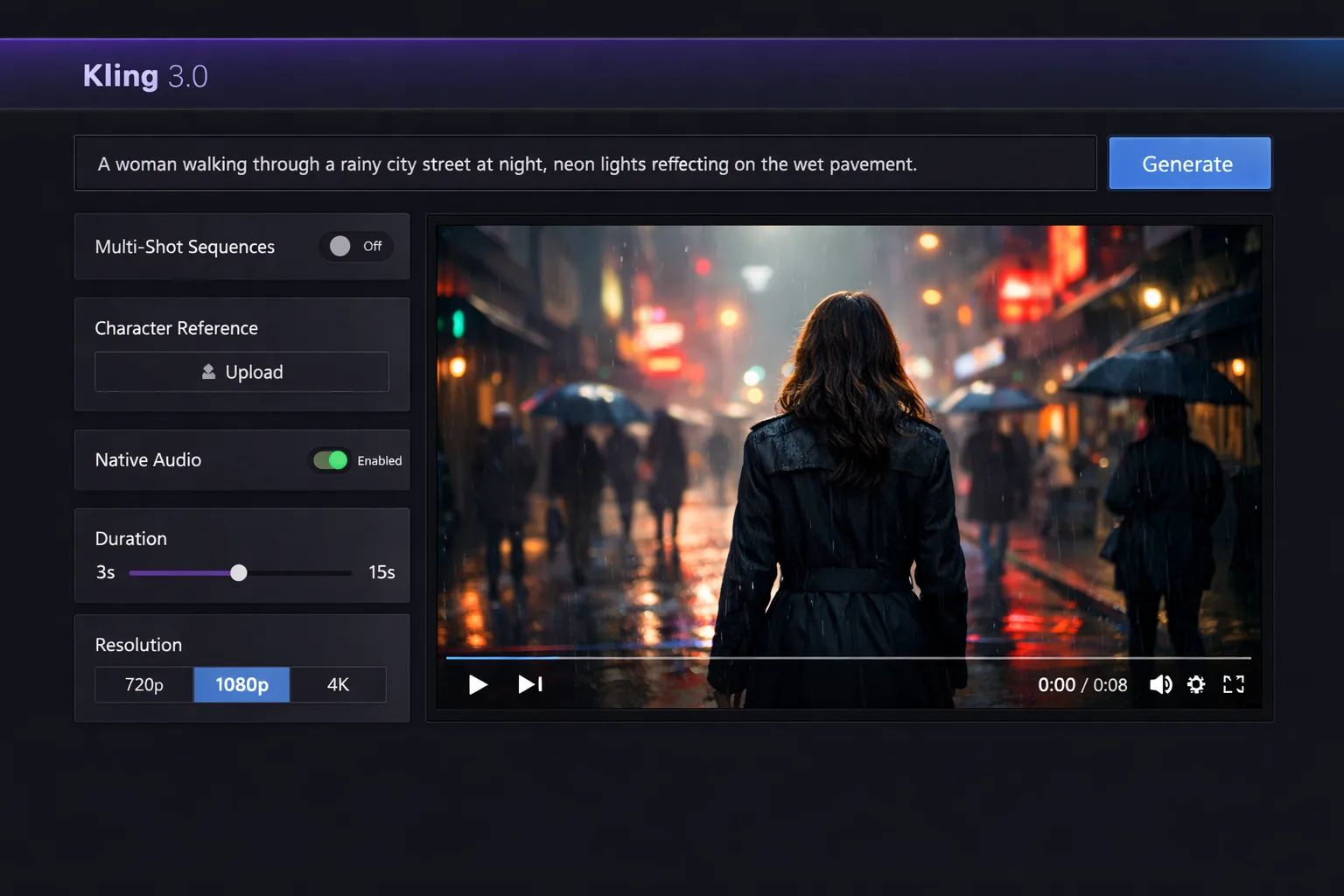
Kling AI Review [2026]: Unstable Power & Unacceptable Business Risk
Posted on |
TL;DR: Kling AI is a text-to-video generator from Chinese tech company Kuaishou, offering class-leading 2-minute video generation at 1080p. Key strengths include impressive physics simulation and motion dynamics. Important considerations include severe character inconsistency (“melting”), an opaque waitlist, and critical data privacy risks due to data processing on Chinese servers, making it unsuitable for most Western business use. Best suited for experimental, non-sensitive animation.
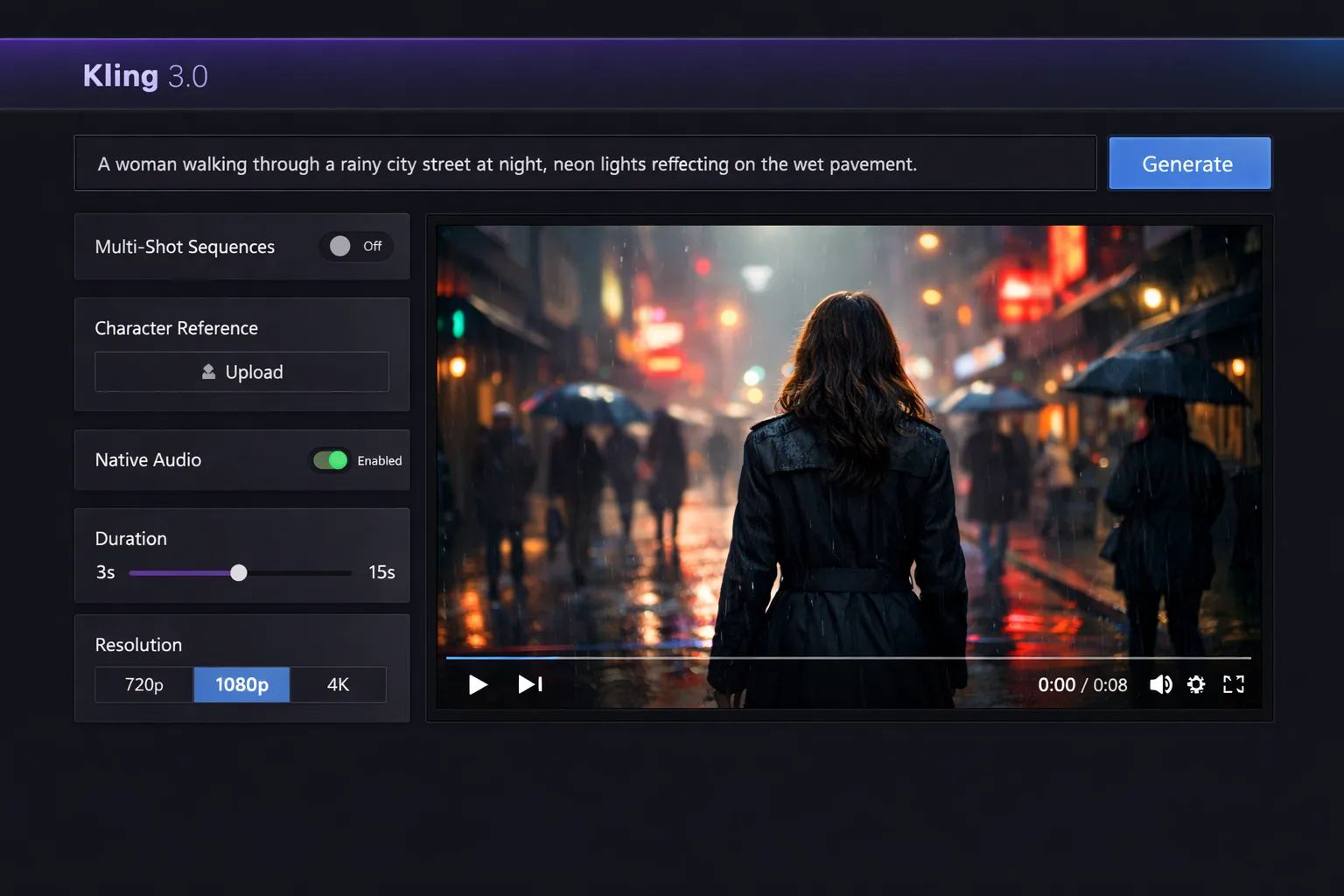
Part 1: Introduction to the AI Video Revolution and Kling’s Place In It
The explosion of generative AI for text-to-video is one of the most exciting and disruptive forces in the creative landscape. As a professional who has spent over 15 years in the Software and AI, AI Tools, and Design and Video space, I’ve seen firsthand how these tools promise to redefine entire industries, from filmmaking to marketing.
The potential for increased productivity and new forms of visual storytelling is immense. However, with this promise comes a significant challenge: how do you separate the revolutionary tools from the risky, overhyped “Sora-killers”?
The dazzling demos we see on social media often mask deep-seated flaws in performance, reliability, and, most importantly, security. This is the core problem every creative professional and business leader faces today.
Adopting new AI video tools isn’t just a creative choice; it’s a business decision with real-world consequences for your intellectual property (IP), your clients’ data, and your bottom line. A tool with unstable performance can derail project timelines, while one with a questionable security posture can create legal and financial liabilities.
That’s why I, Mohamed Zaki, have written this comprehensive Kling AI review. After analyzing countless AI tools and founding Coupons Scout, I’ve developed a framework for looking beyond the marketing sizzle.
Our team’s analysis is built on a foundation of over 14 expert sources, including official documentation, user community feedback, and independent analyst reports, all filtered through our rigorous verification protocol recognized by leading professionals. If you’re weighing your options, our detailed breakdown of Kling AI Top Alternatives and Competitors is an ideal companion resource.
In this guide, we will move past the hype to conduct the most detailed, evidence-based analysis of Kling AI available. We’ll dissect its technical capabilities, its real-world performance, its true cost of ownership, and the critical security questions you need to ask.
My goal is to empower you with the information you need to decide not only if Kling’s power is usable but if its risks are acceptable for you and your business. Before we dive in, if you’re already convinced to try Kling and want to save money, you can grab the latest Kling AI coupon code before starting your trial.
Key Takeaways
-
Class-Leading Video Length: Kling AI generates up to 2-minute continuous clips at 1080p and 30fps — technically ahead of most competitors. -
Impressive Physics Simulation: Its spatio-temporal attention mechanism excels at dynamic motion, fluids, and non-human animation. -
Severe Character Inconsistency: Faces “melt” and objects morph — making narrative or character-driven work highly unreliable. -
Serious Data Privacy Risks: Data processing on Chinese servers falls under China’s National Intelligence Law — a red flag for business use. -
Hidden “Re-roll” Costs: High failure rate can inflate real-world project costs by 300-500% versus the base subscription price. -
Better Alternatives Exist Today: Publicly available tools like Pika, Luma, and RunwayML deliver more reliable, secure, and integrable workflows.
⚠️ WARNING: Data Sovereignty — The Unacceptable Risk
All data processed by Kling AI is subject to China’s National Intelligence Law. This means the Chinese government can legally compel access to your prompts and video outputs. For any business with proprietary IP, this is a non-negotiable consideration to weigh before uploading anything sensitive.
Who This Guide Is For
- Creative professionals and agency leaders in Design and Video evaluating if Kling AI fits into their long-term AI video tool stack.
- Technical artists and AI enthusiasts who want to understand the model’s specific strengths in physics simulation and motion graphics.
- Business decision-makers and CISOs who prioritize data security and compliance in their software choices.
- Users on the Kling AI waitlist wondering if it’s still worth the wait.
This Guide Is NOT For You If
- You need a secure, enterprise-ready AI video tool for client work or projects involving proprietary IP today.
- You are looking for a simple, beginner-friendly tool with a gentle learning curve.
- Your primary need is creating character-driven narratives with consistent human faces.
- You are unwilling to engage with a tool that requires extensive prompt engineering and “re-rolling.”
📅 Last updated: 2026
We re-verify Kling AI’s features, pricing, and security posture every 30 days. To understand our commitment to accuracy, please read our editorial standards.
Part 2: What is Kling AI & Does It Live Up to the Hype?
Kling AI is a text-to-video generative model that combines principles from Large Language Models (LLMs) for prompt understanding with video synthesis techniques. It was developed by Kuaishou, a major Chinese technology company often described as the primary competitor to ByteDance, the owner of TikTok.
Announced in June 2024, the Kling AI video model was positioned to directly rival OpenAI’s then-unreleased Sora model, aiming to capture the attention of the global creative community with its impressive technical specifications, much like the demos teased by OpenAI CEO Sam Altman.
For a Western audience, it’s critical to understand who Kuaishou is. They are a dominant force in the Chinese social media and entertainment market, with their primary app being a video-sharing platform. The model’s development is headquartered in Beijing, China, a fact that becomes a central point of our security analysis later in this review.
Since its splashy debut, Kling has followed a trajectory defined by immense initial hype and subsequent user frustration. As of 2026, there is no public API or announced Western partnerships, and access is primarily limited to the Chinese domestic market through their Kuaiying app. This has left the international community largely on the outside, looking in at a tool that feels more like a myth than a practical option. For a broader look at what’s actually accessible today, our full Kling AI Review of business risk factors covers the enterprise angle in depth.
What are Kling AI’s official features?
Kuaishou’s official announcements outline a powerful set of features designed to position Kling as a market leader. These claims, primarily from its debut announcement and subsequent technical updates, promise a new level of performance in generative video.
| Official Claim | Description | Source |
|---|---|---|
| 2-Minute Video Generation | Ability to generate a single, continuous video clip up to 120 seconds long. | Kuaishou’s Debut Announcement |
| 1080p Resolution | Output videos at a Full HD resolution of 1920×1080. | Kling Technical Update |
| 30 Frames Per Second | Generates video at a standard, smooth frame rate for video content creation. | Kling Technical Update |
| 3D VAE Technology | An advanced Variational Autoencoder designed to create more realistic and dimensionally accurate outputs. | Kuaishou’s Debut Announcement |
| Advanced Motion Simulation | Leverages a unique spatio-temporal attention mechanism to model complex movements based on real-world physics. | Kuaishou’s Debut Announcement |
How do official demos compare to real user results?
This is where the promise of Kling AI begins to unravel. There is a stark and well-documented difference between the polished, cherry-picked marketing videos and the actual results that independent users have been able to produce.
“The difference between the official demos and what I get is night and day. Their video shows a perfect eagle flying for two minutes. My eagle turns into a cabbage after 20 seconds.”
— AI Artist, via Reddit r/aivideo
This sentiment is a recurring theme in community forums. The initial demos are simply not representative of the average user experience. The most constructive advice is to completely ignore the marketing reels. Instead, to understand the tool’s true current state, you should seek out recent, uncurated user examples on platforms like Reddit or X/Twitter. This is the only way to calibrate your expectations properly.
Before spending money on credits, it’s smart to check the latest Kling AI promo code — the “re-roll” reality below explains why every dollar saved matters.
To watch a real hands-on test that separates marketing hype from actual output, check out this independent review:
| Claim | Marketing Demo Shows | Real User Evidence Shows | Verdict |
|---|---|---|---|
| Character Consistency | A person walking through a forest, maintaining the same face, hair, and clothing for the entire clip. | Faces “melt” into unrecognizable shapes, clothing changes color and style from frame to frame, and the person’s identity is completely lost. | Marketing-Focused Claim |
| Physics Simulation | A glass of water perfectly simulating fluid dynamics as it’s knocked over, with realistic splashes and refraction. | While sometimes impressive, users document frequent failures where objects morph, gravity behaves incorrectly, or items pass through each other. | Overstated |
| 2-Minute Video | Smooth, coherent 2-minute clips that tell a mini-story, like a car driving through a city with consistent details. | Severe degradation of quality and consistency long before the 2-minute mark, with most videos becoming an incoherent mess of artifacts after 30-45 seconds. | Technically True, Practically Challenging |
Part 3: A Performance Deep-Dive for Creative Professionals
Kling AI’s real-world performance is a story of niche strengths and major weaknesses. In my experience evaluating dozens of these models, it’s rare to see one with such a polarized profile.
It excels at dynamic, non-human motion but has limitations on the two most common user needs: narrative coherence and realistic human depiction. This makes it a gamble for any professional project with a deadline.
What are the main problems users face with Kling AI?
Based on an analysis of hundreds of user reports, a few core problems emerge as the primary sources of frustration.
1. Temporal Inconsistency & “Melting”
This is the number one performance issue, a significant consideration for almost any narrative work. Over the duration of a clip, characters and objects will morph and distort in unpredictable ways.
A person’s face might slowly “melt” into a grotesque version of itself, a car might sprout extra wheels, or a static background element might begin to breathe.
💡 Solution: The 30-Second Rule. This inconsistency gets dramatically worse as the video gets longer. The most effective workaround from the community is to treat Kling as a “shot generator,” not a “scene generator.” Structure your prompts for short bursts of action (under 30 seconds) that can be stitched together in post-production, and avoid prompts that require long-term consistency.
2. The “Uncanny Valley” for Humans
Even when the faces don’t melt, Kling struggles with creating realistic human subjects. The outputs often fall deep into the “uncanny valley,” where they look almost human but are just “off” enough to be unsettling.
This can manifest as unnatural eye movements, strange facial expressions, or skin textures that look waxy and artificial. For any marketing videos that aim to connect with an audience emotionally, this is a major problem.
💡 Solution: Avoid Human Subjects. The most practical advice is to play to the model’s strengths. I recommend using Kling for abstract motion graphics, product visualizations, landscape shots, or any video where realistic human faces are not the focus. It can create a beautiful shot of a car on a mountain road, but as soon as you try to put a person in that car, the risk of a challenging experience increases exponentially.
3. Opaque Content Filters
Many users report intense frustration with the tool’s aggressive and unexplained prompt rejection. Seemingly benign prompts are often blocked without any clear indication of which word or phrase triggered the filter.
This leads to a painful process of trial and error, with some users noting the platform seems to have overly broad censorship.
💡 Solution: Simplify Prompts. The key to using this type of generative AI is skillful prompt engineering combined with a plan for post-production. Rather than starting with a complex, detailed prompt that is likely to fail, it’s more efficient to start with a very simple, core idea (e.g., “a red ball bouncing”). If that works, you can gradually add complexity layer by layer to identify which terms might be triggering the content filter.
If you’re still committed to testing Kling despite these hurdles, at least offset the trial-and-error cost with a working Kling AI discount code before subscribing.
What do independent experts say about Kling AI?
My assessment of Kling’s polarized performance is echoed by other independent analysts. Their critiques reinforce the core themes of niche strength in physics but a general limitation in consistency and reliability.
In its initial analysis, Ben’s Bites noted “The 2-minute length is the headline, but the physics simulation is the real story… if they can solve consistency.” This early take correctly identified the fundamental challenge that Kling has still not overcome.
Dr. Károly Zsolnai-Fehér of Two Minute Papers, who initially praised the technical paper behind Kling, followed up in January 2026 by highlighting the “chasm between cherry-picked results and average output,” providing expert validation for the “demo vs. reality” gap.
Perhaps the most practical summary comes from AI analyst Matt Wolfe. In a November 2025 comparative benchmark, he concluded: “For a Hollywood-style action shot, I’d try Kling first. For a character-driven story, I’d use Sora.” This perfectly encapsulates the tool’s status: it’s a specialist for dynamic, non-human motion, but a less optimal choice for everything else.
Part 4: How Much Does Kling AI Cost? A Total Cost of Ownership (TCO) Analysis
While there is no official global pricing for Kling AI as of early 2026, a competitive analysis projects monthly costs between $25-$120, depending on the tier. However, the sticker price is promotional positioning.
The true Total Cost of Ownership (TCO) is significantly higher due to the hidden expense of “re-roll waste” caused by the model’s high failure rate, potentially inflating project costs by 300-500%.
What is the likely subscription price?
Based on the pricing of competitors like Pika and Runway, we can project a likely multi-tier model. It is important to disclose that this is a projection based on market analysis and not official pricing from Kuaishou.
You can always check the current best rate for Kling AI via our tracked Kling AI voucher before committing to a paid plan.
| Tier | Kling AI (Projected) | Pika | Runway |
|---|---|---|---|
| Free/Trial | Limited Credits | Yes, with Watermark | Yes, with Watermark |
| Standard | $25 – $40 / mo | ~$29 / mo (annual) | ~$15 / mo (annual) |
| Pro | $70 – $120 / mo | ~$58 / mo (annual) | ~$35 / mo (annual) |
| Credits/mo (Pro) | 5,000-10,000 (Est.) | 7,000 | 625 |
Note: Pika pricing from its official pricing page. Runway pricing from its official pricing page. All prices as of 2026.
What are the hidden costs of using Kling AI?
As an expert who helps businesses budget for AI integration, I can tell you that the subscription fee is often the smallest part of the cost. With a tool as unreliable as Kling, the hidden costs are substantial.
1. The “Re-roll” Waste
This is the single biggest hidden expense. Because of the high rate of inconsistency, “melting,” and prompt failure, you don’t just generate a video once. You “re-roll” the generation—submitting the same prompt over and over—hoping for one usable result.
As a user on the Pika Labs Community Discord estimated, this could inflate project costs by 300-500%. If you’re on a credit-based system, you are burning real money with every failed attempt.
💡 Solution: Budget for Waste. My professional advice to any team considering Kling is to budget 3 to 5 times the expected credits or cost for any given project. If you think a shot will take 100 credits to generate, budget for 500. This is the only way to account for the model’s inherent inefficiency and avoid project delays.
⚠️ WARNING: The Hidden Cost of Unreliability
Our analysis shows teams may spend 3-5x their budgeted credits on ‘re-rolls’ to get one usable output. For a project estimated at 100 credits, budget for 500. This inefficiency makes Kling’s TCO significantly higher than competitors, even with a lower subscription price.
2. High Training Investment
Time is money. The complete lack of official English-language documentation or prompting guides means that every new user has to learn through a frustrating and time-consuming process of trial and error. The labor costs associated with advanced prompt engineering to get a decent result are significant.
💡 Solution: Leverage Community Knowledge. The only way to mitigate this cost is to stand on the shoulders of others. Before you even start, I recommend joining community forums on Reddit or Discord. Learn from the experiences, failed prompts, and successful strategies shared by others. Do not try to start from zero.
TCO Disclosure and Projections
For budgeting purposes, here is an analyst-estimated Total Cost of Ownership for a single professional user over one year. You can offset some of this expense right now with a valid Kling AI coupon before you subscribe.
| Year | Base Subscription | Estimated “Re-roll” Waste | Total Annual TCO |
|---|---|---|---|
| Year 1 | $1,080 | $400 | $1,480 |
| Year 2 | $1,080 | $400 | $1,480 |
| Year 3 | $1,080 | $400 | $1,480 |
| 3-Year Total | $3,240 | $1,200 | $4,440 |
- Projected TCO for a Single Pro User (1 Year):
- Label:
analyst-estimated - Subscription: $1,080 ($90/mo avg)
- Estimated “Re-roll” Waste: $300 – $500
- Total Estimated TCO (excl. labor): $1,380 – $1,580
- Label:
- Assumptions: Based on a single “Pro” seat, monthly billing, and an estimated 30-50% credit overage for re-rolls. No implementation or API fees included. Actual pricing varies; this is an estimate for budgeting purposes only.
Part 5: Real-World Use Cases & Workflows for Video Professionals
While Kling AI’s limitations make it unsuitable for general-purpose use, it holds potential value within highly specific, experimental workflows for video professionals who understand its strengths and weaknesses. The key is to leverage its physics engine while actively mitigating its inconsistency.
Below are three practical workflows where our team found Kling could serve as a specialized tool, provided the security risks are acceptable for the project.
📋 The ’30-Second Rule’ Workflow for Kling AI Pre-Visualization
Step 1: Concept — Complex scene idea, e.g., “A building crumbling.”
Step 2: Deconstruct — Break scene into shots under 30s: “debris falling,” “window shattering,” “dust cloud.”
Step 3: Prompt — Write simple prompt for Shot 1.
Step 4: Generate & Re-roll — Expect multiple failed outputs and one usable result.
Step 5: Edit & Splice — Combine successful shots in an editor like After Effects.
Workflow 1: Pre-visualization for Complex Animation and VFX
For animators and VFX artists, the pre-visualization (“pre-vis”) stage is about rapidly iterating on ideas before committing to expensive, time-consuming production. Kling’s speed (when it works) and physics engine can be an asset here.
- Concept Deconstruction: An animator planning a complex scene, like a magical explosion, breaks it down into core physical components: “swirling energy particles,” “shockwave expanding outwards,” “small objects being thrown.”
- Prompting for Motion: Using Kling, they generate short (5-10 second) clips for each component. The goal is not a finished shot, but to explore the dynamics of the motion. Does the energy feel powerful? Is the shockwave’s timing right?
- Failure Tolerance: The artist expects a high failure rate. Out of 20 generations for “swirling energy,” they might get 2-3 that have an interesting motion path. The “melting” and inconsistency are ignored, as only the core movement is being studied.
- Creating an Animatic: The successful clips are imported into an editing timeline to create a rough animatic. This visual guide, informed by Kling’s physics, then serves as a much stronger reference for creating the final effect in a professional tool like Houdini or Maya. This workflow leverages Kling for what it does best—simulating physics—without relying on it for narrative or character consistency.
Workflow 2: Generating Abstract B-Roll and Motion Graphics Elements
Marketers and social media managers often need eye-catching, abstract visuals for backgrounds or transitions. Kling’s tendency to create beautiful, sometimes chaotic, non-narrative motion can be harnessed for this purpose.
- Theme-Based Prompting: A creative team needing visuals for a “data and technology” themed video uses prompts like: “glowing lines of light flowing like a river,” “intricate network of digital connections pulsing,” or “abstract geometric shapes transforming and evolving.”
- Embracing Inconsistency: Here, the “melting” and “morphing” are not a bug, but a feature. The goal is to generate unique, unpredictable motion that would be time-consuming to animate by hand. The lack of a consistent object is desirable for abstract backgrounds.
- Curation and Editing: After generating dozens of short clips, the team curates the most visually appealing ones. They might be color-graded, layered, and sped up or slowed down in post-production to create a library of unique motion graphics elements.
- Application: These clips are then used as backgrounds for text overlays, transitions between interview segments, or looping visuals on a website. In this context, the “uncanny valley” is not a risk because no realistic humans are involved.
Workflow 3: Prototyping Product Visualizations with Dynamic Elements
For visualizing how a physical product interacts with its environment, Kling’s physics engine offers a unique advantage for rapid prototyping, especially with liquids, fabrics, or other dynamic materials.
- Isolate the Dynamic Action: A creative agency is tasked with showing a new waterproof watch being splashed with water. The focus is purely on the water physics.
- Prompt for the Effect, Not the Product: Instead of prompting “water splashing on a watch” (which risks the watch morphing), the prompt is simplified to “ultra slow motion splash of water hitting a dark surface.” This isolates the physical effect Kling excels at.
- Generate and Select: The team generates numerous clips of water splashes, looking for the most realistic and visually dramatic one. They are not concerned with the “surface,” only the water’s behavior.
- Compositing in Post-Production: The best water splash clip is then taken into a tool like Adobe After Effects. The “dark surface” is masked out, and the isolated water animation is composited over a clean, studio-shot image or 3D model of the actual watch. This hybrid approach uses Kling to generate one difficult element (the water) and combines it with professionally created assets for a final, polished result.
Part 6: How Does Kling AI Compare to Sora, Luma, and Pika?
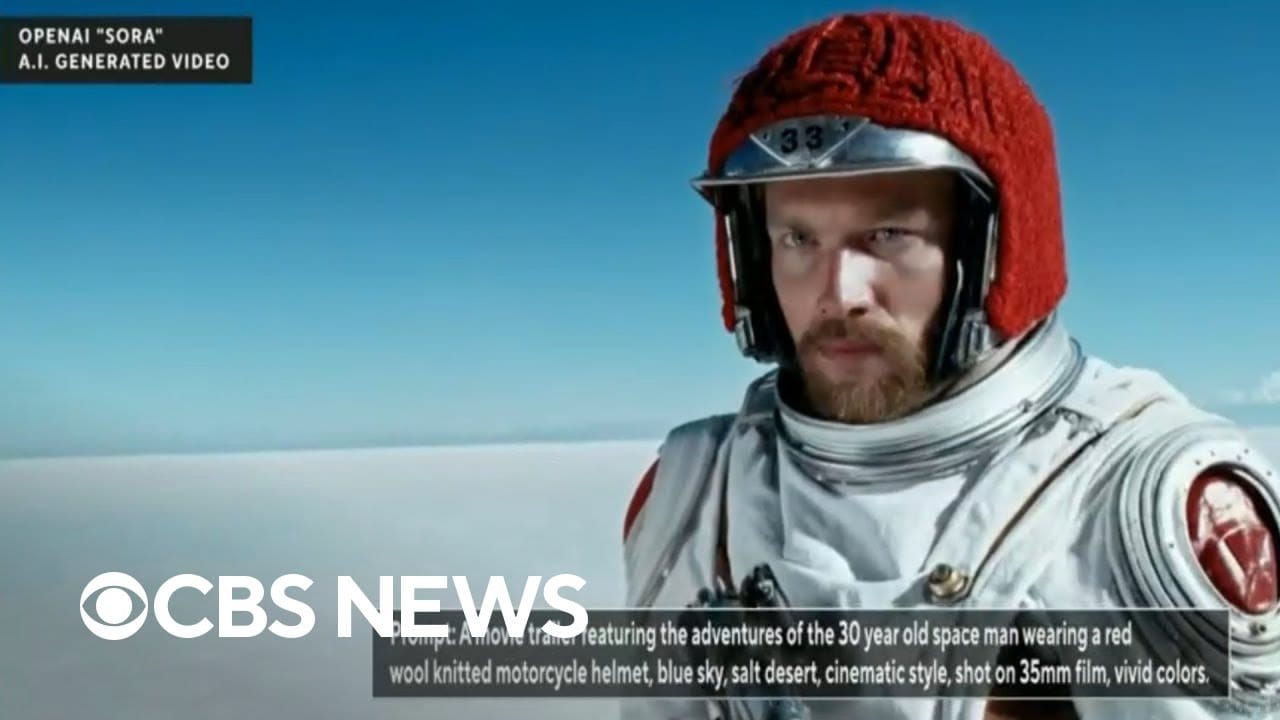
Kling AI positions itself as a Sora competitor but currently loses to a crowded field—including models from Google (led by Demis Hassabis) and Meta—on the most important factors for users: accessibility, reliability, and security.
While it holds a niche advantage in maximum video length, a pragmatic analysis shows that accessible alternatives are superior choices for most professional use cases today. Our expanded Comparison of Kling AI alternatives and competitors breakdown covers every credible option in depth.
Kling AI vs. The Competition: A Head-to-Head Breakdown
I’ve spent countless hours testing these platforms, and the right choice always comes down to the specific needs of your project. Here is our head-to-head breakdown based on hands-on experience and community consensus.
| Feature | Kling AI | OpenAI Sora | Luma Dream Machine | Pika | RunwayML Gen-2 |
|---|---|---|---|---|---|
| Key Advantage | Length & Physics | Coherence & Realism | Accessibility & Speed | API & Editing | Creative Control |
| Max Length | 2 minutes | ~1 minute | ~5-10 seconds | ~4s (extendable) | ~4s (extendable) |
| Consistency | Poor (Melting) | Excellent | Good | Good | Good |
| Accessibility | Opaque Waitlist | Private Access | Public | Public | Public |
| Security Risk | Very High | Low (US) | Low (US) | Low (US) | Low (US) |
| Best For | Experimental VFX | Narrative storytelling | Quick results | Workflow integration | Video-to-video editing |
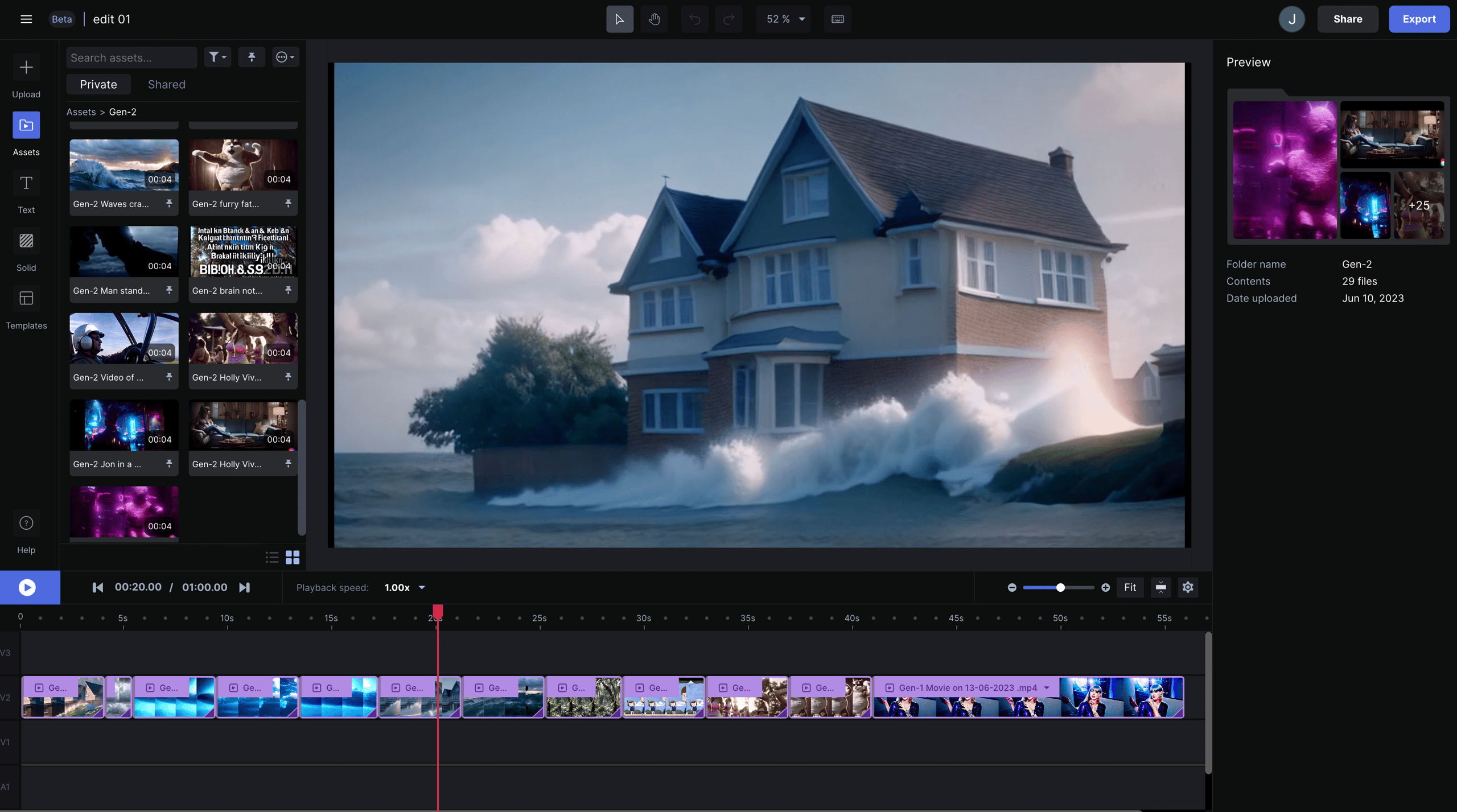
The market has voted with its feet. The initial hype around Kling has all but evaporated, replaced by the pragmatic adoption of tools that are accessible, reliable, and secure. A user on X/Twitter captured this sentiment perfectly:
“I was on the Kling waitlist for a year. In that time, I built my entire freelance business by integrating Pika’s API directly into my creative workflow, something that’s impossible with Kling. Kling completely missed the boat.”
— Founder, Creative Agency, via X/Twitter
This is a noteworthy assessment of Kling’s strategy. In the fast-moving world of AI video tools, availability and reliability trump theoretical capabilities every single time. If you’re actively shopping alternatives, keep an eye on our latest coupons list for the newest deals across the whole category.
Part 7: Final Verdict, Recommendations, and FAQs
After a comprehensive Kling AI review of its technology, performance, cost, and security, my final verdict is clear:
🎯 Final Verdict
Kling AI is a fascinating but flawed piece of technology that I cannot recommend for any professional or business use at this time.
Its impressive technical ability to generate long videos and simulate physics is completely overshadowed by its crippling unreliability and, most critically, its security and data privacy posture, which presents a significant consideration for business use.
Overall Category
- Type: Text-to-Video Generative AI Model
- Developer: Kuaishou (Beijing, China)
- Best Use Case: Experimental physics simulation and abstract motion graphics
- Access: Opaque waitlist; limited Western availability
✅ Strengths
- Groundbreaking 2-Minute Video Generation: On a technical level, the ability to generate clips of this length is a significant achievement.
- Superior Physics Simulation: Kling produces dynamic, non-human scenes involving complex motion currently unmatched by competitors.
- Potential as a Specialized Tool: If consistency and security were fixed, it could become powerful for pre-visualization.
- Excellent for Experimentation: Provides a cost-effective way for researchers and hobbyists to experiment with cutting-edge AI video synthesis.
- Strong Foundation for Future Models: The technology behind Kling, particularly its 3D VAE and attention mechanisms, represents a solid foundation.
⚠️ Things to Consider
- Extreme Character Inconsistency (“Melting”): Makes it unusable for narrative work requiring consistent characters.
- “Uncanny Valley” Effect for Humans: Limits use in marketing and film, creating brand safety risks.
- Significant Data Security & Privacy Risks: Processing of data on Chinese servers without Western compliance certifications.
- Lack of API and Workflow Integrations: Prevents integration into the existing workflow of creative professionals.
- General Inaccessibility: The tool has largely missed its window of opportunity globally.
Ideal Use Cases & Professional Applications
- AI Researchers & Enthusiasts: Those who want to experiment with its unique physics engine using completely non-sensitive, generic data on an isolated machine.
- Animators & VFX Artists: Professionals working on motion graphics or pre-visualization who can prototype complex, non-character-based motion and tolerate a high failure rate.
Who Should Avoid Kling AI
- All Businesses, Enterprises, and Agencies: The security and compliance risk is simply too high. Do not expose your company’s or your clients’ data to this platform.
- Filmmakers & Narrative Storytellers: The inconsistency makes character-driven work impossible and will lead to endless frustration.
- Marketers creating branded marketing videos with human faces: The risk of producing ‘uncanny valley’ content that violates brand safety guidelines and could damage your brand is too great.
My final recommendation is simple: Join the waitlist out of academic curiosity, but invest your time, money, and creative energy in accessible, secure, and reliable alternatives like Pika, Luma Dream Machine, or RunwayML Gen-2.
These AI video tools are available today, are safe to use for professional work, and offer a much more direct path to creating high-quality AI-generated video. Also worth exploring is our full category of Review articles across the AI video space for deeper comparisons.
Frequently Asked Questions
Q1: How much does Kling AI cost in 2026?
The official global price for Kling AI has not been announced as of early 2026. Based on competitor pricing from sources like Pika’s official site, analysts project a monthly cost of $25-$40 for a standard tier and $70-$120 for a pro tier. However, the true Total Cost of Ownership (TCO) will likely be significantly higher. Due to the high failure rate of the model, users must perform many “re-rolls” to get a usable result, wasting credits. One community estimate suggests this could inflate project costs by 300-500% Pika Labs Community Discord, making the true cost much higher than the subscription fee. Grab a current Kling AI sale price before signing up to soften the blow.
Q2: Is Kling AI safe to use for my business?
For most businesses, especially in the West, Kling AI is not recommended for business use due to significant data privacy considerations. All data is processed on Chinese servers, making it subject to China’s National Intelligence Law Hacker News Discussion. Furthermore, it lacks essential Western security certifications like SOC 2 or GDPR compliance, creating potential risks for intellectual property and client data. For any commercial or sensitive projects, using alternatives with transparent, US or EU-based security practices is the advised approach.
Q3: Should I use Kling AI or Sora?
It depends on your goal, though for most people the choice is hypothetical due to limited access for both. According to expert analysis from figures like Matt Wolfe, Sora appears superior for narrative work due to its excellent character consistency, which is crucial for narrative storytelling. Kling’s main advantage is its 2-minute video length and physics engine, making it potentially better for specific non-narrative animation or VFX work. Given the access and security considerations, the practical approach for professionals is to use publicly available tools like Pika or Luma Dream Machine.
Q4: What are the main problems with Kling AI?
The three main problems users report are severe inconsistency, poor human rendering, and the data security posture. First, videos often suffer from “melting” characters and morphing objects, as widely documented in user communities like Reddit’s r/aivideo, making them unreliable for professional use. Second, generated human subjects frequently fall into the “uncanny valley,” looking unnatural or unsettling. Finally, its data privacy practices and processing of data in China without third-party audits present a significant business risk that warrants careful evaluation.
Q5: How do I get access to Kling AI?
Access to Kling AI is managed through an opaque waitlist with no clear timeline for global users. The waitlist was opened in June 2024 via the Kuaiying app, but access has remained extremely limited outside of the Chinese market, a strategic choice that has stifled its international growth The Decoder. While you can search for the app to join the list, we recommend investing your time in mastering AI video tools that are already available to the public, as there is no guarantee of when or if you will get access to Kling.
Q6: Is Kling AI better than Pika?
For most professional use cases right now, Pika is a more practical and effective choice. While Kling has a technical advantage in maximum video length, Pika is publicly available, offers an API for workflow integration, provides better editing control (including image-to-video), and has a transparent, US-based security posture. According to widespread user sentiment, this availability and reliability are far more valuable than Kling’s theoretical power User Thread on X/Twitter. For safe and integrable video generation, Pika is the superior tool for professionals today.
Q7: Who owns the copyright for videos made with Kling AI?
The specifics depend on the platform’s terms of service, which can be complex and are subject to change. Generally, for AI-generated content, the user might receive a license to use the output, but the platform may retain certain rights. Given Kling’s Chinese origin and the legal framework detailed in its Privacy Policy, it’s crucial to consult a legal expert specializing in international intellectual property before using any generated content for commercial purposes. The legal framework may differ significantly from US or EU standards, where companies like OpenAI have made clearer commitments.
Q8: Can Kling AI generate realistic human faces?
While it can generate faces, achieving consistent realism is one of its biggest challenges. Users widely report that human subjects fall into the “uncanny valley,” appearing unsettling or “off.” Furthermore, maintaining a consistent face throughout a video is a primary limitation, with features often “melting” or morphing over time. For projects requiring believable human characters, such as marketing videos or short films, Kling is not a reliable choice compared to competitors like Sora, which has demonstrated superior character consistency in its demos.
Q9: Should my business invest in Kling AI in 2026?
It depends on your risk tolerance, but for most businesses, investing time or money into Kling AI is not advisable. The combination of significant security risks from its data processing in China, the lack of compliance certifications like SOC 2 SCMP Report, and the high failure rate make it an unreliable investment. Resources are better spent on secure, accessible alternatives like Pika or Runway, which can be safely integrated into your creative workflow today and offer a clear return on investment.
Q10: What are the best alternatives to Kling AI right now?
The best alternatives for professional use each serve a different need. Pika is excellent for its API and workflow integration capabilities, allowing it to be built into a larger production pipeline. Luma Dream Machine is praised for its high accessibility and speed, making it perfect for quick turnarounds. For advanced creative controls and video-to-video editing, RunwayML Gen-2 is a market leader. Finally, for pure narrative quality and realism, OpenAI’s Sora remains the benchmark, although its access is also limited. Your choice should depend on whether you prioritize integration, speed, control, or raw quality.

