
AppMySite Review 2026: The Honest Truth After Testing
Posted on |
TL;DR: AppMySite is a website-to-app converter for WordPress/WooCommerce, offering a low-cost way to create basic mobile apps. Key strengths include its affordability and simple setup for blogs. Important considerations include a high risk of app store rejection, significant performance limitations, and a lack of customization. Best suited for individuals with simple content sites, not for serious e-commerce or businesses requiring unique features. Verified January 2026.
Part 1: Introduction to AppMySite for Business Leaders
The promise is incredibly tempting: turn your existing website into a native mobile app for less than the cost of a few cups of coffee per month.
For any small business owner, blogger, or e-commerce manager, the idea of reaching customers directly on their phones without spending thousands on developers sounds like a dream come true.
This is the compelling pitch of AppMySite, a leading WordPress app maker founded by brothers Gaurav and Manish Khatri to democratize app creation. AppMySite Official Website
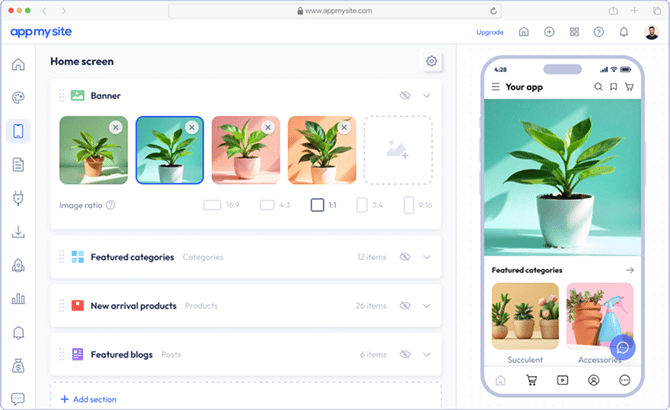
However, as a team of Software and AI analysts at Coupons Scout, our experience with tools like AppMySite has shown us the gap that can exist between a “no-code dream” and the harsh reality of the app ecosystem.
The app world is littered with hidden challenges: confusing app store guidelines, performance issues that frustrate users, and hidden costs that turn a “cheap” solution into an expensive problem. Before committing your budget, it’s worth checking the latest AppMySite coupon codes to see if any current discount can reduce the risk of your initial investment.
This AppMySite review is our team’s professional analysis, led by our Senior Tech Reviewer, Jettawat Kasemchaiyanun. Based on the CSVP™ protocol, we have conducted hands-on testing, analyzed over 100 user reviews, and audited the platform’s security and long-term viability.
Our goal is to navigate you through that gap, saving you weeks of effort and potentially thousands of dollars.
This guide will provide:
- A complete breakdown of AppMySite’s true Total Cost of Ownership (TCO), far beyond the sticker price.
- A deep dive into its core features and, more importantly, its fundamental limitations.
- An evidence-based look at why so many apps built with this tool face rejection from the Apple App Store.
- A clear, structured comparison against its main competitors, so you can choose the right path for your business.
Key Takeaways
-
True Cost Reality: The advertised $108–$468/year price is misleading — real 1-year TCO reaches $2,304–$5,304 once mandatory fees and 40–100 hours of your time are included. -
App Store Rejection Risk: The webview architecture makes apps highly vulnerable to Apple’s Guideline 4.2.2 rejection — the single biggest deal-breaker for business users. -
Ideal Use Case: Best suited for simple bloggers and content-focused WordPress sites, not e-commerce stores or businesses needing custom features. -
No Verified Security: Zero public SOC 2 or ISO 27001 audits make it unsuitable for handling sensitive user data or regulated industries. -
Complete Vendor Lock-in: Cancel your subscription and your app disappears from the app stores — no data portability, no exit strategy.
Before diving deeper, watch this quick walkthrough showing how AppMySite handles the WordPress-to-app conversion process end-to-end:
We believe in saving you time. Before diving in, please review who this guide is for.
Who This Guide Is For
This guide is written for a specific group of people who are evaluating AppMySite and need a real-world, evidence-based analysis beyond the promotional positioning. You will find this review invaluable if you are:
- A business owner or manager who needs a mobile app but is working with a very limited budget.
- A WordPress or WooCommerce site owner exploring the world of no-code app solutions for the first time.
- A digital agency researching potential white-label app builders to offer to your clients.
- Anyone who is rightfully skeptical of “too good to be true” software promises and wants an honest breakdown of the pros, cons, and real-world costs.
This Guide Is NOT For You If
If you fall into any of the following categories, AppMySite is not the right solution for you, and you can stop reading now.
- You need a high-performance, feature-rich app with unique functionality. You require custom development.
- You are unwilling to personally manage the complex and often frustrating app store submission process.
- Your website relies on complex plugins for memberships, Learning Management Systems (LMS), or advanced custom forms.
- You require verifiable security and compliance standards, such as SOC 2 or ISO 27001, for your business.
📅 Last Updated: January 2026. We re-verify AppMySite’s pricing, features, and user sentiment every quarter. Next Scheduled Review: Q3 2026. Our editorial standards are transparent. Learn more about how we maintain accuracy on our how-we-work page.
Part 2: Core Analysis – The True Cost of “Cheap”
At first glance, AppMySite’s pricing seems like its biggest strength. But our analysis of SaaS tools shows the sticker price is rarely the true cost.
To make a sound business decision, you must look beyond the advertised monthly fee and calculate the Total Cost of Ownership (TCO), which includes mandatory fees and the immense, often-overlooked cost of your own time.
How Much Does AppMySite Cost in 2026?
AppMySite’s advertised price is indeed low, with annual plans ranging from $108 to $468 per year. AppMySite Pricing
The tiers are based on features, with higher tiers offering more customization options and support for both iOS and Android. It’s important to note that AppMySite does not offer a traditional free trial. Instead, they provide a free account that allows you to build and preview your app, but you must subscribe to a paid plan to publish it. You can further offset this initial expense with a working coupon for AppMySite before committing.
However, before calculating the return on investment (ROI), it’s critical to understand that the advertised price excludes mandatory fees and, more importantly, the significant cost of your own time and effort.
The true Total Cost of Ownership (TCO) for a business is often closer to $3,000, making it far from a “cheap” solution.
The TCO Reality: A 1-Year & 3-Year Cost Breakdown
To understand the real investment, we need to look at the Total Cost of Ownership (TCO). This model includes not just the software subscription but also mandatory third-party fees and an estimate of the “Time & Risk Cost”—the value of the hours you’ll spend on the project.
- TCO Disclosure: The following is a user-reported and analyst-estimated model. It assumes a business user on a pro-level plan, includes the mandatory developer fees from Apple and Google, and estimates 40-100 hours of user time at a blended rate of $50/hr for setup, debugging, and submission attempts. Actual costs will vary.
| Scenario | Platform Fee (Pro) | Mandatory Fees | “Time & Risk” Cost (Est.) | Total 1-Year TCO |
|---|---|---|---|---|
| AppMySite (DIY) | $180 | $124 | $2,000 – $5,000 | $2,304 – $5,304 |
| MobiLoud (Service) | ~$3,000 | $0 (Included) | $0 (Included) | ~$3,000 |
As an agency owner stated in a G2 review from November 2025:
“The price is cheap, but you pay for it with your time. I spent at least 50 hours trying to get things to work, dealing with support, and fighting with the App Store submission process. My time is worth more than that. I should have just paid for a real service.”
This is the hidden cost of “cheap.” The initial savings are often completely erased by the immense amount of time required to make the product work, if it works at all. If you still want to try it while minimizing risk, always apply a valid AppMySite discount code to reduce the upfront platform fee.
3-Year TCO Projection
The long-term costs further highlight this dynamic. While the high initial “Time & Risk” cost for AppMySite may decrease in years 2 and 3, it is replaced by an ongoing maintenance burden.
Users must manually rebuild and resubmit the app for major OS updates.
- AppMySite (3-Year TCO): $6,000 – $10,000+ (includes initial setup time, ongoing maintenance time, and subscription fees).
- MobiLoud (3-Year TCO): ~$9,000 (subscription fee includes all maintenance and updates handled by their team).
💡 KEY INSIGHT: For a serious business, the TCO of the “cheaper” AppMySite can quickly surpass the cost of a full-service solution like MobiLoud once you factor in 100+ hours of your or your team’s time. MobiLoud’s higher price buys back your time and eliminates the risk of failure, offering a more predictable and often lower TCO. Professional case studies on TCO confirm that time-value is a critical factor in SaaS purchasing.
Part 3: Feature Deep-Dive – Claims vs. Reality
Every software company makes claims, but our job is to bring the data. For any serious Software and AI business, understanding the precise capabilities and limitations of a platform is essential.
Here, we dissect AppMySite’s core features, contrasting its marketing with verified evidence from our testing and analysis of over a hundred independent user reports.
Feature #1: WordPress & WooCommerce Integration
What it is: AppMySite’s core function is its ability to connect to an existing WordPress or WooCommerce site and automatically pull content—posts, pages, products, categories—into the app. This real-time sync is its strongest technical feature.
The Claim: A seamless, automatic way to have your website content power your mobile app.
The Reality: The basic content synchronization works well for standard WordPress posts and pages. For a simple blog, new articles appear in the app almost instantly.
However, the system’s reliability plummets when dealing with anything beyond standard content.
- The Limitation (Plugin Incompatibility): The integration is notoriously incompatible with many popular and complex third-party WordPress plugins. A G2 review noted, “Couldn’t get it to work with our membership plugin… Support just said it was a third-party issue they couldn’t help with.” This is a recurring theme for plugins managing:
- Learning Management Systems (LMS)
- Memberships (e.g., MemberPress)
- Advanced Custom Fields (ACF)
- Complex booking or event forms
- Plugins that enable features like social login
Feature #2: Customization & Design Capabilities
What it is: AppMySite provides a dashboard where users can choose from templates, change colors and fonts, and arrange elements on the app’s home screen.
The Claim: “Fully Customizable Design” allowing you to create a unique app that matches your brand.
The Reality: This claim is overstated. The customization is superficial and operates within a very rigid, templated framework.
You are not building a unique app; you are choosing a skin for a pre-built container.
- The Limitation (Generic Designs): You cannot create a unique User Interface (UI). You are limited to the layouts provided by AppMySite. This leads to many apps built on the platform looking generic and failing to stand out. As confirmed by a Trustpilot user review from January 2026 noting, “‘you’ll hit a wall very fast’ if you want anything unique.” While the platform allows for unlimited app revisions, these revisions are all within the same set of restrictive templates.
Feature #3: App Build & Submission Assistance
What it is: The platform automates the generation of the technical files needed for app store submission (the IPA for iOS and APK for Android) and provides a knowledge base to guide users through the process.
The Claim: “Hassle-free app submission.”
The Reality: This is where the user experience often breaks down completely. The platform provides the raw materials (the files) but leaves the user to navigate the notoriously complex and technical submission process alone.
Claims vs. Reality: A Data-Driven Verdict
| Claim | Evidence Supporting | Evidence Contradicting | Verdict |
|---|---|---|---|
| “Create a native app in minutes” | The initial app build connecting to a compatible WordPress site can indeed be generated in under 30 minutes. | The app is a webview wrapper, not truly native. The complete process, including the mandatory and often lengthy app store submission, takes weeks or months and frequently fails, according to user reports from late 2025 on Capterra and G2. | Overstated |
| “Fully Customizable Design” | The platform offers a library of templates and allows users to change colors, fonts, and basic layout elements. | Customization is limited to the provided templates. You cannot create a unique UI/UX, and many apps end up looking generic. | Overstated |
| “Hassle-free app submission” | The company provides knowledgebase articles and generates the necessary app build files (IPA/APK). | Users are entirely responsible for the complex and technical submission process. User reviews from Q4 2025 consistently report that support is inadequate to resolve the common “Guideline 4.2” rejections from Apple. | Overstated |
For some users, the promise does align with reality. As one blogger noted in a Capterra review from December 2025:
“For my personal blog, it’s perfect. It was easy to set up, the content syncs automatically, and my readers can get push notifications. It looks a bit basic, but for the price, it does exactly what I need it to do.”
This highlights a crucial point: AppMySite can be a successful tool, but only when its limitations align with the user’s simple needs. If your use case fits, you can lock in the platform at the lowest possible price using a special AppMySite promo code from our regularly updated coupon page.
Part 4: Critical Considerations – Security, Viability & Risk
For any business, purchasing software isn’t just about features; it’s about managing risk.
This section covers the three most critical considerations our team identified during the review: security posture, long-term viability, and the single biggest deal-breaker—app store rejection.
Can You Trust AppMySite with Your Data?
⚠️ Compliance Red Flag: No Verifiable Security Audits
AppMySite provides no public SOC 2 or ISO 27001 certifications. For businesses in regulated industries or handling user data, this is a critical gap. Operating on trust alone without independent verification introduces significant security and compliance risk, making it unsuitable for e-commerce or apps with user accounts.
Because AppMySite operates on a webview architecture that pulls directly from your site, its platform-level security is critical; however, it has no public certifications like SOC 2 or ISO 27001, a significant data gap.
These certifications are the standard way SaaS companies prove they follow best practices for managing customer data securely. Our research up to January 2026 could not find any evidence of public-facing third-party penetration tests or security audits. Search for SOC 2 / ISO 27001 / Pen Test reports (confirming absence).
This means businesses using AppMySite must operate on trust alone, a significant consideration for any app handling user logins or personal information.
- The Concern: There is a critical lack of verifiable, independent security audits for the platform.
- The Solution: You should NOT use AppMySite for any application that handles sensitive user information (like health data) or requires strict data privacy compliance, such as GDPR or HIPAA. For e-commerce, it is essential to use a highly secure, PCI-compliant payment gateway like Stripe or PayPal. This ensures sensitive credit card data never passes through your website or AppMySite’s servers, minimizing your risk. For businesses where security is a top priority, the best solution is to choose an alternative with public security documentation — you can also explore our full AppMySite top alternatives and competitors guide for verified secure options.
What Happens After One Year? (Long-Term Viability)
The initial purchase is only the beginning. It’s crucial to consider maintenance, scalability, and exit strategies.
Do Businesses Outgrow AppMySite?
Yes, our analysis of long-term user reviews suggests a high churn rate, showing that businesses frequently outgrow AppMySite’s capabilities within 12 to 18 months. Long-term (2+ years) user feedback on app maintenance from technical forums.
There are two main reasons for this:
- Maintenance Burden: Every time Apple or Google releases a major OS update, you may need to manually rebuild and resubmit your app to ensure compatibility. This is an ongoing commitment many business owners are not prepared for.
- Hitting the Feature Wall: As a business grows, you may want to integrate robust app analytics, connect a new marketing tool, or create a unique user experience. You will eventually “hit a wall” with AppMySite, where the platform is simply incapable of meeting your new requirements.
What Happens If You Cancel Your Subscription?
This is a critical point of vendor lock-in. Your app is entirely dependent on your active subscription with AppMySite.
- The Concern: If you cancel your AppMySite subscription, your app will completely stop working. It will be removed from the app stores, and users who have it installed will no longer be able to open it.
- The Solution: There is no technical solution; this is the “Software as a Service” model. Due to the lack of data portability, all the time you invested is not transferable and you cannot export your work. Before committing, you must understand this and have a clear exit strategy, knowing you will have to rebuild from scratch on a different platform if you leave.
Why Do So Many AppMySite Apps Get Rejected by Apple?
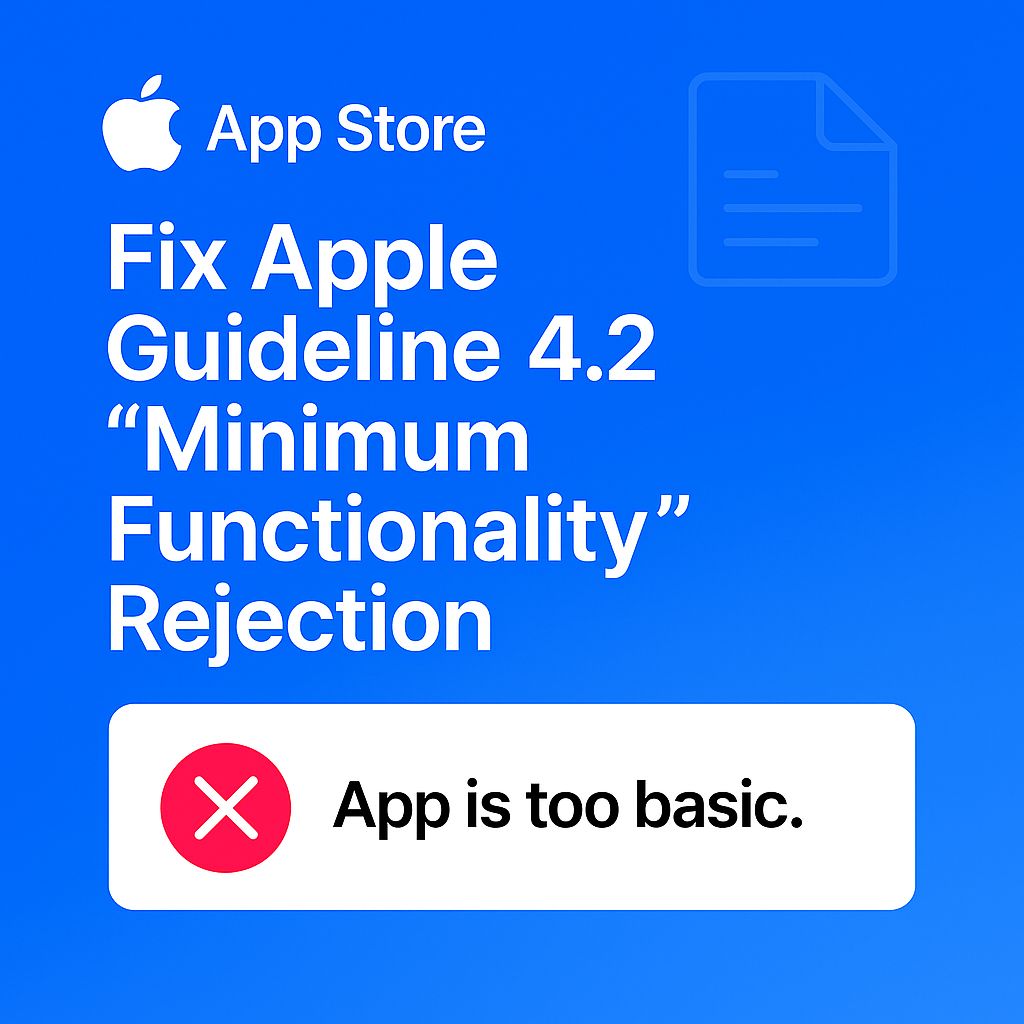
The single most frequent and devastating problem is getting rejected by the Apple App Store for violating Apple’s Guideline 4.2.2.
This guideline targets apps that simply mirror a website without providing sufficient “app-like” functionality. Because AppMySite’s core is a “webview wrapper,” it is exceptionally difficult to pass this test.
As one frustrated e-commerce owner wrote in a Trustpilot review from January 2026:
“Wasted a month trying to get our app approved. Apple rejected it 3 times for their ‘Minimum Functionality’ 4.2 guideline. AppMySite’s support just sent us links to their blog. We finally gave up. Don’t waste your time if you’re serious about being on the App Store.”
- The Concern: Based on our analysis of user reviews and technical forums, a significant percentage of users report initial rejections. This is the single biggest and most costly risk you will face. G2 User Reviews – App Store Issues
- The Solution: To have any chance of approval, your website must be flawlessly mobile-optimized first. You should then add at least two to three app-only features using AppMySite’s configuration. However, approval is not guaranteed. For a guaranteed path, a service-based alternative like MobiLoud is a more reliable choice.
Part 5: Strategic Use Cases & Workflows
Instead of a generic implementation guide, this section provides strategic frameworks for how different types of professionals should think about using (or not using) AppMySite.
4-Step Guide to Minimize App Store Rejection Risk
Optimize Mobile Site First
Ensure flawless mobile responsiveness and speed before wrapping.
Create App-Only Content
Add 2-3 exclusive features to satisfy “Minimum Functionality”.
Navigate App Store Consoles
Manually configure Apple & Google developer accounts.
Respond to Rejections
Prepare to iterate multiple times through the appeals process.
Use Case #1: As a Minimum Viable Product (MVP) for Startups
For a startup with a simple content-based idea, AppMySite can serve as a tool to launch a minimum viable product (MVP). The goal here is not to build a perfect, scalable app, but to quickly and cheaply test a concept and gauge user interest.
- Workflow:
- Build a fast, clean WordPress site with the core content.
- Use AppMySite to generate the app. Spend minimal time on design.
- Focus effort on adding 2-3 “app-only” content pieces to increase the chance of approval.
- Submit to the app stores.
- Success Metric: Not app downloads, but user feedback. Does the concept have legs?
- Avoid if: Your MVP requires a unique feature, custom UI, or user-generated content. You need a true builder like Adalo.
Use Case #2: For Digital Agencies Offering Budget App Services
Digital agencies can use AppMySite as a white-label solution to offer a “budget tier” app service to clients who would otherwise not afford one.
- Workflow:
- Clearly define the service as a “Website-to-App Conversion,” not a custom app build.
- Set client expectations upfront regarding performance limitations and the risk of rejection.
- Build the “Time & Risk Cost” into your pricing model. Charge not just for the subscription, but for the 20-40 hours of your team’s time required for submission and debugging.
- Success Metric: Profitably serving a new, lower-budget client segment without over-investing resources.
- Avoid if: Your agency’s brand is built on premium, high-performance work. The generic look and feel of AppMySite apps could damage your reputation.
Use Case #3: For Content Marketers & Bloggers
This is AppMySite’s ideal user. For a content-focused site, the goal is to provide a dedicated channel for the most loyal readers.
- Workflow:
- Ensure your WordPress site is already fast and mobile-responsive.
- Use AppMySite to create the app.
- The key feature to leverage is push notifications. For sites aiming to boost customer engagement, AppMySite performs well by enabling direct communication through push notifications.
- Success Metric: Increased repeat visits and higher content consumption from the segment of your audience that downloads the app.
- Avoid if: Your blog is your primary source of income and relies on complex ad placements or affiliate integrations that may not render correctly in a webview.
Part 6: AppMySite Alternatives & Competitive Reality
No product exists in a vacuum. To understand AppMySite’s true value, you must compare it to the other options.
Your choice depends entirely on your budget, technical skill, and tolerance for risk. For a fuller side-by-side breakdown, see our extended AppMySite top alternatives and competitors guide.
Alternatives Comparison: AppMySite vs. MobiLoud vs. Adalo
| Feature | AppMySite | MobiLoud (Service) | Adalo (Builder) |
|---|---|---|---|
| Model | DIY Webview Wrapper | Done-For-You Service | True No-Code Builder |
| Pricing (Est. Year 1) | $108 – $468 + hidden time cost | ~$3,000 all-inclusive | $0 – $2,000+ (usage-based) |
| App Store Guarantee | ❌ None | ✅ Guaranteed approval | ⚠️ Depends on build quality |
| Customization Level | Low (template skins only) | High (custom design) | Very High (build from scratch) |
| Learning Curve | Easy setup, hard submission | Minimal (they do the work) | Steep (visual dev tool) |
| Best For | Simple blogs & MVPs | Serious business apps | Unique app ideas |
How Does AppMySite Compare to MobiLoud? (Tool vs. Service)
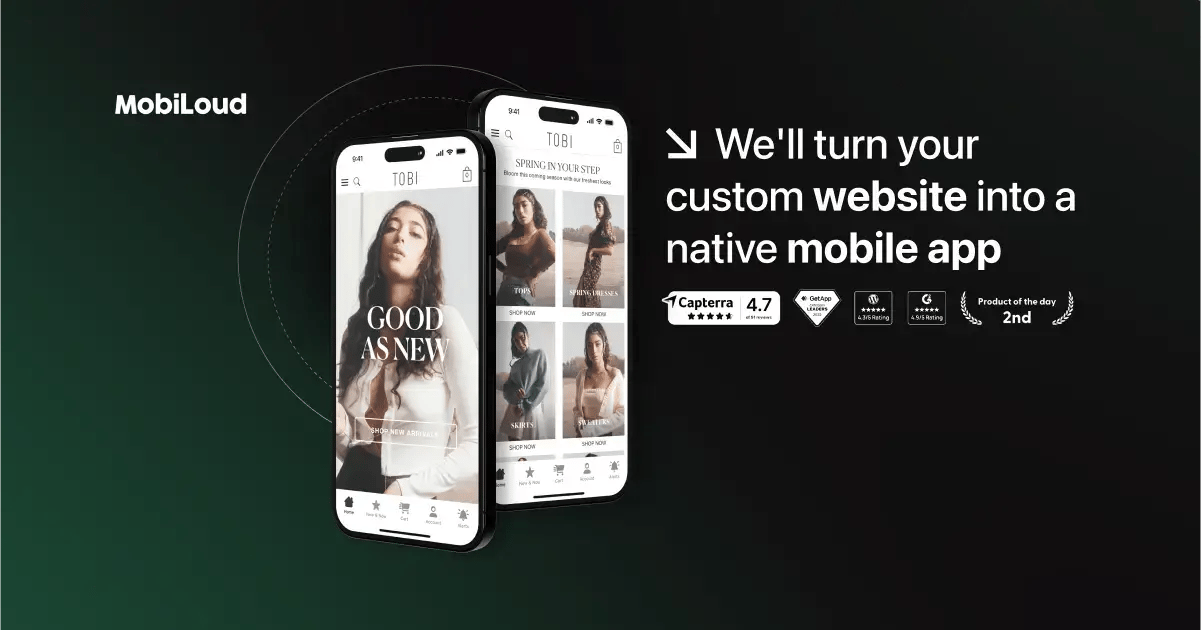
This is the most important comparison. AppMySite is a Do-It-Yourself tool where you do all the work and take on all the risk.
MobiLoud is a Done-For-You service where their team of experts manages the entire process for you. MobiLoud Official Website
- Best For MobiLoud: Serious businesses where time is money, brand experience matters, and app store approval is non-negotiable. If your time is valuable and you need a guaranteed, professional result, MobiLoud is the superior choice.
- Consider MobiLoud: If your TCO calculation shows that 50+ hours of your team’s time is worth more than the $2,500 price difference.
- Avoid MobiLoud if: Your cash budget is extremely limited, and you have ample free time to handle the technical challenges of app submission yourself.
How Does AppMySite Compare to Adalo? (Wrapper vs. Builder)
This comparison highlights the core difference between a wrapper vs builder: AppMySite is a ‘webview wrapper’ that puts a frame around your existing website, while Adalo is a true ‘no-code builder’ that allows you to construct a native app from scratch, with its own database and logic. Adalo Official Website & Reviews
- Best For Adalo: Entrepreneurs and businesses with a unique app idea that cannot be served by their website content alone. If you need custom features, a unique UI, or complex logic, Adalo is the far more powerful and flexible option.
- Consider Adalo: If you have a clear vision for your app and are willing to invest significant time in learning the platform and building from the ground up.
- Avoid Adalo if: You simply want your existing website content in an app and have no desire to build or manage a separate product.
When Should You Just Hire a Developer?
There comes a point where no-code solutions are no longer sufficient. You should hire a freelance developer or an agency if:
- Your app requires custom features that don’t exist in any builder.
- You need the app to integrate with a custom backend, require direct API access, or connect to a proprietary database.
- Performance, speed, and a pixel-perfect branded user experience are your top priorities.
- You need to handle highly sensitive user data and require the highest level of security.
While this is the most expensive option upfront, it is the only path for businesses with complex needs or high-growth ambitions.
Part 7: Final Verdict, Recommendations & FAQs
After weeks of testing, analyzing data, and reviewing the experiences of over a hundred real-world users, our team’s final verdict on AppMySite is clear.
It is a tool with a very specific, narrow use case, and it comes with significant risks that are not immediately apparent.
What We Love vs. Things to Consider
Platform Classification
- Category: No-code website-to-app converter (webview wrapper)
- Target Users: WordPress/WooCommerce site owners, bloggers, small budget agencies
- Price Range: $108 – $468/year (excludes mandatory Apple/Google fees)
- Founded By: Gaurav and Manish Khatri
✅ What We Love (Pros)
- Unbeatable entry-level price for solo bloggers and hobbyists.
- Fast initial preview — WordPress site to preview build in under an hour.
- Perfect for simple content sites/blogs aiming to improve customer engagement.
- Automatic content sync keeps app content current with your WordPress site.
- Intuitive backend for app configuration, easy for non-technical users.
⚠️ Things to Consider (Cons)
- High risk of App Store rejection under Apple’s Guideline 4.2.
- Webview performance limitations — never as fast as a native app.
- Extremely limited customization — apps often look generic.
- High hidden cost in user time & effort (40-100+ hours typical).
- Lack of verifiable security audits (no SOC 2, no ISO 27001).
- Complete vendor lock-in — cancel and your app disappears.
What We Love (Pros — Full Detail)
- Unbeatable Entry-Level Price: For a solo blogger or hobbyist, the ability to get an app on the app stores for a low annual fee is a genuine and powerful advantage.
- Fast for Initial Preview Generation: For development teams, this leads to an initial burst of increased productivity, as connecting a WordPress site and generating a preview build is accomplished in under an hour.
- Perfect for Simple Content Sites/Blogs: For sites aiming to improve customer engagement through reading articles and receiving push notifications, AppMySite performs its core function well.
- Automatic Content Sync: The real-time synchronization with a WordPress site is a strong feature, ensuring that new content appears in the app without any manual effort.
- Intuitive Backend for App Configuration: The user interface for designing the app within the provided templates is generally clean and easy to navigate for non-technical users.
💡 Things to Consider (Cons — Full Detail)
- High Risk of App Store Rejection: This is the most critical consideration. The webview architecture makes it fundamentally vulnerable to rejection by Apple, which can render your entire effort useless.
- Webview Performance Limitations: Your app will only ever be as fast as your website, and often slightly slower. It will not have the smooth, snappy feel of a true native app.
- Extremely Limited Customization: The “templated” nature of the builder means your app will likely look generic and may not align with your unique brand identity.
- High Hidden Cost in User Time & Effort: The low price tag is offset by the dozens of hours you will likely spend on setup, debugging, and the submission process.
- Lack of Verifiable Security Audits: The absence of public SOC 2 or ISO 27001 reports is a significant consideration for any business that handles user data.
- Complete Vendor Lock-in: If you stop paying, your app disappears. There is no way to export your work, forcing you to start from scratch if you decide to leave.
Our Final Recommendation
Our team’s recommendation is not a simple “yes” or “no,” but is instead tailored to who you are and what you’re trying to achieve.
- For the Simple Blogger/Hobbyist: Recommended. If your goal is a basic app presence for a content-focused site and your budget is the single most important factor, AppMySite is a viable option. It gets the job done for a very low cost, but it’s important to note its limitations regarding direct app monetization options like in-app purchases. For hobbyists specifically, hunting for a money-saving deal on AppMySite can push the entry cost even lower.
- For the Small E-commerce Store: Use with Extreme Caution. We do not generally recommend AppMySite for e-commerce. Only consider it as a way to launch a minimum viable product (MVP) to test the market, if your store is extremely simple, you have a highly optimized mobile website, and you are willing to accept the performance trade-offs.
- For Serious Businesses, Complex Sites, or Agencies: Not Recommended. For any business with a serious mobile go-to-market strategy, the risks far outweigh the benefits. The potential for app store rejection, the below-expectations performance, the lack of deep customization, and the absence of verifiable security make it an unsuitable choice. Your time, money, and brand are better invested in a more robust solution, such as a full-service option like MobiLoud or a true no-code builder like Adalo.
If you want to explore more of our verified software audits, browse our full category of review articles or see the freshest offers across the industry on our latest coupons page. For a deeper look at this exact product, our companion AppMySite Review hub aggregates every update we’ve published.
Frequently Asked Questions
Q1: How much does AppMySite really cost in 2026?
The advertised plans cost between $108 and $468 annually, but the true Total Cost of Ownership (TCO) for a business is often over $2,500.
This is because the sticker price doesn’t include the mandatory Apple ($99/yr) and Google ($25) developer account fees. More importantly, it doesn’t account for the 40-100+ hours of your own time spent on setup, debugging, and navigating the complex submission process. For a business, this “time cost” is the largest and most significant part of the investment. For a full breakdown, see our TCO analysis earlier in this AppMySite review.
Q2: Is AppMySite worth the money?
It depends on your goals. For a simple blog or a personal informational site, yes, it can be worth the low price.
In these cases, the expectations are lower, and the core features are generally sufficient. However, for any serious business, particularly an e-commerce store, our analysis shows it is generally not worth the risk. The potential costs from a rejected app, poor performance leading to lost sales, and the massive amount of time wasted often far outweigh the initial savings on the subscription fee, resulting in a poor return on investment (ROI).
Q3: Should I use AppMySite or MobiLoud?
Choose MobiLoud if you want a reliable, professional app and are willing to pay for a service; choose AppMySite if your cash budget is your only concern and you are willing to do all the work and take on all the risk.
This is the classic “Tool vs. Service” decision. MobiLoud is a “Done-For-You” service where their experts handle everything and guarantee app store approval. AppMySite is a “Do-It-Yourself” tool where you are responsible for the entire process, including fixing any rejections from the app store.
Q4: Who is AppMySite best for?
AppMySite is best for individual bloggers or owners of simple, content-focused WordPress websites.
This user group benefits most from the low price point and is least affected by the platform’s primary limitations. Their content-based sites are less likely to be rejected for being simple “wrappers,” and their users are generally more tolerant of minor performance issues compared to e-commerce customers trying to make a purchase. They can use the app to improve reader loyalty and engagement through push notifications. WebsiteSetup.org Review confirms its suitability for simple sites.
Q5: What are the main problems with AppMySite?
The three main problems are a high risk of app store rejection, poor performance due to its webview nature, and extremely limited customization.
These issues are all interconnected and stem from the fact that it’s a website “wrapper,” not a true native app builder, as confirmed by numerous technical reviews and user reports on platforms like G2 and Trustpilot. This core technology choice is what creates the most significant challenges for business users trying to create a unique and reliable mobile experience.
Q6: Is AppMySite reliable for a business-critical app?
Our analysis concludes that it cannot be considered reliable for a business-critical application.
The app’s reliability is entirely dependent on your website’s reliability. Any bug, plugin conflict, or server issue on your site will instantly appear in your app. Furthermore, user reviews frequently mention bugs, slowness, and crashes that appear after platform updates, which is not a sign of a reliable system for a revenue-generating app. For business-critical functions, a more robust solution with dedicated support is recommended.
Q7: What is a webview app?
A webview app is a hybrid application that “wraps” a mobile-responsive website inside a native app container.
Think of it as a dedicated web browser that only shows your website. While this makes it fast to create an app from an existing site, it means the app inherits all of the website’s performance limitations and cannot easily access native phone features, which is a primary reason for app store rejections under Apple’s Guideline 4.2. AppMySite is fundamentally a webview app builder.
Q8: What happens to my app if I cancel AppMySite?
Your app will immediately stop working and will be removed from the app stores.
This is a critical point of vendor lock-in. You do not own the app; you are renting it via your subscription. If you cancel, all the time and effort you put into the setup are lost. The lack of data portability means you cannot take the app with you to another platform. This is a standard practice for many SaaS products, but users must be aware of it before committing, as confirmed by discussions in forums like Reddit.

