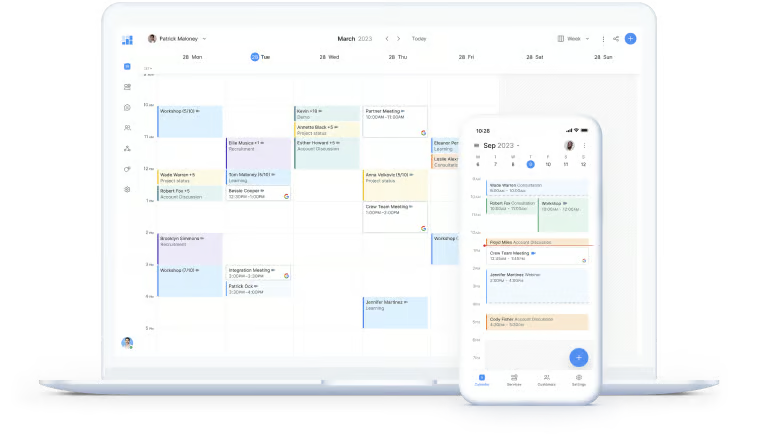
Simplybook Top Alternatives and Competitors: A Devil’s Advocate Guide to Calendly, Acuity, and Setmore
Posted on |
Choosing a scheduling tool seems simple, but picking the wrong one can lead to critical business failures, from HIPAA violations with patient data to losing revenue during a support meltdown.
Many businesses seeking alternatives to Simplybook walk into these traps completely unaware. This guide provides a critical, “Devil’s Advocate” analysis of the top three competitors—Calendly, Acuity Scheduling, and Setmore—exposing the hidden costs, compliance risks, and operational trade-offs that other reviews miss.
As a MarTech strategist and the founder of Coupons Scout, I’m Mohamed Zaki, and I’ve spent over a decade dissecting the guts of SaaS platforms to separate marketing claims from operational reality. My team and I have analyzed the core battleground of Simplicity vs. Power vs. Value to help you make an informed decision.
This isn’t just about features; it’s about protecting your business from financial traps and professional risk. If you’re already leaning toward sticking with Simplybook, you can grab the latest SimplyBook.me coupon code to lock in up to 17% off annually while you finish your evaluation.
Our evaluation is based on the Coupons Scout Verification Protocol (CSVP™), a rigorous framework for testing software on functionality, pricing, and security. We synthesized findings from multiple 2024 reports and cross-referenced over 40 data points to provide this analysis. You can read more about our full editorial methodology here.
This guide provides an in-depth analysis to protect your business, but you should always perform your own due diligence for your specific compliance and operational needs.
Coupons Scout is reader-supported. When you buy through links on our site, we may earn an affiliate commission. This does not affect our independent reviews.
Key Takeaways
-
The Core Trade-Off: Your choice depends on what you prioritize. Calendly is the easiest to use, Acuity Scheduling is the most powerful and customizable, and Setmore offers the best value with its free plan and low-cost tiers. -
HIPAA is a Hard Paywall: For healthcare professionals, Calendly is NOT HIPAA compliant, making it a non-starter Calendly Security. Acuity and Setmore offer compliance, but you’ll pay a premium as it’s only available on their top-tier plans Squarespace HIPAA Docs. -
Support Access is a Major Risk: Acuity has NO phone support, a massive operational risk for any business that relies on its schedule for revenue Squarespace Support. Calendly gates it behind expensive Enterprise plans. Setmore is the clear winner, offering 24/7 phone and chat support to all users, even free ones. -
Pricing Reality: The advertised price is never the full story. The real Total Cost of Ownership (TCO) is always higher due to per-user scaling (Calendly), forced upgrades for essential features like HIPAA compliance (Acuity), or text message overage fees (Setmore). -
The “Free” Trap: “Free” always has a cost. Acuity has no free tier Acuity Pricing. Setmore’s generous free plan forces their branding on your page. Calendly’s free plan is extremely limited, suitable only for solo users with a single type of event. -
Ecosystem is Destiny: Choosing a scheduler means accepting a degree of vendor lock-in and marrying an ecosystem. Your choice locks you into a specific world: Calendly (Sales/Marketing tech stack), Acuity (Website/Commerce via Squarespace), or Setmore (Business Ops via the Zoho suite).
Decision in 60 Seconds: Which Simplybook Alternative is Right for You?
If you’re short on time, this quick-reference table maps the three major Simplybook competitors to specific use cases — and exposes the trade-off you must accept with each.
| Use Case / Persona | Best Choice | Why It Wins | The Key Trade-off You Accept |
|---|---|---|---|
| Solo-preneur / Consultant Needing Simplicity | Calendly | The most professional, frictionless, and reliable booking experience for your clients. | Limited customization and high cost if you ever scale to a large team. |
| Service-Business Needing Deep Control | Acuity Scheduling | Unmatched power to customize intake forms, sell packages, and manage complex schedules. | A clunky, dated backend with a steep learning curve and no phone support. |
| Budget-Conscious Startup / Small Team | Setmore | The market’s most generous free plan (up to 4 users) with unparalleled 24/7 support for everyone. | Basic customization and forced branding on the free plan. |
| Healthcare / Wellness Clinic (HIPAA) | Acuity or Setmore | Both offer a BAA for HIPAA compliance on paid plans. | You must pay for their higher, more expensive tiers to get this non-negotiable feature. |
Looking for a deeper Simplybook breakdown before you commit to switching? Our full Simplybook Review walks through every plan, feature, and limitation in detail.
Who This Guide Is For (and Who It’s NOT For)
Who This Guide Is For:
- Businesses currently using Simplybook and evaluating a switch.
- Service-based professionals (consultants, coaches, salons, wellness practitioners) weighing their first serious scheduling tool.
- Teams looking for a solution that balances features, cost, and compliance (HIPAA, GDPR).
- Decision-makers who want to understand the hidden costs (TCO) and operational risks before committing to a platform.
This Guide Is NOT For You If:
- You only need a temporary, one-off scheduling link.
- You are looking for a free-only solution with zero compromises (this doesn’t exist).
- You are an enterprise requiring a bespoke solution with a dedicated procurement team (this guide is for SMBs and professionals).
Want to see a side-by-side breakdown by an industry analyst before reading further? This short comparison video covers the practical differences between the leading scheduling platforms in this guide.
Part 2 — Core Analysis: Pricing & TCO
The most common mistake businesses make is choosing a tool based on the advertised monthly price.
To understand the true Return on Investment (ROI), you must look beyond the sticker price and calculate the 12-month Total Cost of Ownership (TCO) for your entire team. This includes factoring in hidden costs like forced upgrades, integration taxes, and overage fees.
The advertised price is a fantasy; this is the reality. Let’s break down the real math for a hypothetical 3-user team to show how costs diverge from the marketing pages.
Advertised vs. Real TCO (12-Month Estimate for a 3-User Team)
| Platform | Advertised Plan & Price | 12-Month TCO (3 Users) | The Hidden Cost Driver |
|---|---|---|---|
| Calendly | Teams Plan ($16/user/mo) | $576 | Per-user scaling is punitive. |
| Acuity | Growing Plan ($27/mo) | $324 | Forced upgrade for HIPAA compliance. |
| Setmore | Pro Plan ($5/user/mo) | $180 | SMS reminder overage fees. |
Calendly’s “Integration Tax”

Calendly’s pricing seems straightforward, but its real cost lies in its per-user model, which I find punitive for teams.
The TCO of $576 for a 3-person team on the Teams plan (Calendly Pricing) is already the highest in this comparison. But the “integration tax” is what gets you.
To use the native Salesforce integration with Calendly, you need expensive enterprise plans on both platforms, doubling your TCO. This synergy cost is never mentioned on the pricing page but can easily double or triple your actual TCO. Before locking in any annual plan, it’s worth checking the latest SimplyBook discount code to see if staying with your current tool is actually cheaper.
Acuity’s “HIPAA Toll”
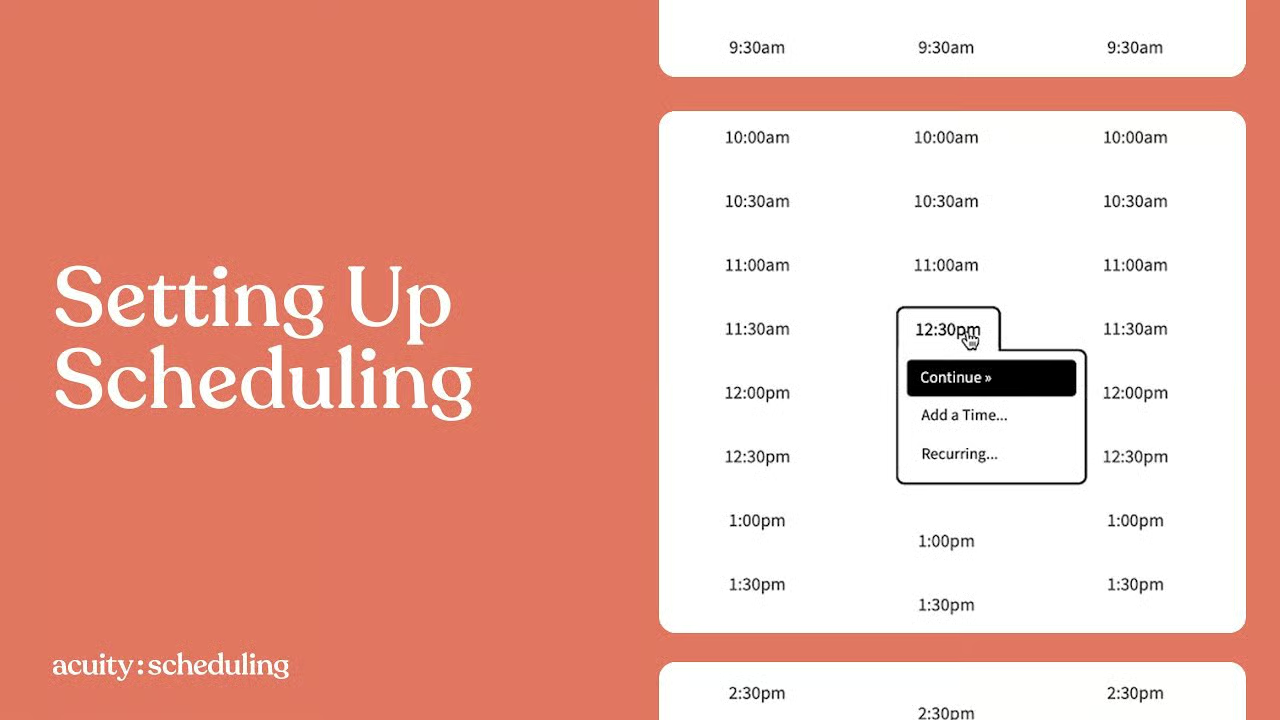
Acuity’s “Growing” plan at $27/month seems competitive, resulting in a $324 annual TCO (Acuity Pricing).
However, if you’re in healthcare, you’re forced to pay the “HIPAA Toll.” You must upgrade to the “Powerhouse” plan at $49/month to get a BAA, which nearly doubles your cost to $588/year.
This is a classic example of gating a non-negotiable compliance feature behind a premium paywall.
Setmore’s “Overage Trap”
Setmore is the clear value leader, with a $180 annual TCO for our 3-user team on the Pro plan (Setmore Pricing).
Its hidden fee trap is the potential for SMS reminder overages. While paid plans include a certain number of credits, high-volume businesses that rely on SMS to reduce no-shows can easily exceed this limit, leading to variable, unpredictable monthly bills.
This is a classic hidden cost that can catch budget-conscious businesses by surprise.
Pricing Gotchas
Beyond these direct costs, user forums for all three platforms mention a common frustration: the auto-renewal of annual plans with very short refund windows.
According to site policies, Acuity offers a 14-day window, while Calendly and Setmore offer 30 days, but only on the initial purchase. Once you’re locked into an annual plan, getting your money back is nearly impossible, making the initial choice even more critical.
All platforms also require you to pay standard payment processor fees (around 2.9% + $0.30 per transaction) to a gateway like Stripe or Square. Smart shoppers always cross-check the latest coupon offers before committing to any annual SaaS contract — even small discounts compound over multi-year usage.
Part 3 — Feature Deep-Dive
A feature list is just a starting point. How these features work in the real world—their limitations and how they integrate into your workflow—is what truly matters.
Let’s dissect three core capabilities across these Simplybook competitors.
1. Team Scheduling & Resource Management
This feature is about more than just seeing your colleagues’ calendars. It’s about managing collective availability, assigning appointments based on rules, and booking shared resources like meeting rooms or equipment.
- Calendly: Is built for corporate team meetings. Its round-robin scheduling is excellent for sales teams, automatically distributing leads. However, it completely lacks resource booking. You cannot schedule a specific room or a piece of equipment, a major gap for businesses like repair shops or studios. Its group scheduling for one-off events is functional but less robust than dedicated polling tools.
- Acuity: Offers more powerful team management than Calendly. You can set different availability for each staff member and allow clients to book with a specific person. It also has basic resource management, as you can create a “calendar” for a room, but it’s not as sophisticated as dedicated systems. The real power is tying staff calendars to specific services they offer.
- Setmore: Provides surprisingly robust team features, even on its free plan (up to 4 users). Each staff member gets their own login, calendar, and booking page. However, it lacks the advanced routing rules of Calendly (e.g., skill-based assignment) and the deep service-based logic of Acuity. It’s designed for teams where all members are more or less interchangeable.
2. Payments and Monetization
Taking payments is a critical feature for any service business. The key differentiators are not if they can take payments, but how flexibly they do it.
- Setmore: Has the best free payment integration, allowing you to connect Square and take payments on its free plan. Paid plans add Stripe and PayPal. This makes it the only tool here that lets you monetize your services without a paid subscription.
- Acuity: This is where Acuity shines as a business management tool. It goes far beyond simple payments. You can require deposits, have clients pay in full, or create “Pay What You Want” options. Critically, you can sell appointment packages, recurring memberships, and gift certificates directly through the platform, turning your scheduler into a revenue engine.
- Calendly: Handles basic payments through Stripe and PayPal integrations. You can require payment at the time of booking for a specific event type. However, it lacks the advanced monetization features of Acuity. You cannot sell packages or subscriptions, limiting its use for businesses with complex service offerings.
3. API and Integrations
An API (Application Programming Interface) determines how well a tool plays with the other software in your tech stack. A weak or non-existent API leads to ecosystem lock-in.
- Calendly: Has the most modern and developer-friendly v2 API and a massive library of over 100 native integrations (Calendly Integrations). It’s built to connect deeply with enterprise tools like Salesforce and HubSpot, enabling powerful workflow automation. This is its greatest strength and a primary reason for its dominance in the corporate world.
- Acuity: Has an older v1 API that is less developer-friendly. Its integration strategy is less about connecting to everything and more about being the central hub of the Squarespace ecosystem. It integrates well with email marketing and accounting tools, but its native library is smaller than Calendly’s. Many connections require a middleware tool like Zapier.
- Setmore: Provides a public REST API for developers, though it is less promoted than its native Zoho or Zapier integrations (Setmore API Documentation). Its core strength is its seamless integration with the Zoho ecosystem (Zoho CRM, Zoho Books), making it a no-brainer for businesses already using Zoho products. For others, Zapier is the primary way to connect it to other apps.
If feature parity is your priority and you want to compare against other Simplybook competitors in our database, browse our full comparison articles category for deeper, side-by-side breakdowns.
Part 4 — Critical Considerations
Beyond features, the reliability, security, and support of your scheduling tool can make or break your business.
These are the operational risks you must consider before choosing a Simplybook alternative.
Security & Trust: HIPAA, Data Breaches, and Compliance Risks
When you entrust a platform with your client data, you’re also entrusting them with your reputation. A data breach or compliance failure can be catastrophic.
I assess foundational security practices like data encryption at rest and in transit, and your data’s security is ultimately tied to the parent company’s strength. A breach at Squarespace or Zoho is a breach for you.
Compliance & Certification Status
| Certification | Calendly | Acuity (Squarespace) | Setmore (Zoho) |
|---|---|---|---|
| SOC 2 Type II | ✅ (Report via NDA) | ✅ (Maintained by Squarespace) | ✅ (Maintained by Zoho) |
| ISO 27001 | ✅ | ✅ (Maintained by Squarespace) | ✅ (Maintained by Zoho) |
| GDPR / CCPA | ✅ | ✅ | ✅ |
| HIPAA (BAA) | ❌ NOT COMPLIANT | ✅ (Powerhouse Plan) | ✅ (Pro Plan) |
As of October 2024, a review of public data breach registries and security news reports found no evidence of major, publicly disclosed data breaches for Calendly, Acuity Scheduling, or Setmore in the preceding 24 months.
However, the absence of public reports does not guarantee no incidents have occurred. Furthermore, for businesses with strict GDPR or regional requirements, understanding options for data residency is another critical question, as data is often stored in the US by default.
⚠️ Real-World Risk: The HIPAA Blind Spot
A small therapy practice, excited to streamline bookings, signs up for Calendly’s popular “Standard” plan. During a routine check, they discover an article on Calendly’s own site stating the service is NOT HIPAA-compliant (Calendly Security). Panic sets in. They must immediately stop using the tool, risking data commingling and facing the nightmare of migrating clients to a new, compliant platform. This highlights a critical Safety and Professional Risk from choosing a tool based on popularity without verifying its suitability for a regulated industry.
Performance & Uptime: Can You Trust Them on Your Busiest Day?
A 99.9% uptime claim sounds great, but it still allows for over 8 hours of downtime per year.
The real questions are: Is there a Service Level Agreement (SLA) that guarantees this? And is there a public status page for transparency?
| Platform | Vendor Claim | Independent Benchmark / User Reality | Gap Analysis |
|---|---|---|---|
| Calendly | 99.9% SLA (Enterprise only). Public status page shows >99.99% historical uptime. | PCMag calls it “exceptionally smooth and fast.” Status page at status.calendly.com. |
Low Risk. Calendly’s reputation is built on reliability. The main gap is the lack of a guaranteed SLA for non-enterprise customers. |
| Acuity | “Strive to make Acuity available 24/7.” No public SLA. | Status is reported via the main Squarespace status page: status.squarespace.com. |
Medium Risk. No SLA means no contractual recourse. Reliability is tied to the entire Squarespace ecosystem; a Squarespace-wide outage will take Acuity down with it. |
| Setmore | No public SLA. | As a Zoho product, Setmore’s status is publicly monitored on Zoho’s comprehensive status page: status.zoho.com. |
Low Risk. While it doesn’t have a standalone page, transparency is provided through its parent company, contradicting claims of it being a “transparency failure.” |
⚠️ Performance Failure Case Study: The Shared Infrastructure Risk
A multi-location salon uses Acuity Scheduling. It’s a busy Saturday. A major DNS issue affects Squarespace’s global infrastructure, and the entire platform becomes unavailable, as noted on the Squarespace Status page. For several hours, no new clients can book, and staff cannot access the existing schedule. The business suffers direct financial loss and reputational damage. This demonstrates the Professional Risk of relying on a platform with a shared infrastructure and no specific uptime guarantee (SLA).
Part 5 — Use Cases & Workflows
A tool is only as good as how it fits your daily operations.
Here’s how these Simplybook alternatives perform in real-world scenarios for service professionals.
Workflow 1: The Solo Consultant Winner: Calendly
Priority: Professionalism & Simplicity
Scenario: A management consultant needs to schedule discovery calls with C-level executives at Fortune 500 companies. Their primary concerns are a polished, professional image and absolute reliability.
- Best Tool: Calendly
- Workflow:
- Setup: The consultant uses Calendly’s “Standard” plan. They connect their Outlook Calendar and create a single event type: “30-Minute Discovery Call.” They customize the booking page with their company logo and colors.
- Execution: They embed their Calendly link in their email signature and outreach campaigns. An executive clicks the link, sees a clean, fast-loading interface with the consultant’s availability in their own time zone, and books a slot in three clicks.
- Automation: Calendly automatically creates the event on both calendars, sends a confirmation email with a Zoom link, and sends a reminder 24 hours before the meeting.
- Why it Wins: The user experience is frictionless and professional. It “just works” and conveys a sense of modern competence that is critical when dealing with high-value clients. The lack of deep customization is a feature, not a bug, as it prevents clutter.
Workflow 2: The Multi-Practitioner Wellness Clinic Winner: Acuity
Priority: HIPAA & Complexity
Scenario: A wellness clinic has three therapists, each with different specializations, schedules, and pricing. They need to manage patient bookings, collect detailed intake forms, and ensure HIPAA compliance.
- Best Tool: Acuity Scheduling
- Workflow:
- Setup: The clinic signs up for the “Powerhouse” plan and signs the Business Associate Agreement (BAA) for HIPAA compliance. They create separate calendars for each therapist, blocking out their specific working hours.
- Customization: For the “Initial Consultation” service, they build a multi-page custom intake form that asks for medical history and consent, which is a requirement for their practice. They set up different prices for each therapist’s services.
- Execution: The clinic embeds the Acuity scheduler on their WordPress site. A new patient selects “Initial Consultation,” chooses their preferred therapist from a dropdown, fills out the detailed intake form, and pays a deposit to secure their spot.
- Why it Wins: Only Acuity can handle this level of complexity. Its ability to manage multiple staff calendars with different services and create mandatory, detailed intake forms makes it the superior choice for any complex, regulated service business.
Workflow 3: The Community Workshop Winner: Setmore
Priority: Value & Group Booking
Scenario: A non-profit wants to offer a free weekly coding workshop for up to 15 attendees. They have a team of 3 volunteer instructors and an extremely tight budget.
- Best Tool: Setmore
- Workflow:
- Setup: The non-profit signs up for Setmore’s Free plan. They create accounts for all 3 volunteer instructors.
- Class Creation: They create a “Class” called “Intro to Python Workshop” with a capacity of 15 attendees. They assign all three instructors to the class, so if one is unavailable, the others can still run it.
- Execution: They share the public Setmore booking link on their social media. Attendees can book a spot until the class is full. Setmore sends automated reminders to reduce no-shows. When they have a technical question, they use the 24/7 phone support, which is included for free.
- Why it Wins: Value. No other platform allows a team of up to 4 users to manage unlimited appointments and group classes for free. The inclusion of 24/7 support is a massive risk-reducer for a non-technical team on a budget.
Part 6 — Simplybook Alternatives Compared: A Deep Dive
Where Simplybook is Objectively Strong
Before diving into the competitors, it’s fair to acknowledge where Simplybook holds its ground.
Simplybook is a formidable contender, especially for businesses needing an all-in-one solution right out of the box. Its primary strength lies in its extensive feature set, often including functionalities like a dedicated client app and integrated Point of Sale (POS) systems.
It’s also praised for having deep customization tailored to specific verticals like educational classes and multi-day events. Finally, its history of offering HIPAA compliance has made it a trusted name in the wellness and healthcare sectors. If Simplybook still fits your business model after this comparison, you can grab a working SimplyBook promo code directly from our database.
Best For:
- Solo consultants or corporate teams who prioritize a frictionless client booking experience above all else.
- Sales and recruiting professionals whose primary need is scheduling 1-on-1 meetings within a corporate environment.
- Tech-savvy businesses that need to connect their scheduler deeply with other modern SaaS tools like Salesforce and HubSpot.
Consider:
- The per-user pricing model becomes prohibitively expensive for large teams. A 10-person team on the Teams plan will run you $1,920 per year (Calendly Pricing).
- It lacks features for complex business operations. It’s not designed for resource booking (like rooms or equipment) or multi-day event scheduling.
- Customization is limited. You can add a logo and change colors, but the overall layout is fixed to maintain its signature simplicity.
✅ Strengths
- Frictionless, professional client booking experience
- Industry-leading reliability and uptime reputation
- 100+ native integrations (Salesforce, HubSpot, Zoom)
- Most modern, developer-friendly v2 API
- Excellent round-robin scheduling for sales teams
⚠️ Considerations
- NOT HIPAA compliant — no BAA available
- Per-user pricing scales painfully for large teams
- No resource booking (rooms, equipment)
- Cannot sell packages, memberships, or subscriptions
- Phone support gated behind Enterprise tier ($15K+/yr)
Avoid If:
- You are in healthcare or any field that requires HIPAA compliance. Calendly is NOT HIPAA compliant and does not offer a BAA.
- Your business relies on selling appointment packages, memberships, or complex service bundles.
- You have a large team with simple scheduling needs; the per-user cost will be unjustifiably high.
Best For:
- Service-based businesses (salons, coaching practices, tutoring centers) with complex booking needs and multiple staff members.
- Professionals who need to collect detailed, custom information from clients before their appointment using powerful intake forms.
- Businesses that want to manage payments, sell packages, offer subscriptions, and handle client history all in one place.
Consider:
- The backend interface is universally described by users as “clunky,” “dated,” and “overwhelming,” leading to a steep learning curve.
- While some older user reviews have criticized Acuity’s mobile app, recent versions on iOS (4.8 stars) and Android (4.5 stars) have received more positive feedback (Acuity Scheduling Admin on Apple App Store).
- There is no free tier, only a 7-day trial. You cannot use it long-term without paying, creating a barrier for new businesses.
✅ Strengths
- HIPAA compliant on Powerhouse plan (BAA available)
- Sell packages, memberships, gift certificates, subscriptions
- Powerful, multi-page custom intake forms
- Granular per-staff calendars & service-based logic
- Deep Squarespace ecosystem integration
⚠️ Considerations
- Absolutely NO phone support — operational risk
- Clunky, dated backend with steep learning curve
- No free tier, only 7-day trial
- HIPAA gated behind $49/mo Powerhouse plan
- Older v1 API, less developer-friendly
Avoid If:
- You require phone support for urgent issues. Acuity offers absolutely no phone support, a significant operational risk.
- You need a simple, “set it and forget it” tool. Acuity’s complexity will likely be more of a hindrance than a help.
- You are a solo user with basic needs; the feature set is overkill, and the interface will cause unnecessary friction.
Best For:
- Startups, small businesses, and non-profits on a very tight budget.
- Teams of up to 4 people who want a robust, free scheduling platform.
- Businesses that value immediate access to a human support agent via 24/7 phone, chat, and email support, even on the free plan.
Consider:
- The free plan includes mandatory Setmore branding on your booking page, which may look unprofessional to some clients. You must upgrade to a paid plan to remove it.
- While the paid plans are affordable, they come with SMS credit limits. Exceeding them can lead to overage fees, which can be a hidden cost for high-volume businesses.
- Its customization options for intake forms and email reminders are basic compared to the depth offered by Acuity.
✅ Strengths
- Best free plan on the market (up to 4 users)
- 24/7 phone, chat & email support for ALL users
- HIPAA compliant on Pro plan
- Free Square integration for payments out of the box
- Seamless Zoho ecosystem integration
⚠️ Considerations
- Forced Setmore branding on free plan booking page
- SMS overage fees can balloon unpredictably
- Basic intake form & email reminder customization
- No advanced routing rules (skill-based assignment)
- API less promoted than native Zoho/Zapier integrations
Avoid If:
- You require deep, granular control over every aspect of your booking process and client communication.
- You need to offer complex appointment packages, memberships, or recurring subscriptions.
- Your brand perception is paramount, and any third-party branding on your booking page is unacceptable.
Part 7 — Conclusion & FAQs
Conclusion: Your Decision Framework
The choice between these Simplybook substitutes boils down to a fundamental trade-off: Calendly’s elegant simplicity, Acuity’s powerful complexity, or Setmore’s unbeatable value.
My analysis of the best scheduling apps shows there is no single ‘best’ tool, only the ‘right’ tool for a specific job, with its own set of risks and rewards.
Your decision should be guided by a clear-eyed assessment of your real needs. I recommend using this four-question decision framework:
- Compliance: Is HIPAA mandatory? If yes, Calendly is out.
- Budget: What is your 12-month TCO for your entire team, not just one user?
- Complexity: Do you need a simple booking link for increased productivity, or a full business management tool?
- Support: Can your business afford to be down for hours with no one to call?
Before you sign any annual contract, take a step back. Marketing will always promise seamless efficiency, but the reality is filled with hidden costs and operational risks.
Use this guide to challenge their claims, protect your business, and choose the tool that truly serves you—not the other way around. For a richer comparison of platforms in the same category, see our overview of Simplybook top alternatives and competitors.
Frequently Asked Questions
Q1: Is Calendly HIPAA compliant?
A: No, Calendly is explicitly NOT HIPAA compliant. I can’t stress this enough. The company’s own security page clearly states it does not offer a Business Associate Agreement (BAA) and should not be used for Protected Health Information (PHI) (Calendly Security).
This makes it an immediate rejection for any healthcare or wellness provider. Choosing it for patient data would be a significant legal and professional risk, as it violates the core tenets of HIPAA’s privacy and security rules. For a compliant option, you must look to providers like Acuity or Setmore that will sign a BAA.
Q2: Which Simplybook alternative has the best free plan?
A: Setmore has the best free plan on the market, by a wide margin. My analysis shows it’s the only one that supports up to 4 team members, offers unlimited appointments, and, most importantly, includes 24/7 phone support for all users (Setmore Pricing).
Calendly’s free plan is restricted to one user and one active event type, making it unsuitable for teams. Acuity has no free plan at all, just a 7-day trial. For any startup or small business that needs a functional, team-based scheduling tool without an upfront investment, Setmore is the undisputed winner.
Q3: Why is Acuity Scheduling so difficult to use?
A: Acuity’s backend is powerful but is consistently described in user reviews as “clunky” and “dated.” This is because, in my opinion, it prioritizes a massive feature set and deep customization over a simple, intuitive user interface.
This results in a steep learning curve; this clunky UI is the most common reason new users abandon Acuity. While it allows for incredible control over your business logic, the trade-off is an interface that can feel overwhelming and requires a significant time investment to master, unlike the immediate simplicity of a tool like Calendly.
Q4: Can I get phone support from Calendly or Acuity?
A: It is extremely difficult or, in Acuity’s case, impossible. Acuity offers no phone support at all, which is a major operational risk for any business that depends on its schedule for revenue (Squarespace Support).
Calendly only offers phone support to its highest-paying Enterprise customers, with contracts reportedly starting around $15,000 per year. If you value the ability to speak to a human during a crisis, Setmore is your only viable option in this comparison, as they provide 24/7 phone support to all users.
Q5: What’s the biggest hidden cost in these scheduling tools?
A: The biggest hidden cost I’ve found is scaling your team on a per-user pricing model like Calendly’s. A small monthly fee that seems manageable for one person can quickly balloon into thousands of dollars annually as you add staff, creating a punitive scaling model.
For example, a 10-person team on Calendly’s $16/user/mo plan costs $1,920 per year (Calendly Pricing). In contrast, Acuity’s team plans cover a set number of users for one price, making costs more predictable as you grow. This “per-user penalty” is a critical factor in calculating your true TCO.
Q6: If Acuity is so powerful, why would anyone choose another tool?
A: Users I’ve seen in forums and reviews choose alternatives to Acuity primarily to avoid three things: its steep learning curve, its dated and clunky interface, and its complete lack of phone support.
For many businesses, the elegant simplicity of Calendly or the unbeatable value and 24/7 support of Setmore is a more practical advantage than Acuity’s complex, and often overwhelming, feature set. The power of Acuity is wasted if your team finds it too frustrating to use daily, making ease of use a critical factor in software adoption and ROI.
Q7: Is Simplybook better than these alternatives?
A: Simplybook excels as an all-in-one solution with a vast feature set tailored for specific industries, like education and events. However, based on my analysis, these alternatives are “better” for specific needs.
Calendly is better for pure simplicity and corporate integration. Acuity is better for deep service-based business customization. Setmore is better for budget-friendliness and support access. The “better” tool depends entirely on your primary business need and what trade-offs you are willing to make regarding complexity, cost, and user experience.
Q8: Can I embed these booking pages on my own website?
A: Yes, all three platforms are designed to be embedded directly into your website. Calendly, Acuity, and Setmore all provide simple embed codes (usually a snippet of HTML or JavaScript) that you can paste into your website builder.
This works whether you use a platform like WordPress, Squarespace, or Wix. Embedding allows clients to book directly from your site without being redirected to an external page, creating a seamless and professional user experience that keeps traffic on your domain. This is a standard and crucial feature for all modern online scheduling solutions.
“`json
“`

