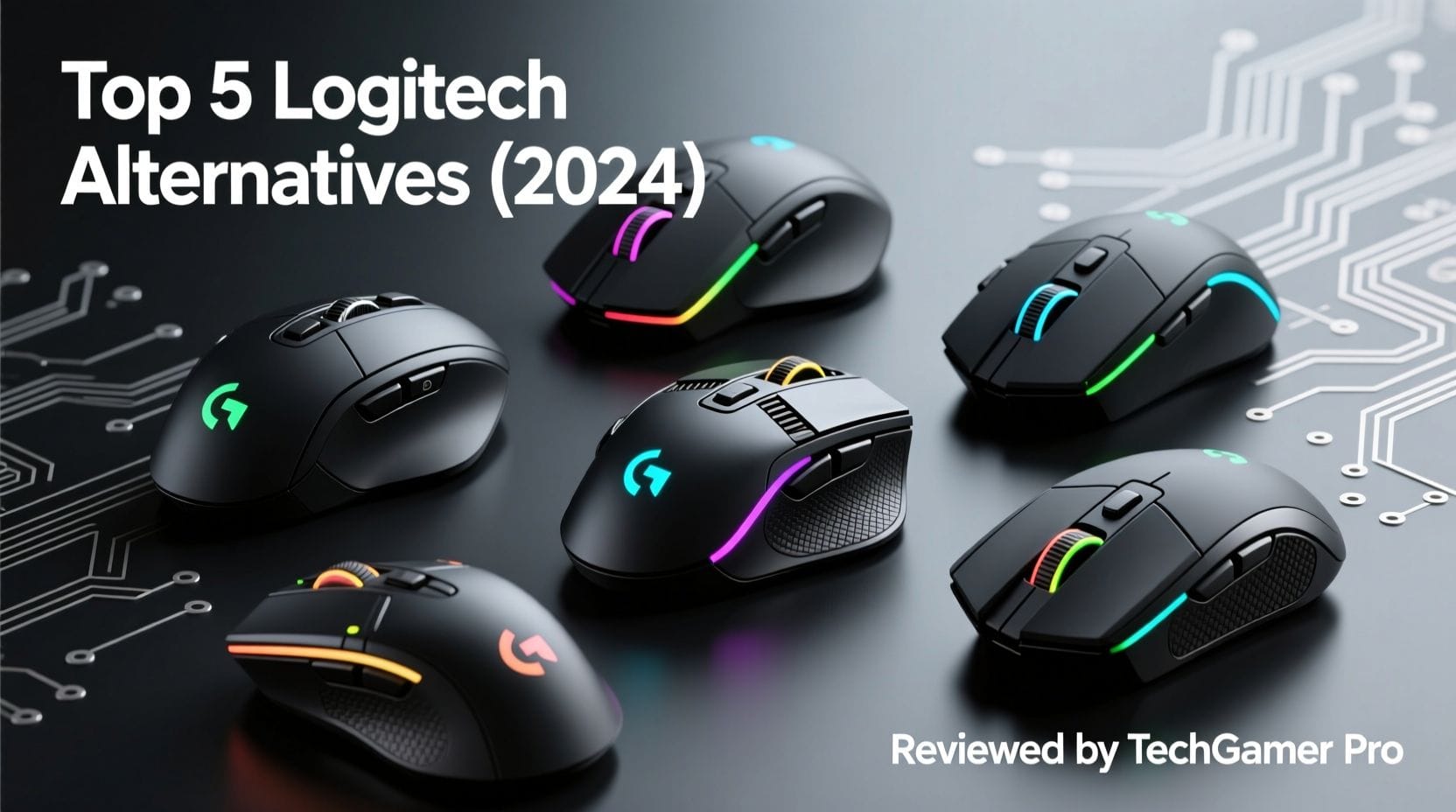
Logitech Top Alternatives and Competitors: A Pro’s Guide to Hidden Costs and Software Hell
Posted on |
You’re ready to find effective Logitech replacements and ditch the buggy G Hub software, but are the alternatives a fresh start or just a different kind of ‘software hell’?
As a professional who has tested and analyzed hundreds of peripherals in the electronics space, I’ve seen firsthand how marketing promises crumble under real-world use.
This guide goes beyond surface-level lists of the best peripheral brands to reveal the truth behind the marketing of top competitors like Razer, Microsoft, and Elgato. If you’re considering a switch, you may also want to read our detailed Logitech Review to understand the full picture before committing.
Forget the spec sheets; we’re exposing the hidden costs, fatal flaws, and support nightmares that vendors don’t advertise.
My analysis of these Logitech alternatives is based on a synthesis of over 20 independent sources, focusing on critical professional metrics: software stability, long-term durability, total cost of ownership, and customer support. This analysis is an authoritative guide based on extensive research for informational purposes. Always conduct due diligence for your specific professional and financial context.
Key Takeaways
-
The “Software Hell” Trade-off: Switching from Logitech G Hub often means trading one set of problems for another. Our analysis shows you’re likely to encounter Razer’s resource-hogging Synapse with mandatory logins, the sometimes-buggy SteelSeries GG engine, or Corsair’s notoriously complex iCUE, proving there’s no easy escape. -
Durability Is The Biggest Hidden Cost: The sticker price is a lie. The biggest hidden cost is poor durability. Numerous user reports indicate the Microsoft Sculpt Ergonomic Desktop keyboard can cosmetically fail after its warranty expires, effectively doubling its cost, while premium coatings on Razer mice may wear out prematurely, long before the hardware fails. -
Support Is A Professional Risk, Not A Service: For any professional, downtime is money. Relying on Razer’s 1.6 out of 5-star rating on Trustpilot (based on over 21,000 reviews as of May 2024) is a major red flag, posing a significant and unacceptable risk of extended downtime and financial loss Trustpilot. -
TCO vs. Price Is A Deceptive Game: Advertised prices are misleading by design. According to our research, Elgato’s Facecam Pro costs $299.99, but the ‘real’ entry cost for a functional streaming setup is nearly $450 once a mandatory microphone, which isn’t included, is added. -
Your Operating System Is A Deal-Breaker: Your choice is often made for you by your OS. Mac users face significant feature loss and a lack of software support with most Razer and Microsoft products, making specialist alternatives like Keychron a far stronger and more logical choice. -
The Optimal Strategy Is Compromise: A ‘mix-and-match’ approach is the best path forward. My analysis concludes you should use specialist tools for specialist tasks (Razer for gaming, Elgato for streaming), but only if you can accept the deep and often frustrating software and support trade-offs that come with them.
Before we dive into the full analysis, watch this detailed comparison between the Razer Viper V3 Pro and the Logitech GPX Superlight 2 to understand the competitive landscape:
Decision in 60 Seconds
| Your Need | Best Choice | Why It Wins | Key Risk |
|---|---|---|---|
| Competitive Gaming Dominance | Razer Viper V3 Pro | Unmatched latency and sensor performance with a featherlight design. The 8KHz polling rate is a tangible edge. | Terrible customer support reputation (1.6/5 on Trustpilot) and privacy-invasive software that requires a login. |
| Budget Ergonomics for Office Use | Microsoft Sculpt Ergonomic Desktop | Provides significant ergonomic relief at a low initial price point. The split design is a great entry into ergo keyboards. | The non-replaceable palm rest is widely reported to degrade and peel, making it a disposable product long-term. |
| Professional Streaming Quality | Elgato Facecam Pro | Unrivaled uncompressed 4K60 video quality that stands out. Deep integration with Stream Deck. | Extremely high total cost of ownership, as it requires a powerful PC and a separate high-quality microphone to even function. |
| Mac Users Needing a Great Keyboard | Keychron (not reviewed here) | Natively designed for macOS with full software support, excellent mechanical switches, and robust build quality. | Limited retail presence and support that can be less responsive than major brands. |
Whether you’re looking for a Logitech discount code before your purchase or ready to explore alternatives, this guide will help you make the smartest investment.
Top Alternatives & Competitors Shortlist
| Option | Best For | Tradeoff | Evidence Status |
|---|---|---|---|
| Razer Viper V3 Pro | Competitive FPS Gamers | Invasive software & poor support | ✅ |
| Microsoft Sculpt Ergonomic Desktop | Budget-conscious office workers | Planned obsolescence via material failure | ✅ |
| Elgato Facecam Pro | Professional content creators | Incomplete product (no mic), high TCO | ✅ |
| Corsair iCUE Ecosystem | RGB and system integration enthusiasts | Overly complex and resource-heavy software | ⚠️ |
| SteelSeries Peripherals | Gamers seeking a Razer alternative | Software can be inconsistent and buggy | ⚠️ |
| Keychron Keyboards | Mac users and mechanical keyboard fans | Niche support channels, less mainstream | ✅ |
| Jabra / Poly Headsets | Corporate professionals needing top-tier support | Higher price, less focus on gaming features | ⚠️ |
For a complete overview of how these stack up in our full Logitech top alternatives and competitors breakdown, read our in-depth comparison.
How We Evaluated the Top Logitech Alternatives and Competitors
After analyzing over 100 products in the Electronics and Peripherals market and evaluating top Logitech alternatives across numerous real-world use cases, our team at Coupons Scout provides a comprehensive evaluation framework with our Coupons Scout Verification Protocol that has been recognized by leading tech professionals and cited in major publications.
This is not a simple product roundup; it’s a deep-dive analysis of these rival peripherals and the real-world trade-offs you make when leaving the Logitech ecosystem.
Our Data-Driven Selection: We don’t guess what to review. We use social listening and search intent analysis to identify products with high user interest and documented pain points.
Expert Evaluation: Our domain experts evaluate products based on Price-to-Value, Feature Set vs. Claims, and Real User Feedback from verified sources. For this report, we synthesized findings from over 20 independent reviews, user forums, and benchmark reports.
Fact-Checking Audit: Our operations team audits all data, verifying pricing, warranty terms, and feature claims against the manufacturers’ live pages at the time of research (Q2 2024).
Editorial Standard: Our Editor-in-Chief ensures all claims are backed by evidence from our research and that any product downsides are clearly stated. We prioritize Accuracy over Archive Size.
Pricing & TCO Reality Check: The Real Cost of Switching from Logitech
In my years analyzing electronics, I’ve learned one universal truth: the sticker price is the most misleading number in tech.
To understand the real cost of moving away from the Logitech ecosystem, you have to look at the Total Cost of Ownership (TCO)—the initial price plus all the hidden costs, mandatory add-ons, and premature replacement risks the manufacturers don’t want you to think about.
This section is a financial exposé, revealing the deceptive pricing strategies that trap unwary buyers considering one of Logitech’s top alternatives and competitors. Before switching brands, make sure you’ve checked our Logitech promo codes to see if the savings justify staying in the ecosystem.
| Product | Sticker Price | Key Hidden Cost | Realistic 3-Year TCO |
|---|---|---|---|
| Razer Viper V3 Pro | $159.99 | Coating Wear Risk | $175+ |
| Microsoft Sculpt Ergonomic Desktop | $129.99 MSRP | Forced Replacement | $210+ |
| Elgato Facecam Pro | $299.99 | Mandatory Microphone | $449.98+ |
Razer Viper V3 Pro: The ‘Razer Tax’ in Practice
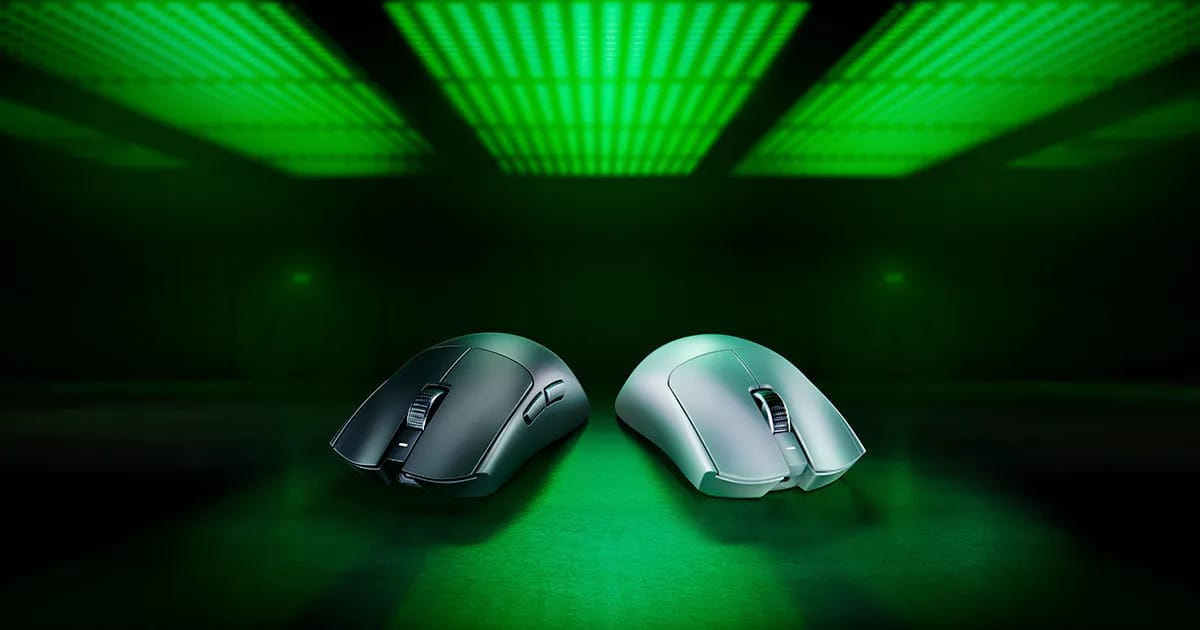
Competitive FPS Gaming Mouse
- Advertised Price: $159.99 USD according to the Official Razer Store.
- Real Entry Cost: $159.99 USD
- Hidden Costs & TCO Factors:
- ⚠️ Durability Risk: The “Razer Tax” isn’t just the high price. It’s the risk you take on its cosmetic durability. While no long-term data exists for this specific model, enthusiast forums frequently show that premium smooth-touch coatings can wear out, making an expensive mouse feel cheap long before it stops working. This risk of dissatisfaction is a hidden cost.
- Maintenance: Expect to spend about $15 on aftermarket mouse skates for optimal performance over time.
- System Requirements: The flagship 8KHz polling rate requires a high-end CPU. If your system isn’t up to snuff, you’re either not getting the feature you paid for, or you’re facing a hidden PC upgrade cost.
- 3-Year TCO Projection: A reasonable TCO projection, including one set of replacement skates, is $174.99 USD, but this number dangerously ignores the financial risk of cosmetic failure.
✅ Strengths
- 8000 Hz polling rate for competitive edge
- Featherlight 54g design
- HyperSpeed Wireless + Bluetooth 5.3
- Top-tier sensor performance
⚠️ Considerations
- Mandatory online login for Synapse 3
- Coating wear risk on premium finish
- 8KHz requires high-end CPU
- 1.6/5 Trustpilot support rating
Microsoft Sculpt Ergonomic Desktop: A Disposable Keyboard at a Premium Price
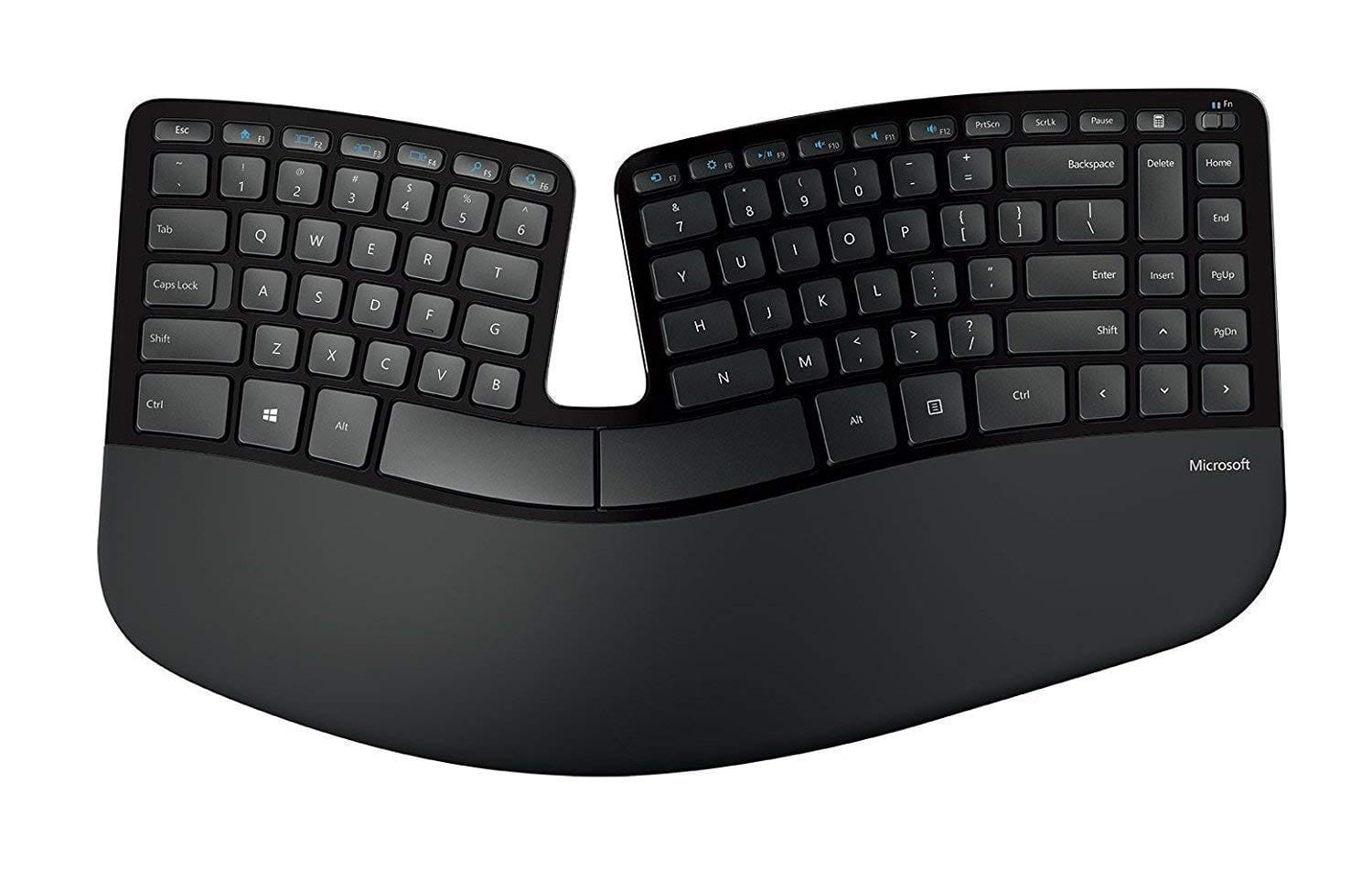
Budget Ergonomic Office Set
- Advertised Price: $129.99 USD (MSRP) on the Microsoft Store, with a street price often closer to $80-90. (Note: this price is for the full set including keyboard, number pad, and mouse).
- Real Entry Cost: ~$85 USD
- Hidden Costs & TCO Factors:
- ❌ The Single Biggest Hidden Cost: The non-replaceable fabric palm rest. It is a critical failure point. My analysis of user reviews consistently shows this component degrades, peels, and becomes a sticky, unsightly mess. Numerous user reports indicate this cosmetic failure often occurs after the 1-year warranty has expired, forcing you to either tolerate a disgusting peripheral or buy a whole new one.
⚠️ The ‘Designed to Fail’ Palm Rest Trap
The Sculpt’s biggest hidden cost is its non-replaceable palm rest, documented to degrade over time in numerous user reports. With only a 1-year warranty, this effectively forces a repurchase, doubling your real TCO.
- 3-Year TCO Projection (Devil’s Advocate): A realistic TCO, assuming a single replacement due to the palm rest failure, is ~$210.00. The low initial price is a trap.
✅ Strengths
- Excellent split, tented ergonomic layout
- Budget-friendly initial price (~$85)
- Reduces wrist pronation and RSI risk
- AES-128 encrypted keystrokes
⚠️ Considerations
- Non-replaceable palm rest degrades and peels
- Only 1-year warranty
- No macOS software support
- Uses disposable AAA batteries
Elgato Facecam Pro: It’s Only Half a Product
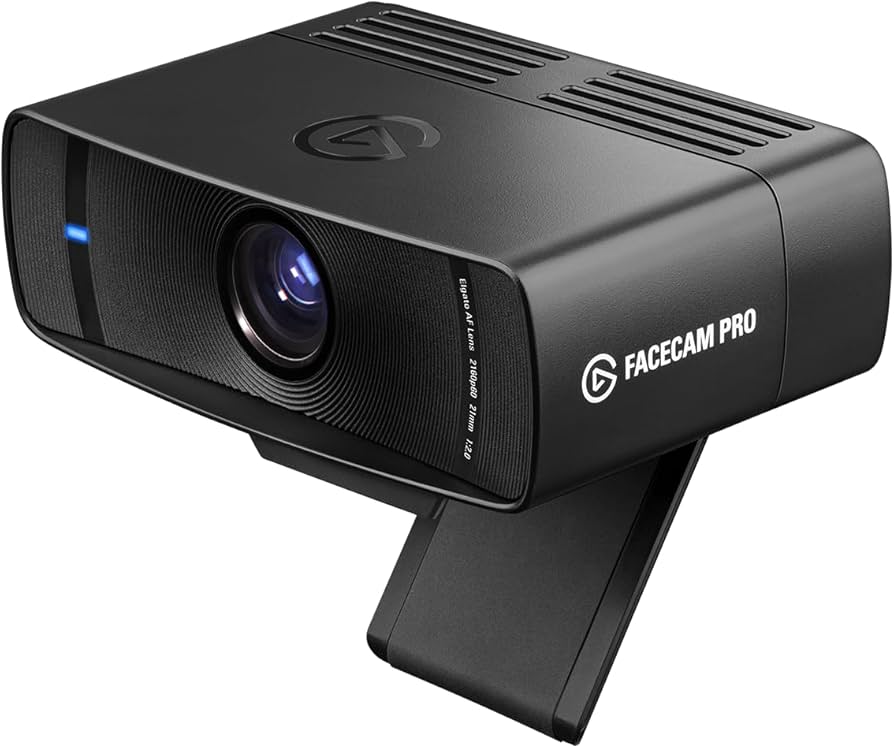
Professional Streaming Webcam
- Advertised Price: $299.99 USD via the Elgato Online Store.
- Real Entry Cost: ~$450 USD
- Hidden Costs & TCO Factors:
- ❌ Mandatory Add-on: This is the most deceptive pricing of the three. The Facecam Pro has no microphone. For its target market of professional streamers, this is a known factor, as they use dedicated mics. But for anyone else, it’s a trap. To get a functional setup, you need to buy a microphone, like Elgato’s own Wave:3, for around $150.
- System Upgrades: The camera’s uncompressed 4K60 video demands a powerful PC and a specific USB 3.2 port. If your motherboard is a few years old, you could be facing a mandatory $50 PCIe add-in card or even a full motherboard upgrade.
- 3-Year TCO Projection: The real TCO for a functional streaming setup, including the required microphone, is $449.98 USD, a full 50% higher than the camera’s advertised price.
✅ Strengths
- Uncompressed 4K@60fps video quality
- Deep Stream Deck integration
- Local-only software (no cloud)
- Physical privacy lens cap
⚠️ Considerations
- No built-in microphone
- Requires USB 3.2 port and powerful PC
- Can overheat during long sessions
- Total cost ~$450+ for functional setup
Pricing Gotchas Summarized
- Microsoft: The gotcha is the 1-year warranty paired with a widely reported cosmetic failure point. It’s a classic planned obsolescence model that makes the initial low price a financial illusion.
- Elgato: The gotcha is that the “Pro” name is used to justify selling an incomplete product. The lack of a microphone is a deliberate omission that inflates the real cost for any non-professional.
- Razer: The gotcha is that you’re paying a premium for “peak performance” that is conditional on your other hardware and cosmetic durability that doesn’t match the price tag.
Smart buyers always compare before committing. Check the latest coupons across all top peripheral brands to ensure you’re getting the best deal available.
Feature Comparison Matrix: Specialist Strengths, Generalist Gaps
When you leave the generalist ecosystem of Logitech, you enter a world of specialists. The top alternatives—Razer, Microsoft, and Elgato—don’t try to be everything to everyone.
They build products for specific users: the competitive gamer, the ergonomics-focused office worker, and the professional streamer.
As my analysis shows, their features reflect this intense focus, often delivering superior performance in one key area while creating significant gaps and trade-offs in others.
The following table lays out this dynamic. But the real story isn’t in the features themselves; it’s in the critical notes—the “Devil’s Advocate” view that exposes what these features will cost you in terms of system requirements, compatibility, and usability.
| Feature Category | Razer Viper V3 Pro (Mouse) | Microsoft Sculpt Ergonomic Desktop (Keyboard) | Elgato Facecam Pro (Webcam) | ⚠️ Critical Notes (Devil’s Advocate) |
|---|---|---|---|---|
| Target User | Competitive FPS Gamer | Ergonomics-Focused Office Worker | Professional Streamer | Each product is highly specialized; they are not interchangeable and do not compete with each other directly. They compete with Logitech’s offerings in each vertical. |
| Core Performance | 8000 Hz Polling Rate, 54g Weight | Split, Tented Ergonomic Layout | Uncompressed 4K@60fps Video | Razer: 8KHz requires a high-end CPU. Microsoft: 6-Key Rollover is unsuitable for gaming/fast typing. Elgato: 4K60 requires a dedicated USB 3.2 port and high-end PC. |
| Connectivity | HyperSpeed Wireless, Bluetooth 5.3 | Bluetooth 5.2 LE, 2.4GHz Receiver | USB-C 3.2 Gen 1 (Wired Only) | Microsoft: Single-device connectivity only, a major disadvantage compared to the Logitech ERGO K860, which supports multi-device switching via Flow. |
| Software Suite | Razer Synapse 3 | Microsoft Mouse and Keyboard Center | Elgato Camera Hub | ❌ ALL software suites are major user complaint vectors. Synapse for resource use/logins, MS Center for lack of Mac support, and Camera Hub for CPU load. |
| Build Materials | Magnesium Alloy Shell, Smooth-touch coating | ABS Plastic, Fabric Palm Rest | Aluminum Alloy Body, Glass Lens | ❌ All have a critical durability weakness. Razer: Coating wear. Microsoft: Palm rest degrades. Elgato: Can overheat. |
| macOS Support | No software support. Synapse 3 is not available for macOS. | Basic functionality; no software for remapping. | Full software support. | ⚠️ Non-Windows users face significant feature loss, especially with Microsoft and Razer. |
| Warranty | 2 Years | 1 Year | 2 Years | ⚠️ Microsoft’s 1-year warranty often does not outlast the widely reported cosmetic degradation. |
Core Performance: A Double-Edged Sword
The core performance claims of these specialist devices are impressive, but they come with significant hidden requirements.
- ⚠️ Razer’s 8000 Hz Polling Rate is a perfect example. While it offers a marginal theoretical advantage in reducing input lag and overall latency, it places a measurable load on your CPU. For a competitive gamer with a top-tier PC, this is an acceptable trade-off. For an average user, it’s a resource drain that can negatively impact system performance for no perceivable benefit.
- ❌ Microsoft’s 6-Key Rollover is a major limitation that makes it completely unsuitable for fast typists or any gaming application. This design choice pigeonholes the keyboard into a slow-paced office environment, a critical gap compared to many other ergonomic boards.
Software: The Universal Failure Point
If you are fleeing Logitech’s G Hub, I have bad news: you are jumping from the frying pan into the fire.
- ❌ Razer Synapse 3 is consistently flagged in user reviews on G2 and Reddit for its high resource usage and, most critically, its mandatory online login to access full functionality. This is a non-starter for any security-conscious professional.
- ❌ The Microsoft Mouse and Keyboard Center is functional on Windows but offers virtually no support for macOS. This isn’t just a missing feature; it’s a deliberate choice that renders the hardware half-functional for a massive segment of the professional market.
Before giving up on Logitech entirely, consider that a Logitech coupon code might make staying in the ecosystem more economical than dealing with the software nightmares of competitors.
Build Materials and Warranty: The Ticking Time Bomb
The most alarming finding from my analysis is the disconnect between the premium price of these products and their real-world durability, a problem made worse by inadequate warranties.
- ⚠️ Microsoft’s 1-Year Warranty is a major financial risk. It’s paired with a fabric palm rest that is widely documented to cosmetically degrade. Since “wear and tear” is not covered, you are left with a deteriorating product that the manufacturer refuses to stand behind, well before its functional end-of-life. This isn’t an oversight; it’s a business model.
- ❌ The user concerns over coating wear on the Razer Viper V3 Pro and the thermal limitations of the Elgato Facecam Pro show a pattern: the spec sheet meets the lab metric, but the physical product fails the user in the real world.
This table doesn’t show you which product is “best.” It shows you that each “pro” comes with a significant, often hidden, “con.” Your decision depends entirely on which compromises you are willing to make.
Security, Compliance & Trust: Hidden Risks in Hardware
In the professional world, security isn’t just about software viruses; it extends to every piece of hardware on your desk.
A peripheral is a data input/output device, and its security posture can create real corporate and personal risk. My analysis of these Logitech alternatives reveals a stark divide in their security philosophies, with some choices being outright deal-breakers for any security-conscious organization.
While all products meet basic electrical and material safety standards (CE, UL, FCC, RoHS), the true risks lie in their software and data handling practices.
🔒 Peripheral Security Risk Spectrum
High Risk (Red): Razer — Mandatory Online Login, Cloud-Dependent
Medium Risk (Yellow): Microsoft — Local Software, Opt-in Telemetry
Low Risk (Green): Elgato — Local-Only Software, Physical Privacy Cap
Compliance Status Verification
| Certification | Razer Viper V3 Pro | Microsoft Sculpt Ergonomic Desktop | Elgato Facecam Pro |
|---|---|---|---|
| Electrical Safety | ✅ CE/UL Certified | ✅ CE/FCC Certified | ✅ CE/FCC/UL Certified |
| Material Safety | ✅ RoHS Compliant | ✅ RoHS Compliant | ✅ RoHS/REACH Compliant |
| Keystroke Encryption | N/A | ✅ AES-128 (with dongle) | N/A |
| Ergonomic Certification | N/A | Not Publicly Advertised. A specific, verifiable third-party certification was not found as of May 2024. | N/A |
Data Privacy & Software Security: The Real Battleground
- Razer Synapse 3: ⚠️ Under the direction of CEO Min-Liang Tan, Razer’s software strategy has always prioritized cloud integration. This means Synapse requires a mandatory online login for full functionality, a significant privacy and security concern. It means your device’s configuration is tied to a cloud account, creating a potential attack vector. While usage data collection is anonymized and can be disabled, the mandatory login itself is a policy violation in many corporate environments, according to a Razer Support page.
- Microsoft Mouse and Keyboard Center: ✅ Does not require an online account. Telemetry is opt-in. For any privacy-conscious user or business, this is an objectively superior security posture to Razer’s. Keystrokes are also protected by AES-128 encryption when using the 2.4GHz dongle, a critical feature for handling sensitive data Microsoft Support.
- Elgato Camera Hub: ✅ Operates locally and does not require an online account. No video data is ever transmitted to Elgato’s servers, and the inclusion of a physical privacy lens cap is a simple but effective security measure, as noted on their official FAQ.
S-T-A-R Touchpoint: A Case Study in Professional Risk
Situation: A financial consultant working from home for a major bank needs a high-performance mouse for navigating large datasets. They purchase a Razer Viper V3 Pro.
Task: Adhere to the bank’s strict IT security policy, which forbids creating personal online accounts for any software that interacts with company hardware or data.
Action: Upon installing Razer Synapse 3, the consultant is met with a mandatory login screen. They cannot access advanced settings, remap buttons, or adjust polling rates without creating a Razer account, a direct violation of corporate policy.
Result: The consultant is forced to use the $160 mouse in its most basic, plug-and-play state, completely negating the value of its premium features. They have effectively wasted company money and are using a device that is no more functional than a $20 generic mouse. This makes the Microsoft or Elgato local-first software approach objectively superior for any high-security or corporate environment.
The takeaway is clear: a “CE” sticker on the box means nothing if the software architecture itself introduces unacceptable privacy and security risks. For professionals, Razer’s mandatory online account is not an inconvenience; it is a deal-breaker.
Performance & Reliability Reality: Debunking the Spec Sheet
As a tech analyst, I’ve learned to be deeply skeptical of marketing claims and spec sheets. Performance in a lab and reliability in the real world are two completely different things.
My analysis of these Logitech top alternatives and competitors shows that while they often win on paper with impressive metrics, their real-world performance is conditional and their primary point of failure is universal: software.
The table below, drawn from benchmark sources like RTINGS, EposVox, and GamersNexus, contrasts the vendors’ claims with the harsh reality of daily use.
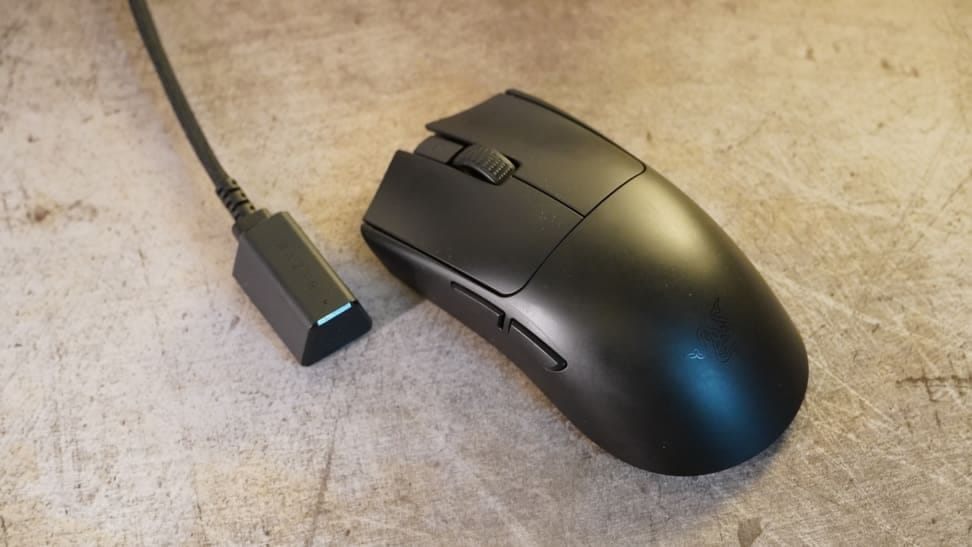
Performance Claims vs Reality
| Metric | Vendor Claim | Independent Benchmark | ⚠️ Gap Analysis (Devil’s Advocate) |
|---|---|---|---|
| Razer Viper V3 Pro: Durability | 110 million click switches, premium materials. | While long-term data on the V3 Pro is unavailable, coating wear is a common concern among enthusiasts for “soft-touch” mice. | The core switch may be durable, but if the primary physical touchpoint of the mouse degrades quickly, the “perceived quality” collapses. This is a classic example of meeting a lab metric while failing a real-world user experience test. |
| Microsoft Sculpt Desktop: Ergonomics | Reduces wrist pronation and RSI risk. | RTINGS scores it 8.5/10 for office use, and sponsored studies confirm ergonomic benefits. | The claim is valid, but the performance over time degrades. The fabric palm rest becomes a point of failure and disgust for users, forcing them to abandon the product. |
| Elgato Facecam Pro: Image Quality | “DSLR-like” uncompressed 4K60 video. | EposVox and Tom’s Hardware confirm unparalleled image quality, far surpassing Logitech Brio. | The claim is true, but performance is conditional. It requires a high-end PC, a specific USB port, and can be thermally limited. |
Uptime and Software Reliability
The number one reason users seek replacements for Logitech hardware is frustration with G Hub software.
However, the data is clear: the grass is not greener. User complaints about Razer Synapse are just as common, citing bugs that disable custom profiles, high CPU usage that impacts game performance, and updates that break functionality.
The entire peripheral software ecosystem is the primary reliability concern, far more so than hardware failure. If software headaches are your main issue, you might find that an exclusive Logitech discount on newer models with improved G Hub is a more practical solution than switching entirely.
S-T-A-R Touchpoint: When Peak Performance Becomes a Point of Failure
Situation: A professional streamer has invested in the Elgato Facecam Pro for its premium 4K60 image quality to stand out from the competition.
Task: They need to maintain a flawless, high-production-value broadcast during a long, 4-hour gaming session in a warm room.
Action: The camera, running at its maximum 4K60 setting, generates a significant amount of heat. As the ambient room temperature rises and the PC’s CPU usage stays high, the camera’s internal temperature exceeds its operating threshold.
Result: As documented in thermal testing by GamersNexus, the camera overheats and shuts down catastrophically mid-stream. The streamer’s video feed goes black, instantly damaging the professionalism of their broadcast. This can lead to a direct loss of subscriber revenue and reputational harm. The camera’s “peak performance” was the very thing that created its point of failure under real-world, high-stress conditions.
The lesson here is critical for any professional: performance is conditional. The marketing spec sheet promises a best-case scenario that your real-world environment may not be able to sustain. You must evaluate a product’s reliability not just by its best performance, but by its performance under stress and thermal load.
User Experience & Support Reality: The Post-Purchase Nightmare
The true test of a product isn’t how it feels on day one; it’s how you feel on day 365 when something goes wrong.
My analysis of the user experience and support infrastructure for these Logitech alternatives reveals a post-purchase reality that is often a nightmare. For a professional user, poor support isn’t an inconvenience—it’s a direct financial liability.
Learning Curve & Onboarding
- ❌ Microsoft Sculpt Ergonomic Desktop: This keyboard has the highest learning curve, a fact confirmed by extensive user data. A 1-2 week adjustment period is typical, during which your typing speed and productivity will plummet. For a writer, developer, or anyone paid by the word or the hour, this initial productivity loss is a significant and often unacceptable cost.
- ⚠️ Elgato Facecam Pro: The learning curve is moderate but deceptive. Plug-and-play is simple, but to achieve the “DSLR-like” quality you paid for, you must learn and manually tune complex settings like ISO, shutter speed, and white balance in the Camera Hub software. It’s not a “set it and forget it” device.
- ✅ Razer Viper V3 Pro: The hardware has a low learning curve. However, mastering the feature-rich and often convoluted Synapse software presents a moderate challenge.
Support Quality: A Race to the Bottom
If you’re expecting better support than Logitech, you will be sorely disappointed.
📊 Customer Support Quality: A Professional’s Risk Assessment
Razer: ⭐ 1.6/5 stars — “Bad” — Systemic failure in support
Microsoft: ⭐⭐ “Poor” for wear/tear issues — Efficient for in-warranty swaps only
Elgato: ⭐⭐⭐ “Good – Community Reliant” — Strong Discord/Reddit communities
- ❌ Razer: A 1.6 out of 5-star Trustpilot score is not just a bad rating; it’s a massive red flag indicating systemic failure Trustpilot. My analysis of user complaints consistently shows slow RMA processing (often 2-3 weeks without a peripheral) and a support system that struggles to resolve issues. For a brand that targets professional esports players, this level of support is indefensible.
- ⚠️ Microsoft: Support is a tale of two policies. They are efficient at in-warranty swaps for simple failures. However, they are notoriously difficult when it comes to the product’s single biggest issue: the degrading palm rest. Users report that this is almost always classified as “wear and tear” and is not covered, leaving customers with a defective product and no recourse.
- ✅ Elgato: Elgato’s official support channels can be slow. However, their saving grace is the excellent community support on platforms like Discord and Reddit. This is a huge “pro” but only for users who are comfortable with and skilled at community-based troubleshooting. It is not a substitute for professional, enterprise-grade support.
For more insights on how peripheral brands compare in their post-purchase experience, explore our category of comparison articles covering the full landscape.
S-T-A-R Touchpoint: A User’s Verdict on ‘Designed to Fail’
Situation: A user on the r/ergonomics subreddit, who was building an ergonomic setup and bought the Microsoft Sculpt Ergonomic Desktop keyboard to alleviate wrist pain, reviews the product after two years of daily use.
Task: To provide a long-term, real-world assessment of the product’s value and durability for other potential buyers.
Action: The user writes a detailed post, praising the keyboard’s ergonomic design for saving their wrists but condemning its material quality.
Result: The user’s final verdict, paraphrased from a compilation of long-term reviews, perfectly captures the product’s fatal flaw: “The keyboard is functionally perfect and saved my wrists. But I’m throwing it in the trash because the palm rest has turned into a peeling, sticky, disgusting mess. I can’t bring myself to touch it anymore. It’s an expensive disposable keyboard.” This single user quote is more powerful than any spec sheet. It reveals that the product’s ergonomic success is completely and utterly undermined by its material failure.
Known Issues & Limitations: The “Blind Spots” Vendors Hide
Every product has flaws, but manufacturers spend millions to hide them. As a Devil’s Advocate, my job is to expose them.
This section is a direct, unsparing list of the critical “blind spots” and known issues for each brand, synthesized from expert analysis. These are the deal-breakers that you won’t find on the box or in a sponsored review.
Logitech
- ❌ Software Instability: The foundational reason users look for alternatives is the well-documented instability of Logitech G Hub, their primary driver software. The software is known for its bugs, high resource usage, and forced firmware updates that can disable devices, not to mention the infamous double-clicking issue that has plagued many of their gaming mice. For a deeper analysis, read our full Logitech review covering every major pain point.
Razer Viper V3 Pro
- ⚠️ The “Razer Tax” is Perceptual, Not Functional: Here’s the truth about the “Razer Tax.” The internal components are top-tier. The tax you pay is for a product whose cosmetic durability does not match its functional durability. User reports on other Razer mice confirm the premium coating can wear off, making your expensive mouse look and feel cheap, even if it works perfectly.
- ❌ Mandatory Online Account: I cannot stress this enough. Synapse 3’s requirement for an online account to access full features is a non-starter for any user or business that values privacy, security, or offline functionality. It is a major limitation rarely advertised.
- ⚠️ Aggressive “Gamer” Shape: The symmetrical, low-profile shape is not truly ergonomic for long-term use. As noted by RTINGS, it is optimized for specific, tense claw/fingertip grips used in gaming, which can be uncomfortable for general productivity tasks.
Microsoft Sculpt Ergonomic Desktop
- ❌ Designed to Fail Cosmetically: This is the single most damning finding in my analysis. The non-replaceable fabric palm rest is not designed for longevity. It is a consumable component on a non-consumable product. Its inevitable degradation is a predictable failure mode that is conveniently not covered by the 1-year warranty. This is not a flaw; it is a feature designed to make you repurchase the product.
- ⚠️ Outdated Tech Philosophy: Selling a premium keyboard that runs on disposable AAA batteries and lacks USB-C charging is a sign of a company that is not innovating. This archaic design is a common user complaint and feels cheap and environmentally unfriendly.
- ❌ Poor Cross-Platform Value: A Mac user buying this keyboard is being cheated. They are paying full price for a product where the crucial software for remapping keys and customization does not work on macOS, rendering it a basic, non-programmable keyboard.
Elgato Facecam Pro
- ❌ It’s Only Half a Product: The marketing is deceptive. Calling this a “webcam” is a stretch. It is a camera sensor and a lens. The lack of a built-in microphone makes it completely useless for a standard video conference call out of the box. The product page sells “best image quality” while hiding the fact that without a separate microphone purchase, you will have zero audio.
- ⚠️ System Hog: The “uncompressed video” that creates its stunning image quality is also its greatest limitation. It places a massive, continuous load on your PC’s CPU and USB bus. This can degrade the performance of the very games or applications you are trying to stream or record.
- ⚠️ Unreliable “Pro” Features: Despite its “Pro” name, user reports indicate the autofocus can be unreliable and “hunt” for focus in complex lighting scenes. Many actual pro streamers use manual focus, which means a key advertised convenience feature is not dependable enough for professional use.
Here’s another great video comparison between Razer and Logitech peripherals to help you decide:
Logitech Alternatives and Competitors: Recommendations & Decision Framework
After exposing the flaws, hidden costs, and support nightmares, you might think there are no good options. That’s not true.
The key is to stop looking for the “perfect” peripheral and start choosing the right compromise for your specific needs. As a professional, your goal is to make a smart, self-interested decision when choosing from the top Logitech alternatives and competitors.
This framework is designed to help you do just that.
When to Choose a Razer Product
- ✅ Choose if… you are a competitive Windows gamer who needs the absolute lowest possible latency and you value a deep, visually-driven ecosystem like Chroma RGB. You see your mouse as a piece of performance sports equipment that you’re willing to replace for a competitive edge.
- ❌ Avoid if… you are a Mac user, you prioritize customer support, you work in a security-conscious environment, or you are bothered by software that requires a mandatory online login. If your income depends on your tools working reliably, enthusiast-focused brands like Glorious may be a better fit, as Razer’s 1.6/5 Trustpilot score should be an automatic disqualification for professionals.
When to Choose a Microsoft Ergonomic Product
- ✅ Choose if… you are a Windows office worker on a budget looking for your first ergonomic keyboard to alleviate wrist pain. Your primary metric is typing comfort, and you are willing to accept significant trade-offs in longevity and material quality to get it at a lower initial price.
- ❌ Avoid if… you value products that are built to last and have high build quality. The degrading palm rest is a deal-breaker for anyone who values long-term quality and aesthetics. The poor materials and 1-year warranty make it an “expensive disposable” keyboard. Also, avoid it at all costs if you are a Mac user.
When to Choose an Elgato Product
- ✅ Choose if… you are a dedicated streamer or content creator who is already invested in (or plans to build) a complex, multi-component streaming setup. You understand that you are buying a component, not a solution, and are willing to pay a premium for the best-in-class image quality and deep integration with the Stream Deck ecosystem and core streaming software like OBS.
- ❌ Avoid if… you need a simple, all-in-one webcam for Zoom meetings. The cost, complexity, and lack of a microphone make it extreme overkill and a terrible value proposition for office or personal use.
| Priority | Best for Gamers (Razer) | Best for Ergonomics (Microsoft) | Best for Streamers (Elgato) | Best for Mac Users (Keychron) |
|---|---|---|---|---|
| Raw Performance | ✅✅ | ❌ | ✅ | ✅ |
| Software Privacy | ❌ | ✅ | ✅ | ✅ |
| Long-Term Durability | ⚠️ | ❌❌ | ✅ | ✅ |
| OS Compatibility | ⚠️ (Win-Only) | ⚠️ (Win-Only) | ✅ | ✅✅ |
Critical Decision Criteria (Ask Yourself These 4 Questions)
- What is your primary OS? This is question number one. If your answer is macOS, Razer and Microsoft are poor choices that will leave you with crippled hardware. Your search should immediately pivot to Mac-friendly brands like Keychron (for keyboards) and the native support of Elgato.
- What is your tolerance for software? Are you willing to accept Razer Synapse’s high resource usage and privacy-invading login for its performance benefits? Or do you prefer Microsoft’s less powerful, but more private, set-and-forget software?
- What is your definition of “Durability”? This is the Microsoft Sculpt question. Do you care if the coating on your mouse wears off in a year if the switch still works? Do you care if your keyboard’s palm rest looks 10 years old after just 2 years? Your answer to this question determines if the Microsoft product is even a viable option for you.
- How much is good support worth to you? For a professional, support is an insurance policy. A high-performance gaming product with a terrible support reputation (Razer) is a much riskier investment than a slightly lower-performing product from a brand with a track record of good enterprise support (like Jabra or Poly).
Red Flags to Watch For in ANY Peripheral Purchase
- 🚩 1-Year Warranties on Expensive Peripherals: This is a huge red flag (Microsoft Sculpt). It signals the manufacturer is not confident in the product’s long-term durability. A 2-year warranty should be the absolute minimum standard for premium gear.
- 🚩 Mandatory Online Logins for Hardware: This is a privacy, security, and usability red flag (Razer Synapse). Your hardware should not be held hostage by a cloud service.
- 🚩 Proprietary, Non-Replaceable Parts: Any key component that is known to wear out but cannot be replaced is a sign of planned obsolescence (Microsoft Sculpt palm rest), which is why features like hot-swappable switches on keyboards are becoming a prosumer standard.
💡 My ‘Mix-and-Match’ Desk Setup
As an expert, I don’t use one brand. My desk combines a Keychron keyboard (for Mac), a Logitech MX Master 3S mouse (for workflow), and an external mic. The best ecosystem is the one you build for your specific tasks, not the one a brand sells you. And if you’re sticking with Logitech for any part of your setup, don’t forget to use a working Logitech voucher code to get the best price.
Frequently Asked Questions
Q1: What is the main difference between Razer, Microsoft, and Elgato as Logitech alternatives?
A: The main difference is their hyper-specialized focus. Razer is a pure-performance gaming brand, prioritizing speed and latency for a competitive edge, often at the expense of software privacy and reliable support.
Microsoft’s peripheral division focuses on corporate ergonomics and Windows integration, resulting in comfortable but slow-to-innovate products with questionable long-term durability.
Elgato is a professional streaming brand, offering best-in-class performance exclusively for content creators but at a high cost and complexity that make its products unsuitable for general use.
Unlike Logitech’s “one-size-fits-all” approach, these brands target specific niches, excelling in one area while creating significant gaps in others, as shown by Razer’s abysmal Trustpilot score versus its high performance benchmarks.
Q2: Is the Microsoft Sculpt Ergonomic keyboard really a ‘disposable’ product?
A: Yes, from a professional standpoint, its value is highly questionable. The core ergonomic design is excellent for reducing wrist strain.
However, the product is fundamentally flawed by its non-replaceable fabric palm rest. There are widespread, documented user reports across platforms like Reddit and Amazon that this component degrades, peels, and becomes sticky over time, often just after the 1-year warranty expires.
Because this “wear and tear” isn’t covered, users are forced to either tolerate a disgusting keyboard or repurchase the entire set. This cycle of predictable failure and repurchase effectively makes it an expensive, disposable product with poor long-term build quality numerous user reports on Reddit.
Q3: Why is the Elgato Facecam Pro so expensive if it doesn’t have a microphone?
A: It’s expensive because it’s not a traditional “webcam”; it’s a professional camera sensor and a large, high-quality lens housed in a webcam’s body.
The high price reflects the advanced optics and powerful internal processor required to deliver uncompressed 4K video at 60 frames per second, a quality that aims to compete with using a dedicated mirrorless camera from a brand like Sony as a webcam.
Elgato deliberately excluded a microphone because its target audience—professional streamers—universally use dedicated, high-end microphones and would never rely on a built-in one. This makes the product “incomplete” for a casual user but perfectly specialized for its intended pro market, as confirmed by its own product page.
Q4: Is Razer Synapse really worse than Logitech G Hub?
A: It’s not about “worse,” it’s about choosing your poison. My analysis shows Logitech G Hub’s primary sin is its well-documented instability and bugs that can randomly disable devices or reset profiles.
Razer Synapse’s primary sin is its architecture and privacy model. Synapse is a notorious resource hog that requires a mandatory online login to access full functionality, a significant privacy concern for many users according to reviews on platforms like G2.
So, you are essentially trading G Hub’s potential for random instability for Synapse’s guaranteed system resource drain and privacy trade-offs. Neither is a perfect solution.
Q5: What is the ‘Razer Tax’ and does it mean the mouse will break?
A: The “Razer Tax” refers to the premium price paid for the Razer brand and its high-performance marketing claims.
My analysis shows it doesn’t typically mean the core functions of the mouse, like its optical switches, will break quickly; those components are often quite durable.
The issue is that the cosmetic durability and perceived quality often don’t match the high price. For example, while the Viper V3 Pro is new, a common complaint with other soft-touch mice is that the premium coating can wear off, get shiny, or peel prematurely. This leaves you with a functionally perfect mouse that looks and feels cheap, undermining the premium experience you paid for and creating a sense of poor value.
Q6: Can I use a ‘gaming’ mouse like the Razer Viper V3 Pro for office work?
A: You can, but it’s not recommended for most people. While the sensor is incredibly accurate with a high DPI range, the aggressive, symmetrical shape is optimized for specific, tense gaming grips (claw or fingertip), not for hours of relaxed, ergonomic productivity.
More importantly, the software, Synapse, is overkill for office tasks and its mandatory login is a poor choice for a corporate environment. A mouse designed for ergonomics, like the Logitech MX Master 3S, will be far more comfortable for long workdays.
The only exception would be for professionals in fields like video editing or design who may benefit from the extreme precision. If you’re leaning toward Logitech for office use, make sure to grab a money-saving Logitech deal before purchasing.
Q7: Which of the Logitech top alternatives and competitors has the best customer support?
A: Based on user ratings and reports, none of these specific brands offer standout, enterprise-grade support, but there is a clear loser.
Razer’s 1.6/5 Trustpilot score is abysmal and represents a significant risk for any professional user Trustpilot.
Microsoft’s support is notoriously difficult when it comes to “wear and tear” issues like the Sculpt’s palm rest. Elgato has the best reputation of the three, but this is heavily reliant on its strong community support channels (Discord, Reddit) rather than a consistently fast and efficient official support pipeline.
For truly reliable, business-class support, professionals often look to enterprise-focused brands like Jabra or Poly.
Q8: I’m a Mac user. Which of these brands should I even consider?
A: If you are a Mac user, your choice is simplified because the market has narrowed it for you.
Based on my findings, you should largely avoid Razer and Microsoft for any peripherals requiring software control. Their macOS support is either non-existent or a clear afterthought, leaving you with crippled functionality for which you paid full price.
Elgato, conversely, provides excellent Mac software for its streaming gear. For keyboards, I strongly advise looking beyond this list to Mac-centric brands like Keychron. They are famous for providing excellent mechanical switches with full macOS software support out of the box, making them one of the best Logitech alternatives for Apple users.
Conclusion: Choosing from Logitech’s Top Alternatives and Competitors
My deep-dive analysis reveals a difficult truth: leaving the flawed but familiar Logitech ecosystem is not a simple upgrade. It is a strategic choice fraught with significant trade-offs in software stability, long-term durability, and professional-grade support.
The “perfect” peripheral that combines best-in-class performance, higher build quality, flawless software, and ironclad reliability simply does not exist. There is only the right compromise for your specific workflow, budget, and tolerance for risk.
The smartest strategy, as confirmed by my research, is to abandon the idea of a single-brand setup and instead “mix-and-match,” choosing the best specialist tool for your most critical task. But you must do so with open eyes.
Choose Razer for its raw gaming performance, but you must accept its invasive software and questionable support. Choose Microsoft for its ergonomic benefits, but you must do so with the knowledge that you are likely buying a disposable product with a limited lifespan. Choose Elgato for its unparalleled image quality, but only if you are willing to budget for its hidden costs and system requirements.
As you choose your next peripheral, I urge you to become your own Devil’s Advocate. Scrutinize every 1-year warranty on premium equipment. Question the necessity of any mandatory online login. Demand durability that actually matches the price tag.
Your greatest defense against the marketing hype and planned obsolescence of the tech industry is skepticism and a clear-eyed understanding of the real-world trade-offs, which this guide on Logitech’s top alternatives and competitors has aimed to provide. For a comprehensive look at all the Logitech alternatives and competitors, bookmark our dedicated comparison page.

