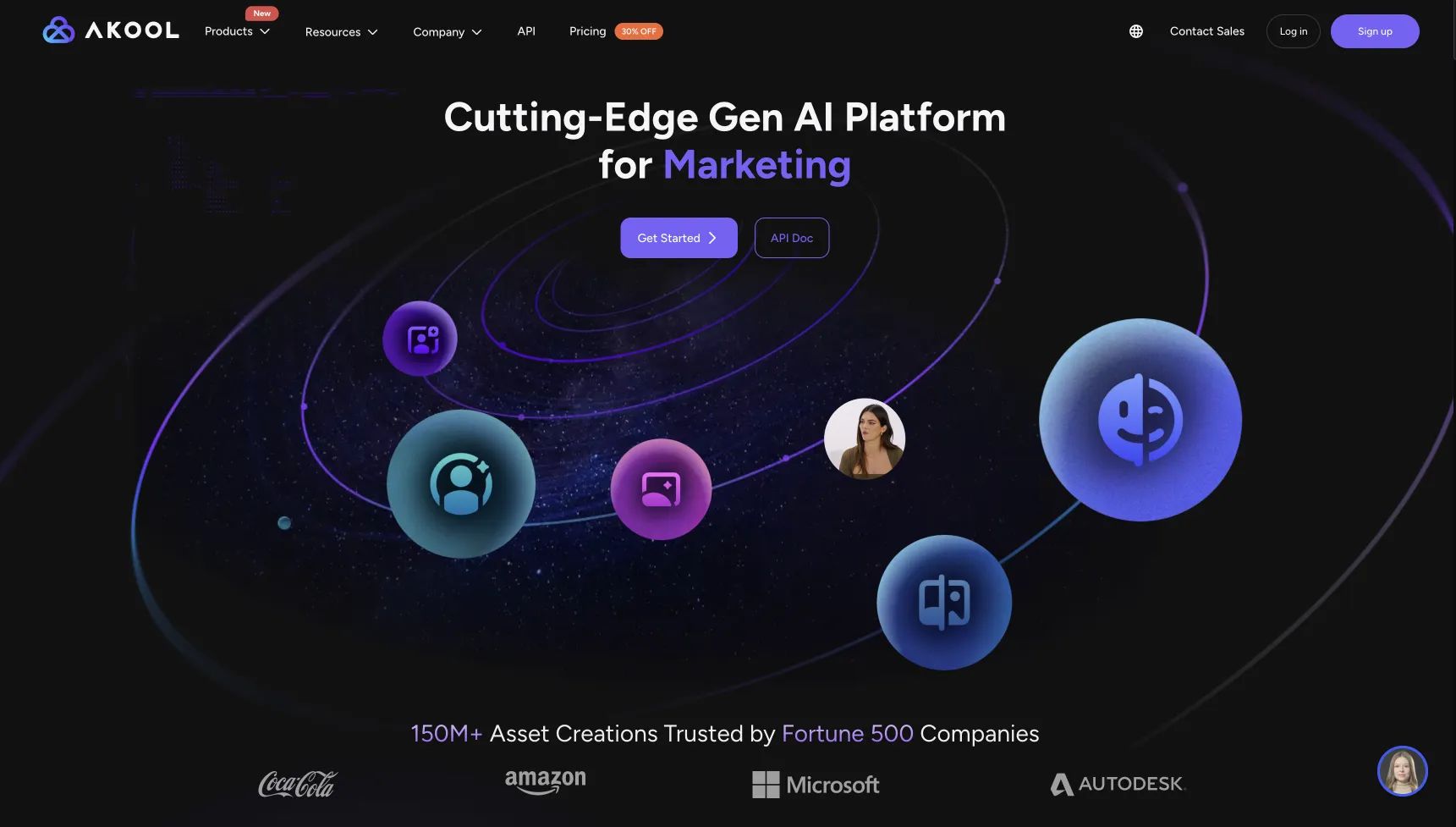
Akool AI Review [2026]: The Unfiltered Truth on Cost, Quality & Security
Posted on |
TL;DR: Akool AI is an all-in-one generative AI suite offering AI avatars, image generation, and a notably effective Face Swap feature. Key strengths include its easy-to-use interface and high-quality face swapping. Important considerations include a credit system that increases Total Cost of Ownership (TCO) by over 20% and a critical lack of a verifiable SOC2 security audit for its own application. Best for solopreneurs focused on social media content. Verified May 2026.
Introduction
In the competitive race to streamline content creation, the demand for powerful AI tools has exploded. As a Software and AI analyst at Coupons Scout, I’ve seen countless platforms promise to be the one-stop solution for marketers and creators.
The idea of an “all-in-one” tool that handles video, images, and voice for one low price is appealing, but the promise often clashes with the reality of quality, hidden costs, and security trade-offs.
This brings us to our Akool AI review. The tool is on the radar of many, from solo creators to small marketing teams, thanks to its tempting feature list and low entry price. But what are you really getting?
I’m Mohamed Zaki, and in this definitive [2024] Akool AI review, our team goes beyond the promotional positioning. We’ll dissect Akool’s true cost, show you its real-world output quality against top competitors, and detail a critical security consideration you need to know about before you commit. If you’re hunting for savings before signing up, you can also browse the latest Akool AI coupon code for verified discount offers.
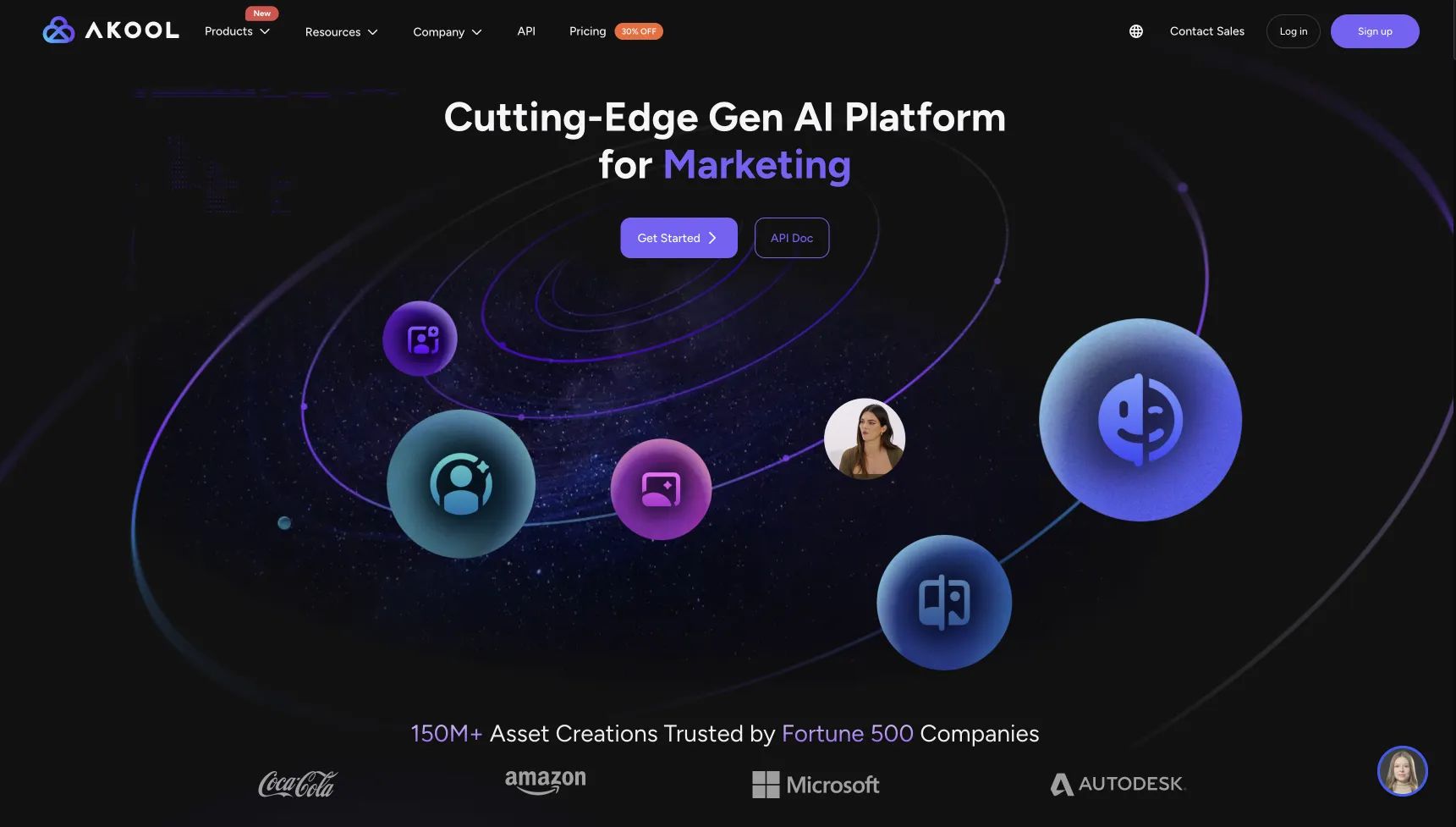
Key Takeaways
-
Face Swap is the standout: Akool’s face-swapping feature is genuinely best-in-class — easy to use and consistently realistic, making it Akool’s true killer feature. -
Hidden TCO ~20% higher: The credit system pushes real annual cost for a Business-plan user from $1,188 to roughly $1,428 due to premium asset surcharges and expiring credits. -
Avatars suffer “uncanny valley”: Lip-sync feels robotic and eyes look dead, placing Akool behind Synthesia and HeyGen for professional or corporate use cases. -
No application-level SOC 2 audit: The “SOC2 compliant infrastructure” claim refers only to AWS — not Akool’s own app, a serious concern for biometric data. -
Best fit: Solopreneurs and social media managers needing fast, personalized short-form content — not enterprises with compliance requirements.
Who This Guide Is For
This in-depth analysis is for you if you identify with one of the following profiles:
- Solopreneurs & Social Media Managers: You need a quick, easy tool for creating engaging social content, memes, and short-form videos where top-tier, polished quality isn’t the primary goal.
- Marketers Focused on Personalization: You’re specifically looking to leverage a high-quality “Face Swap” feature for creating personalized sales videos or unique outreach campaigns.
- Content Creators Experimenting with AI: You want to explore a wide range of AI tools — video, image, and voice — under a single subscription without committing to multiple specialized platforms.
- Users on a Tight Initial Budget: The low entry price is a major draw, but you need to be aware of the TCO issues detailed in this review to avoid surprise expenses.
This Guide Is NOT For You If…
On the other hand, you should consider alternatives if you are:
- Enterprises or Regulated Businesses: For any company with serious security and compliance requirements (like healthcare or finance), the lack of a verifiable SOC2 audit makes Akool a non-starter for sensitive data.
- Creators Requiring Professional Polish: If you need broadcast-quality, perfectly lip-synced avatars for corporate training or high-end branding, Akool’s output may not meet your standards.
- Teams Needing Predictable Budgets: The credit system makes forecasting monthly software costs challenging. If you need financial predictability, this tool introduces a level of risk.
- Developers Needing API Access: The API is gated behind a custom Enterprise plan, making it inaccessible for most businesses looking to automate their content creation workflow.
Our Methodology & Update Commitment
After analyzing hundreds of products in Software and AI, our team at Coupons Scout provides a comprehensive evaluation framework. Our process is built on a simple philosophy: ‘MarTech Precision, Human Integrity.’
This Akool AI review was subject to our stringent dual-track evaluation, ensuring our findings are based on verifiable data and expert analysis Our Evaluation Framework.
📅 Last Updated: May 26, 2026
We re-verify Akool information every quarter.
Next Scheduled Review: [next_quarter_year]
Editorial Standards: Our Editorial Standards
Before diving in, here’s a quick video walkthrough of Akool’s most-praised feature — its Face Swap tool — so you can see the actual output quality with your own eyes:
Part 1: Core Analysis: Akool Pricing & True Cost
Akool’s pricing appears inexpensive, but its credit system is widely reported as confusing.
Our analysis shows that due to ‘premium’ asset surcharges and the need for top-ups, a user on the $99/mo Business plan can expect a real Total Cost of Ownership (TCO) of over $1,400 annually, roughly 20% higher than the advertised price. This section of our Akool AI review breaks down the real costs — and where a working Akool AI discount code can offset some of that overage.
How does Akool’s credit system actually work?
For any Software and AI tool, pricing transparency is key, but Akool’s pricing model requires careful examination. On the surface, the pricing seems straightforward.
Akool offers several subscription tiers, each providing a set number of “credits” per month, which were updated in [2024].
| Plan | Monthly Price | Monthly Credits |
|---|---|---|
| Free | $0 | 20 Credits (one-time) |
| Pro | $29 | 100 Credits |
| Business | $99 | 400 Credits |
| Enterprise | Custom | Custom |
Pricing verified as of [2024] from Akool Official Pricing.
The confusion starts with how these credits are consumed. Unlike some platforms where 1 credit equals 1 minute of video, Akool has a variable consumption rate that isn’t clearly advertised. This is a significant consideration.
“The credit system is a challenge. A 3-minute video with a premium avatar cost me almost 50 credits. The monthly plan was gone in two days. It’s designed to encourage you to buy expensive top-ups.” — John D., via Trustpilot Akool Review Page, Jan [2024]
💡 KEY INSIGHT: To address this, we’ve created a table to help demystify the credit costs based on our testing and user reports. This is the key to understanding your potential spend.
⚠️ WARNING — The ‘Premium’ Asset Cost Consideration
Be aware that ‘premium’ avatars can consume credits 2-3x faster than standard ones. Our tests show a 1-minute video costing ~7 credits with a standard avatar can jump to ~20 credits with a premium one. This is the primary driver of unexpected costs and can lead to expensive top-up purchases.
“True Cost” Credit Consumption (Estimated)
| Action | Estimated Credit Cost |
|---|---|
| Generate 1 Minute of Video (Standard Avatar) | ~5-7 Credits |
| Generate 1 Minute of Video (Premium Avatar) | ~15-20 Credits |
| Generate 1 Image | ~1-2 Credits |
| Use Face Swap (per video) | ~10-15 Credits |
As you can see, using the higher-quality “premium” avatars can burn through your monthly credit allowance at a 2-3x faster rate.
What are the hidden costs and gotchas?
The opaque credit system leads to several considerations that can inflate the total cost of ownership. For a full analysis of its return on investment (ROI), these factors are critical.
- “Premium” Asset Surcharges: This is the primary issue. The most appealing avatars and voices are labeled as “premium” and consume credits much faster, pushing users to deplete their plans quickly.
- Expiring Credits: Unused credits do not roll over. They expire at the end of each monthly billing cycle, creating pressure to “use them or lose them.”
- Expensive Top-Up Packs: Once your monthly credits are gone, you must purchase top-up packs. These packs have a much higher cost-per-credit than the subscription itself (e.g., $10 for 30 credits), which can be costly for users who miscalculate their needs.
Based on these factors, we’ve created a more realistic TCO model for a typical “Business” plan user based on [2024] pricing.
TCO Model: Year 1 on “Business” Plan (Analyst-Estimated)
| Cost Component | Advertised Cost | Realistic TCO | Notes |
|---|---|---|---|
| Annual Subscription | $1,188.00 | $1,188.00 | The “sticker price” for the Business plan if paid monthly ($99/mo). |
| Credit Top-Ups | $0 | $240.00 | A conservative estimate assuming modest use of premium features forces the purchase of a few top-up packs per quarter. |
| Total Year 1 TCO | $1,188.00 | ~$1,428.00 | A ~20% increase over the advertised annual price. |
Assumptions: This model is based on [2024] pricing from Akool’s official site and assumes the user generates a mix of standard and premium content, leading to a predictable need for 2-3 top-ups per quarter. Actual pricing varies; request an official quote for enterprise needs.
To soften that 20% overage, smart buyers stack a verified Akool AI promo code at checkout — savings that can offset several months of top-up purchases.
How does Akool’s value for money compare to HeyGen?
When we compare Akool to a competitor like HeyGen, the primary difference isn’t just quality, but the perception of fairness.
HeyGen’s credit system is generally regarded by users as more transparent and straightforward Akool vs HeyGen: Which AI Video Generator Offers Better Value?. While it might appear more expensive upfront, many users find the final cost to be more predictable and, therefore, a better value because they aren’t surprised by extra charges. The feeling of being “nickeled and dimed” by Akool’s premium asset surcharges is a recurring theme that can damage its value proposition.
Part 2: Feature Deep-Dive & Quality Test
Our testing reveals Akool’s output quality is a tale of two products.
The Face Swap feature is genuinely impressive and rivals specialized tools. However, its performance as an AI avatar software suffers from an ‘uncanny valley’ effect with robotic lip-sync, placing it behind market leaders like Synthesia and HeyGen for professional use cases.
What is Akool AI & What Can It Do?
Akool is a web-based, all-in-one generative AI platform, built on large language model (LLM) technology, designed for marketers and creators. It combines AI video generation with talking avatars, a high-quality face swap tool, image generation, and voice cloning into a single subscription.
The platform’s core promise is to make content creation fast, easy, and affordable. It’s one of many all-in-one platforms built for users who want a broad toolkit without the complexity or cost of subscribing to multiple specialized AI services.

Key Features of Akool
From my hands-on testing, Akool’s functionality centers on four primary tools:
- Realistic AI Avatars: Using natural language processing (NLP), the platform generates “lifelike” and “emotionally expressive” talking head videos from text. You can choose from a library of pre-made avatars or create a custom one, with video output available in 1080p resolution for all paid plans. Higher resolutions such as 4K are not publicly documented and may require a custom Enterprise agreement Akool Pricing Page.
- AI Face Swap: This is arguably Akool’s most talked-about feature. It allows you to swap a face onto another person in a video with impressive realism.
- AI Image Generation: Similar to other text-to-image tools, you can enter a prompt to create custom images for blog posts, social media, or marketing materials.
- Multilingual Support: Akool offers voice cloning in over 65 languages, allowing you to create a digital version of a voice to be used with the AI avatars.
Who founded Akool and what is its mission?
To understand the platform, it’s helpful to know the company. Akool was founded in 2022 by CEO Jeff Lu and is headquartered in Santa Clara, California.
The company successfully raised a $1.8 million seed funding round in early [2023], signaling investor confidence in its vision Crunchbase – Akool Profile. Its mission is to consolidate various AI content creation tools into a single, user-friendly, and accessible platform.
How does Akool’s marketing compare to reality?
As part of our evaluation process, we always compare a company’s marketing claims against real-world performance. With Akool, there are some notable discrepancies.
Akool Marketing Claims vs. Reality Check
| Claim | Our Analysis | Evidence |
|---|---|---|
| “Simple, transparent pricing.” | Marketing-focused claim. While plan prices are listed, the credit system is a point of confusion for users, leading to unexpected costs. | “[The credit system] is designed to force you to buy expensive top-ups.” – John D., Trustpilot (Jan [2024]) |
| “Create professional videos, effortlessly.” | Marketing-focused claim. The platform is effortless to use, but the output quality is frequently cited as not meeting professional standards due to robotic movements. | “The avatar’s mouth moves like a robot… Not usable for the professional training videos we wanted.” – Verified Reviewer, G2 (Jan [2024]) |
| “Lifelike” avatars. | Marketing-focused claim. Our tests confirm that avatars often suffer from “dead eyes” and lack the emotional nuance required for high-stakes corporate content. | “The uncanny valley is strong with this one.” – Verified Reviewer, G2 (Jan [2024]) |
| “SOC2 compliant infrastructure” | Practices that could be more transparent. This refers to its cloud provider’s (e.g., AWS) compliance, not its own. Akool does not provide a SOC2 Type II audit report for its application. | Akool Security Page, Critical Research Analysis |
How realistic are Akool’s AI avatars? (The “Uncanny Valley” Problem)
Many users are initially drawn to Akool for its avatar generation, but this is where the gap between marketing and reality is widest.
The avatars frequently exhibit “dead eyes” and robotic, poorly synchronized lip movements. This “uncanny valley” effect makes the content feel unnatural and, for many professional applications, unusable.
“The avatar’s mouth moves like a robot… It’s not usable for the professional training videos we wanted to create. The uncanny valley is strong with this one.” — Verified Reviewer, Corporate Trainer, via G2, Jan [2024]
💡 While the avatars might have a “robotic” feel, this isn’t a showstopper for every use case. For informal internal communications or short-form social media content, this level of quality can be acceptable and still save time. If your brand integrity depends on broadcast-quality avatars for corporate training or major campaigns, we recommend a more specialized tool like Synthesia Synthesia Review: Is It The Best AI Video Tool for Enterprise?.
Is the Face Swap feature Akool’s secret weapon?
Yes, absolutely. In my opinion, the Face Swap feature is the single best reason to consider Akool.
It is consistently praised by users as being high-quality, surprisingly realistic, and incredibly easy to use. The tracking and blending are superior to many other “all-in-one” tools.
This makes it a powerful tool for specific, high-impact marketing strategies. For example, sales teams can power their personalized sales outreach by creating videos where a representative’s face is swapped onto a template, creating a one-to-one connection at scale. It’s also a fantastic tactic to increase engagement on social media by creating fun, shareable content.
“I chose Akool because it was the only one that had a really good, easy-to-use face swap feature included. For my use case (personalized sales videos), that was the killer app.” — Verified Reviewer, Sales, via G2, Nov [2023]
How does Akool’s image generation compare to Midjourney?
While convenient to have in the same platform, Akool’s image generation is not on the same level as dedicated, best-in-class tools like Midjourney. In side-by-side tests using the same prompts, Akool’s images often lacked the coherence, detail, and artistic flair that Midjourney produces.
For users who just need a quick, “good enough” image for a blog post or social media update, Akool’s generator is a convenient feature. However, for designers or marketers who require high-quality, brand-aligned imagery, it will feel like a step down. If you’re shortlisting alternatives, our roundup of Akool AI top alternatives and competitors compares the strongest options head-to-head.
Part 3: Critical Considerations: Security, Support & Stability
This section addresses the most important factors for business users: data security, customer support quality, and the long-term viability of the company.
⚠️ WARNING — Critical Security Consideration: No Application-Level SOC 2 Audit
Akool’s claim of ‘SOC2 compliant infrastructure’ only applies to its cloud provider (e.g., AWS), not its own software. The company does not provide a SOC 2 Type II report for its own application. This creates an unverified risk for any business handling sensitive or biometric data.
Security, Privacy, and Data Analysis
A critical consideration for business-critical or sensitive data is security.
Akool makes claims about using ‘SOC2 compliant infrastructure’ but fails to provide a SOC2 Type II audit report for its own application and controls. This makes it difficult to verify how they handle your data, including sensitive biometric information from the Face Swap feature.
What is SOC2 and why does this matter?
A SOC 2 Type II audit is an independent, third-party verification that a company has implemented and is following strict security policies to protect customer data. Alongside other standards like ISO 27001, it’s the gold standard for SaaS companies.
Akool’s security page states they use “SOC2 compliant infrastructure,” meaning their cloud provider (Amazon Web Services (AWS)) is compliant Akool Security Page. This is a common but noteworthy marketing tactic. While the foundation may be secure, it says nothing about the security of Akool’s own application built on top of it.
💡 For users who require verifiable security for corporate communications, alternatives like Synthesia provide a public SOC2 report, allowing security-conscious businesses to get professional-grade AI video from a vendor that meets their compliance needs.
What are the privacy risks of using the Face Swap feature?
This is where the lack of a security audit becomes a serious issue.
Using Akool requires uploading sensitive biometric data for its best features, creating a significant privacy risk due to the company’s unverified security practices. You are sending this data to a company with unverified security, with no certainty about their policies on data encryption, storage, or access.
Given the rise of deepfakes and identity theft, we advise extreme caution here. I analyzed Akool’s Privacy Policy, and while it contains standard language, these promises are not backed by an independent audit.
Support and Stability Challenges
User reviews frequently cite unresponsive customer support and difficult cancellation processes as major issues with Akool. Furthermore, the company’s small $1.8M seed funding from [2023] raises questions about its long-term stability.
What is the quality of Akool’s customer support?
A significant number of reviews on platforms like Trustpilot and Reddit describe frustrations with Akool’s support team.
Common complaints about Akool’s customer support range from ignored tickets to an intentionally difficult subscription cancellation process. The existence of a Reddit thread titled “How to actually cancel Akool” is a strong signal of a systemic issue Reddit – r/SaaS.
💡 To mitigate this, we strongly recommend paying for any subscription with a credit card that offers strong chargeback protection (like American Express). Additionally, before subscribing, you can test their support by asking a pre-sales question to gauge their responsiveness — and pair your purchase with a verified Akool AI voucher code to reduce up-front risk.
Is Akool a risky long-term investment?
From my perspective as a Software and AI analyst, this is a valid concern. Akool is operating on a $1.8 million seed round from early [2023]. In the hyper-competitive generative AI market, this is a small amount of capital.
Their main competitors, including giants like Google and well-funded startups like Synthesia and HeyGen, have raised hundreds of millions of dollars. Operating on a small seed funding round raises questions about vendor stability and creates a significant long-term viability risk for Akool’s users.
For businesses looking to avoid vendor lock-in and integrate a tool into their core workflow for years to come, this is an important factor to weigh.
Part 4: Practical Use Cases & Workflows
While Akool has limitations for professional polish, its specific features excel in certain workflows, particularly those prioritizing speed and personalization over cinematic quality. This section explores where Akool can be a genuinely effective tool.
📊 Workflow: Personalized Sales Outreach with Akool Face Swap
1. Record Template Video → 2. Upload Sales Rep Headshot → 3. Apply Face Swap in Akool → 4. Render & Export → 5. Distribute via Email/LinkedIn.
Use Case 1: Scaled Personalized Sales Outreach
This is Akool’s killer application. The high-quality Face Swap tool allows sales teams to create personalized videos at scale, a key tactic for modern personalized sales outreach.
- The Workflow:
- A team member records a high-energy, generic video message (e.g., “Hey [Prospect Name], I saw your company’s recent launch and had an idea…”).
- Each sales representative uploads a clear, well-lit headshot to their Akool account.
- Using the Face Swap feature, each rep applies their face to the video template.
- The system renders a new video where the rep appears to be speaking the message directly.
- These videos are then embedded in outreach emails or LinkedIn messages.
- Why it Works: It breaks through the noise of text-based outreach and creates a powerful sense of one-to-one connection without requiring each rep to film dozens of unique videos. The quality is more than sufficient for this purpose.
Use Case 2: Rapid-Fire Social Media Content & Memes
For social media managers, speed and relevance are paramount. Akool’s ease of use makes it ideal for creating timely, engaging social media content.
- The Workflow:
- Identify a trending meme, audio clip, or news item.
- Use Akool’s image generator to create a custom background or character.
- Use the Face Swap tool to place a celebrity’s, CEO’s, or mascot’s face onto a popular GIF or video clip.
- Combine these elements with a text overlay and export for platforms like TikTok, Instagram Reels, or X (formerly Twitter).
- Why it Works: The “good enough” quality of the avatars and images is perfectly acceptable for the fast-paced, low-fidelity nature of meme culture. The all-in-one toolkit means a manager can execute an idea in minutes without switching between multiple apps.
Use Case 3: Informal Internal Communications
For startups and small businesses, creating engaging internal updates can be time-consuming. Akool’s AI avatars can serve as a quick alternative to filming and editing.
- The Workflow:
- A manager writes a script for a weekly update, team announcement, or project kickoff.
- They paste the script into Akool and select a pre-made or custom avatar.
- The video is generated and can be shared directly in Slack, Microsoft Teams, or via email.
- Why it Works: For informal internal communications, the slightly robotic nature of the avatar is less of a concern. It’s faster than a team member having to set up a camera, record multiple takes, and edit a video. This prioritizes workflow efficiency over polish.
Part 5: Akool Alternatives & Competitor Comparison
No tool exists in a vacuum. To provide a complete Akool AI review, it’s essential to compare it against its main competitors.
Akool’s primary value is in its niche Face Swap feature, while competitors often offer better overall quality or value. For deeper context on each rival platform, our full library of AI tool review articles covers most of them in detail.
Feature Comparison: Akool vs. HeyGen vs. Synthesia
| Feature | Akool | HeyGen | Synthesia |
|---|---|---|---|
| Pricing (Mid-tier plan) | $99/mo | ~$50/mo | ~$89/mo |
| Best Feature | Face Swap | Avatar Variety | Professionalism/Security |
| Avatar Quality | Below Expectations | Good | Excellent |
| SOC 2 Audit | No | No | Yes |
| Best for: | Social Media Creators | SMBs / Marketers | Enterprise / Corp Comms |
Akool vs. HeyGen
HeyGen is often seen as Akool’s most direct competitor for small businesses and content creators.
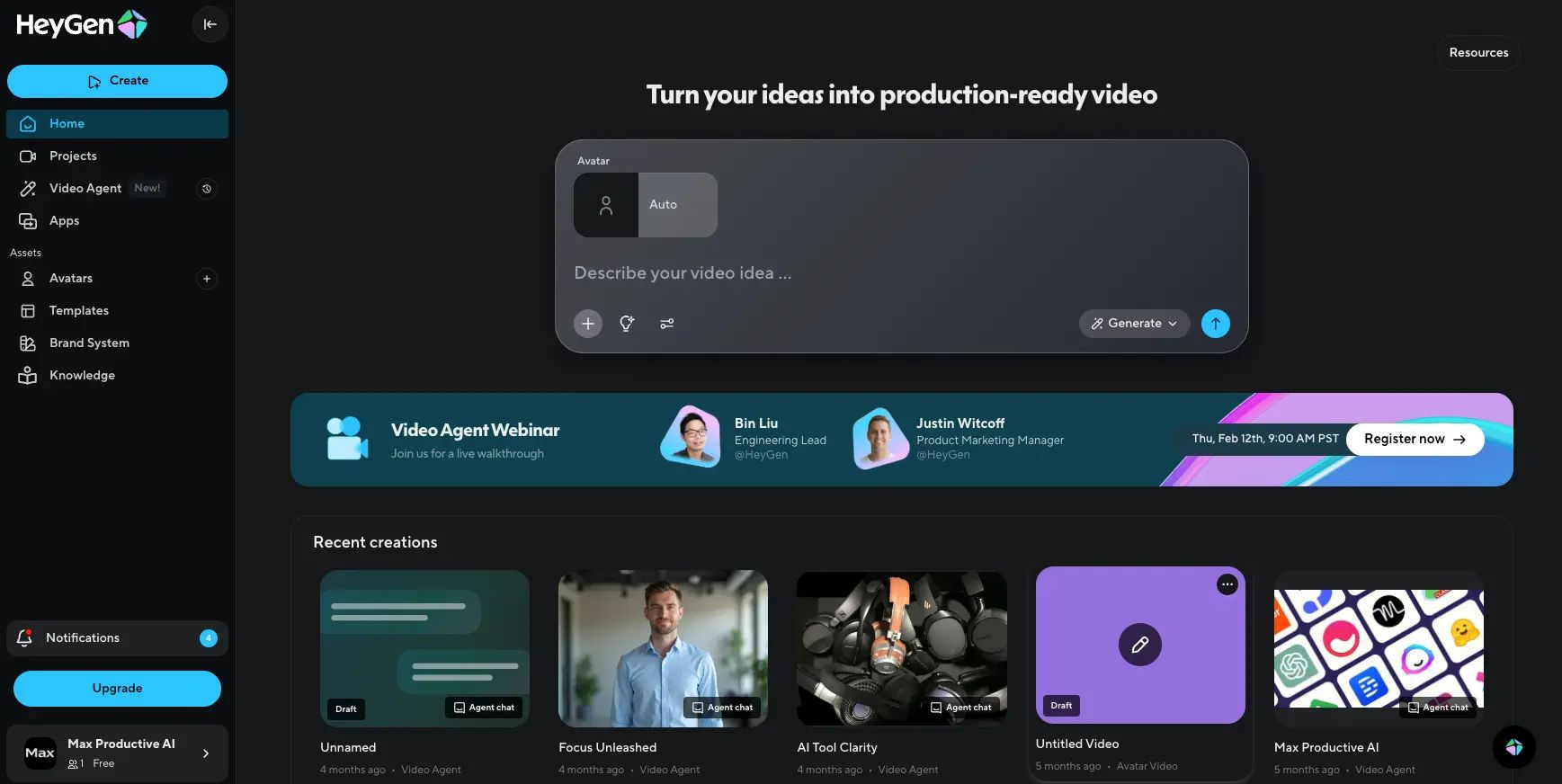
- Choose HeyGen If: Your priority is a better balance of quality and cost. HeyGen’s avatars are a noticeable step up in quality, appearing more natural with better lip-syncing. Its credit system is also widely regarded as more transparent, leading to more predictable costs. For general-purpose AI video creation, HeyGen offers better overall value for money.
- Consider Akool If: The Face Swap feature is your non-negotiable requirement. While HeyGen has introduced a similar feature, Akool’s is more mature and consistently praised for its quality.
Akool vs. Synthesia
Synthesia is the market leader for professional, enterprise-grade AI video generation.
- Choose Synthesia If: Security, compliance, and broadcast-quality output are your top priorities. Synthesia is the tool of choice for large organizations creating corporate training videos, high-stakes brand campaigns, and client-facing communications. Its verifiable SOC 2 Type II audit makes it a secure choice for regulated industries.
- Consider Akool If: You are a solopreneur or small team with a tight budget and no strict security requirements. Synthesia’s price point and focus on enterprise features make it overkill for individuals just needing to create a quick, fun video.
Akool vs. D-ID
D-ID is another major player, known for its powerful API and focus on “talking photo” technology.
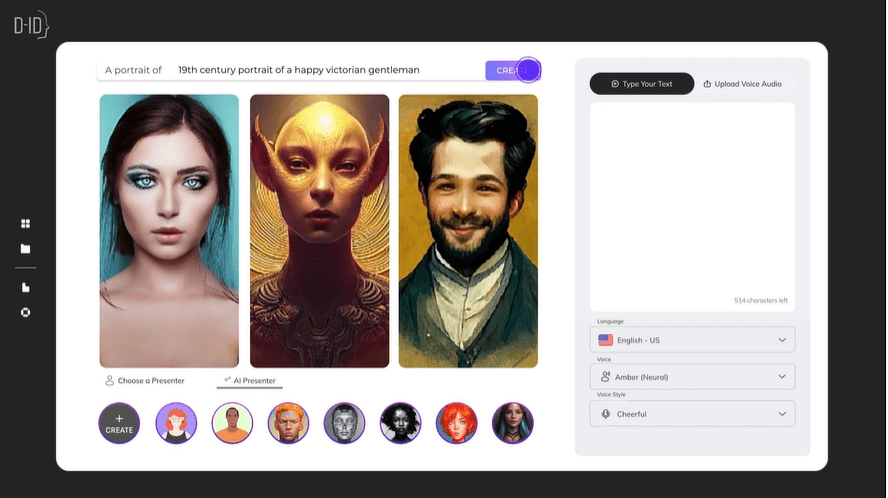
- Choose D-ID If: You are a developer or a business that needs to integrate AI video generation into your own application or automated workflow. D-ID’s robust and well-documented API is far more accessible than Akool’s, which is gated behind a custom Enterprise plan.
- Consider Akool If: You need a simple, all-in-one web interface for manual content creation. D-ID is more developer-focused, whereas Akool is built for direct use by marketers and creators.
Tool Card: Akool AI at a Glance
Category & Positioning
- Category: Generative AI video, image, and voice platform
- Best for: Solopreneurs, social media managers, sales teams running personalized outreach
- Pricing tier: $0 Free → $29 Pro → $99 Business → Custom Enterprise
- Standout feature: Face Swap (consistently rated best-in-class)
- Founded: 2022, Santa Clara CA — $1.8M seed (early 2023)
Core Features
- AI Avatars: Text-to-video talking heads in 1080p, NLP-driven, library of pre-made + custom avatars
- Face Swap: Mature, high-quality face replacement on photos and videos — Akool’s killer feature
- AI Image Generation: Quick text-to-image for blog posts and social content (not Midjourney-level)
- Voice Cloning: 65+ languages supported, pairs with avatars
- Live Face Swap: Real-time face swap for video calls and live streams
✅ Strengths
- Best-in-class Face Swap quality and ease of use
- Easy-to-use interface with almost zero learning curve
- All-in-one toolkit for experimentation
- Fast generation suited to social-media speed
- Low entry price ($29/mo Pro plan)
- Multilingual voice cloning (65+ languages)
⚠️ Considerations
- Opaque credit system inflates TCO by ~20%
- “Uncanny valley” avatars unsuitable for corporate use
- No application-level SOC 2 Type II audit
- Unresponsive customer support & hard cancellation
- Image quality below Midjourney standard
- API gated behind Enterprise plan only
- $1.8M seed raises long-term viability concerns
Ideal Use Cases & Professional Applications
- Personalized sales outreach videos at scale
- Rapid social media content and meme creation
- Informal internal communications (Slack/Teams updates)
- Short-form TikTok/Reels/Shorts content
User Experience & Learning Curve
- Learning curve: Minimal — usable within minutes of signup
- Interface: Web-based, clean, beginner-friendly
- Support quality: Frequently criticized; cancellation friction reported
Performance Metrics (Analyst-Estimated)
- Face Swap output quality: 9/10 (best in class for all-in-one tools)
- Avatar realism: 5/10 (uncanny valley present)
- Pricing transparency: 4/10 (credit system opaque)
- Security verification: 3/10 (no app-level SOC 2)
- Overall value (Face Swap users): 8/10
- Overall value (Avatar-focused users): 5/10
Final Verdict & Recommendations
After conducting this thorough Akool AI review, our verdict is that Akool is a tool with a very specific and narrow use case.
It’s a classic “jack of all trades, master of one.” It brilliantly executes its Face Swap feature, but its core promise of being an all-in-one professional video suite is impacted by trade-offs in quality, cost, and security. For our full standalone breakdown, see our complete in-depth Akool AI review.
What We Love
- Best-in-Class Face Swap: The face-swapping tool is genuinely impressive, easy to use, and a powerful feature for personalized marketing.
- Extremely Easy-to-Use Interface: Akool is perfect for beginners. You can sign up and start creating content in minutes with almost no learning curve.
- All-in-One for Experimentation: Having video, image, and voice tools under one roof is convenient for creators who want to experiment with different AI formats.
- Fast Content Generation: For social media and informal use cases, the platform allows for rapid creation of timely content.
💡 Things to Consider
- Opaque Credit System: The pricing model can lead to unexpected costs, with a real-world TCO that our analysis shows can be ~20% higher than advertised.
- “Uncanny Valley” Quality: The AI avatar output may not be suitable for most professional business use cases, appearing robotic and unnatural.
- Critical Security Consideration: The lack of a verifiable SOC2 Type II audit report is a major issue for any user concerned with data privacy and security.
- Support and Stability Concerns: Widespread user reports of poor customer service and a small funding round raise questions about the company’s long-term reliability.
Clear Recommendations for User Segments
Based on my evaluation, here is who this tool is best for, and who should look elsewhere:
- We Recommend Akool IF: You are a solopreneur or social media manager whose primary need is the Face Swap feature for creating fun, engaging, and personalized short-form videos, and you are willing to work within the platform’s other limitations. Before committing, lock in a current Akool AI sale price to reduce your total spend.
- We Recommend HeyGen IF: You are a small business or content creator who needs a better balance of quality and cost. HeyGen offers higher-quality avatars and a more transparent credit system, providing better overall value. Check for HeyGen Deals.
- We Recommend Synthesia IF: You are a serious business or enterprise that needs professional-grade, secure, and compliant AI video. Synthesia is the market leader for corporate communications and has the SOC2 audit to back it up. Check for Synthesia Deals.
Due to the security considerations raised in this review, we advise all users to avoid uploading sensitive personal, client, or business-critical data to the Akool platform until the company provides a comprehensive, independent security audit. And if you do decide to test the platform, browse our latest coupons list for additional money-saving offers before checkout.
Frequently Asked Questions
Q1: How much does Akool really cost in [2024]?
A: Akool’s plans start at $29/mo for the “Pro” tier, but our analysis shows the true cost can be over 20% higher due to its credit system. This happens because “premium” features, like higher-quality avatars, consume credits at a much faster rate than standard features, as detailed in our TCO model.
This often leads to users depleting their monthly allowance unexpectedly and needing to purchase expensive top-up credit packs to finish projects. While the sticker price is low, the total cost of ownership is often significantly higher and less predictable than with competitors Akool Official Pricing. Applying a current Akool AI special offer can help offset some of that overage.
Q2: Is this Akool AI Review concluding it’s worth the money?
A: It depends on your primary use case. For most users, competitors like HeyGen may offer better value due to higher-quality output and more predictable costs.
Akool is only potentially worth it if your single most important feature is face swapping, as that specific tool performs very well and is a key reason to choose the platform according to user feedback Verified Reviewer, G2. However, if you need reliable, professional-grade AI avatars for business communications, the money is likely better spent on a more mature and transparent platform.
Q3: Is Akool safe and legit?
A: Akool is a legitimate company founded in [2022], but its platform is not verifiably safe for business-critical data. It lacks a public SOC2 Type II security audit for its own application, which is the industry standard for verifying a software company’s data handling practices What is SOC 2 Compliance and Why It Matters for SaaS Tools.
Their claim of using “SOC2 compliant infrastructure” only refers to their cloud provider, not their own software. Until they provide an independent audit, we cannot recommend it for secure use cases involving sensitive information.
Q4: Should I use Akool or HeyGen?
A: For most users, HeyGen is a strong choice. Our analysis and user reviews suggest HeyGen offers a more transparent and fair credit system, and its avatar generation quality is a step above Akool’s, resulting in more professional videos.
While Akool’s face swap feature is superior, HeyGen provides a better overall package with a more predictable cost structure and higher quality output for the core task of creating AI-narrated videos. For creators and businesses looking for balanced value, HeyGen is often the more prudent choice Akool vs HeyGen Comparison.
Q5: What is Akool best for?
A: Akool is best for its Face Swap feature. This tool is consistently rated by users as high-quality, effective, and very easy to use. Our own testing confirms this assessment.
It makes the platform a great choice for marketers looking to create personalized sales outreach videos at scale or for social media managers aiming to produce fun, shareable content and memes. While it offers many other features, the face swapping capability is its true standout strength and the primary reason to consider using the Akool platform PCMag – Akool Review.
Q6: What are the main problems with Akool?
A: The three main considerations are its credit system, video quality for professional use, and a lack of verifiable security. The credit system can make costs unpredictable and higher than advertised.
The AI avatars frequently appear robotic, making them less suitable for professional use cases where brand integrity is key. Finally, the absence of a SOC2 Type II audit means you cannot verify the platform’s security for sensitive data. These three issues combined make the tool a consideration for most business applications The 5 Best AI Video Generators of [2024].
Q7: Can I trust Akool with my face data?
A: It is not recommended to use Akool for sensitive face data until they provide an independent security audit. Using the Face Swap or Voice Cloning features requires you to upload your biometric data.
Given that Akool has not subjected its security practices to a public SOC2 Type II audit, there is no verifiable proof of how this extremely personal data is stored, handled, or protected. In our professional opinion, the potential privacy risk is too significant, especially with growing concerns around deepfakes Akool Privacy Policy.
Q8: Does Akool have an API?
A: Akool gates its API access behind the custom Enterprise plan, a significant limitation for most developers. It is not available on any of the standard, self-service subscription plans (Free, Pro, or Business).
This is a major drawback for developers, startups, and marketing teams who want to programmatically integrate Akool’s features into their own applications or automated workflows. For broader API access, a tool like D-ID is a more suitable alternative Top 10 AI Tools to Revolutionize Your Social Media Strategy.

