


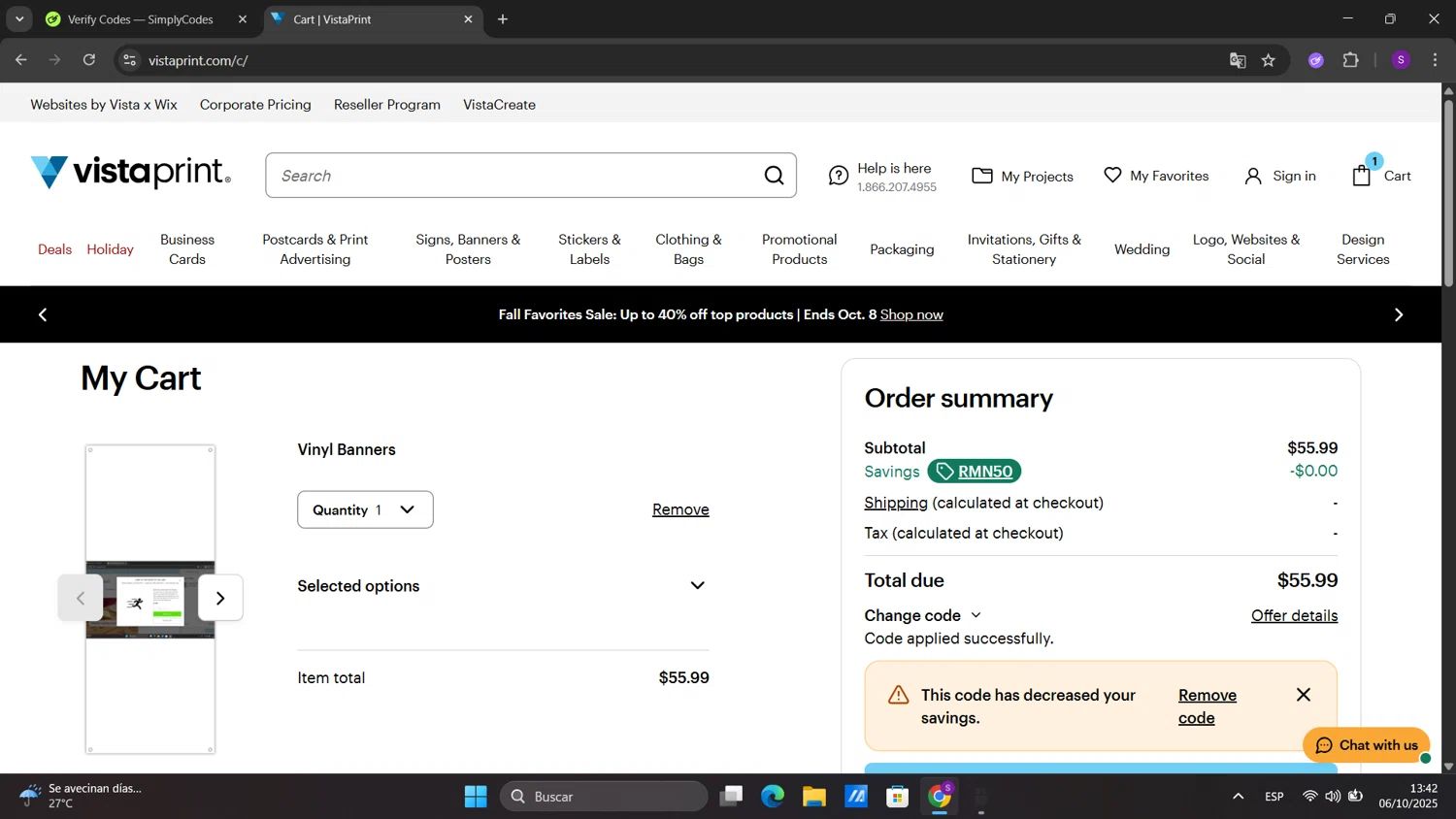


I know why you're here. You've seen that "promo code" box at the Vista Social checkout, and your smart-shopper senses are tingling. But I'm going to let you in on a secret: the best, most significant savings for this platform aren't found in a random, hard-to-find code. As the founder of CouponsScout, my team and I have dug deep into the pricing structure, and the truth is, the biggest discounts are built right into their system—if you know where to look. In this guide, I'll walk you through every legitimate, verified way to save, from a 50% lifetime discount for non-profits to locking in recurring commissions. If you want to see the current live offers first, check out the latest Vista Social coupons and deals before you commit. Let's skip the frustrating hunt for expired codes and get you a real deal. Explore more verified Software and AI Deals.
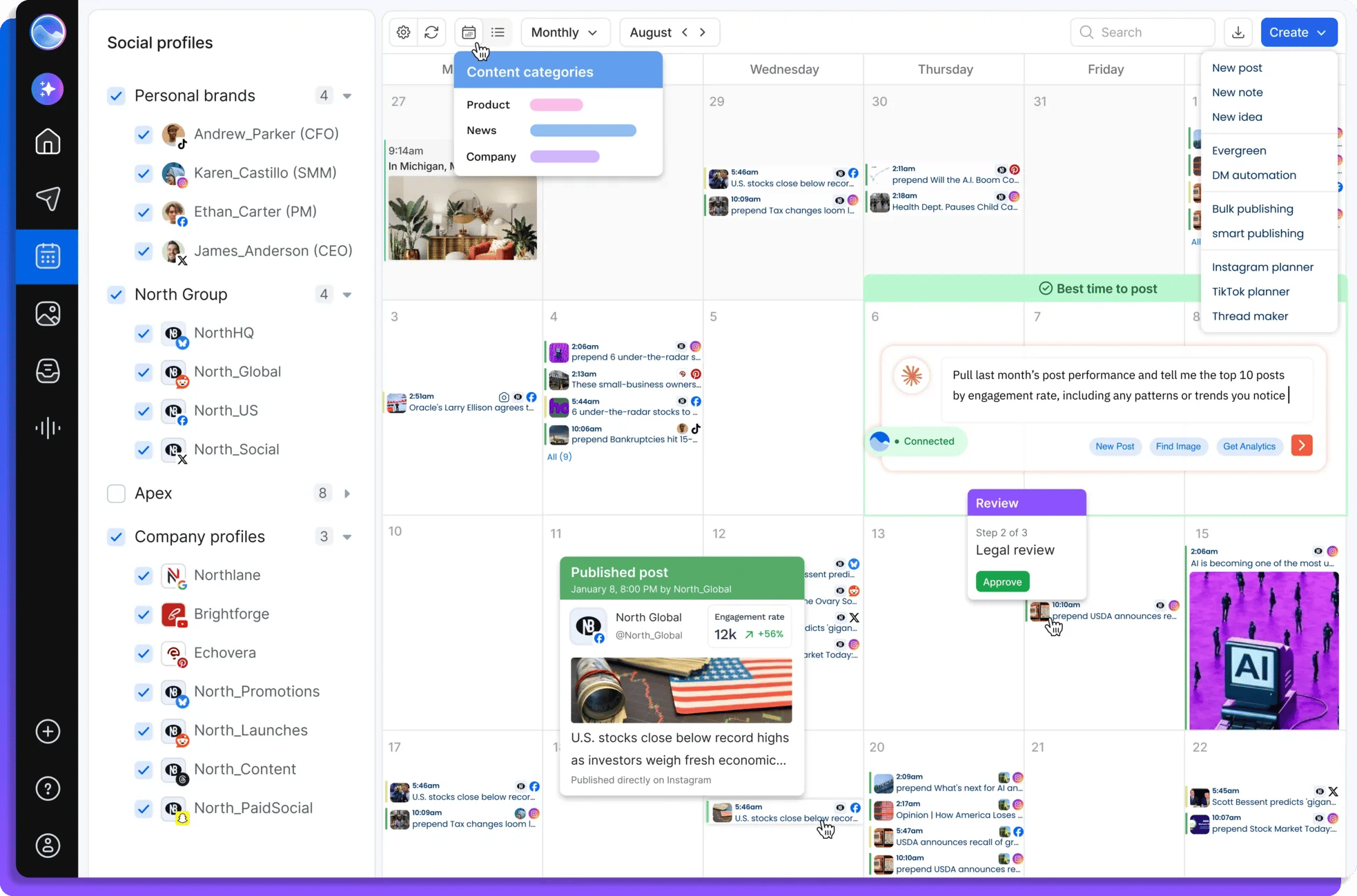
How to Apply Your Vista Social Discount Code
While public coupon codes are rare, the platform does have a system for applying discounts. Most of the savings are either automatic or come through special programs rather than a simple copy-paste code. Understanding the difference is key to maximizing your savings.
Step-by-Step: Applying Codes at Checkout
That little "Have a coupon?" box at checkout is primarily reserved for special promotions or codes given directly to partners or specific user groups. Our research shows that public, site-wide codes are not part of the brand's regular marketing strategy. If you do receive a unique code directly from the retailer or a verified partner, here’s how to use it:
- Select your desired plan (e.g., Professional) and billing cycle (Annual for extra savings).
- Proceed to the checkout page where you enter your payment information.
- Locate the "Have a coupon?" or "Add a promotion code" link.
- Click the link, and a text box will appear.
- Carefully type or paste your code into the box and click "Apply."
- Verify that the discount has been correctly applied to your order total before confirming your purchase.
How to Access Partnership & Startup Discounts
Vista Social offers significant discounts through various partnership platforms aimed at startups, incubators, and specific communities. These are not open to the public but can provide substantial savings if you qualify. Our market analysis indicates that these deals are often the most valuable, so it’s worth checking your eligibility.
- Check Startup Networks: Explore platforms like Secret, FounderPass, or other startup perk providers. Search for "Vista Social" within their listed deals.
- Incubator/Accelerator Programs: If your business is part of an incubator or accelerator, check their list of software perks. Social media tools are a common inclusion.
- Apply & Verify: These platforms will typically require you to apply and prove your affiliation. Once approved, you'll receive a unique link or code to unlock the discount.
Automatic Discounts vs Manual Code Entry
For 99% of users, the most reliable savings are automatic. This is a deliberate strategy to reward commitment and specific user groups without the hassle of code hunting. Here's what to focus on:
- Automatic Discounts: The best example is the annual billing discount. Simply by choosing "Annual" instead of "Monthly" at checkout, you automatically save a significant percentage. There is no code needed; the price is adjusted for you.
- Manual Code Entry: This is for the exceptions. Think of unique codes from customer support, a webinar-specific offer, or a partnership deal. These are targeted and not meant for the general public.
My takeaway: Don't waste time searching for "Vista Social promo code" on endless coupon sites. Instead, focus your energy on the guaranteed, built-in savings methods we'll break down next.
Savings Hacks & Tips for Vista Social
This is where the real value is. Forget chasing elusive codes. I’m going to show you the guaranteed methods my team has verified to lower your cost on this platform. These are the strategies we use and recommend for getting the most out of your subscription.
Annual vs Monthly Billing: Calculate Your Savings
This is the single easiest and most effective way for any user to save money. By committing to a year upfront, you get a substantial discount. Let's do the math on the Professional plan as an example.
- Monthly Price: The Professional plan costs $34 per month, according to the official Vista Social pricing page. Over a year, this totals $408.
- Annual Price: The same Professional plan costs just $300 when billed annually.
- Your Savings: By choosing the annual plan, you save $108 per year, which is a 26.5% discount compared to paying monthly. This is a massive, guaranteed saving that requires no special codes or eligibility.
This "instant rebate" for paying annually is a no-brainer if you plan on using the tool for the long haul.
Non-Profit Discounts: How to Get 50% Off for Life
This is, without a doubt, the most generous offer the platform provides. They give a 50% lifetime discount to eligible non-profit organizations. This is an incredible deal that halves your social media management costs permanently.
How to Apply:
- You must be a registered non-profit organization (e.g., a 501(c)(3) in the United States).
- Navigate to the Vista Social Non-Profit Discount Application page on their official website.
- Fill out the application form, which will require information about your organization and proof of your non-profit status.
- The team will review your application and, upon approval, apply the 50% discount to your account.
This discount applies for the life of your account, making it one of the most affordable, full-featured social media management tools for the non-profit sector.
Free Trial Strategy: Test the Professional Plan for 14 Days
Vista Social offers a fully-featured 14-day free trial of their Professional plan. This is a critical "try before you buy" opportunity that you should absolutely use to its fullest. What I love about their trial is that it requires no credit card required to start.
Here's the strategy:
- Test Everything: Don't just connect one profile. Use the 14 days to test all the features you care about: the AI assistant, the approval workflows, the reporting, and the smart publisher.
- Assess Your Needs: Does your team actually use the advanced features? This trial will help you decide if the Professional plan is necessary or if the cheaper Standard plan (or even the Free plan) is sufficient.
- No Risk: Since no credit card is required, you don't have to worry about being automatically charged if you forget to cancel. At the end of the 14 days, you can choose to upgrade or your account will be downgraded to the free plan.
Start Your Free Vista Social Trial – No Credit Card Required →
Explore the Permanent Free Plan
Don't overlook the permanent Free plan. For solopreneurs, students, or anyone just starting with social media management, it’s remarkably robust. According to their pricing page, the free plan includes:
- 1 User
- 3 Social Profiles
- 15 Posts per Profile per Month
- Access to the AI Assistant
While it has limitations, it's a fantastic way to use the platform indefinitely without paying a cent. It’s perfect for managing a small personal brand or a single business's core social channels. You can always upgrade later as your needs grow. For a broader look at what else is trending, browse the latest coupons across every store we track — the list refreshes daily.
Referral Program: Earn Recurring Commissions
The brand also has an affiliate program that can translate into direct savings or even income. By referring other users, you can earn a 20% recurring commission on every payment they make. This is a powerful opportunity for agencies, consultants, or influencers who recommend marketing tools.
How it Works:
- Sign up for their program on the Vista Social Affiliate Program page.
- You’ll receive a unique referral link.
- Share this link with your clients, colleagues, or audience.
- For every person who signs up and becomes a paying customer through your link, you earn 20% of their subscription fee, for as long as they remain a customer.
If you refer just five other users on the same plan as you, the commissions could potentially cover the entire cost of your own subscription.
Cashback Stacking: Combine with Credit Card Rewards
This is a simple but often overlooked hack. When you pay for your subscription (especially a more expensive annual plan), use a business credit card that offers rewards on software purchases or digital services. Cards like the Chase Ink Business Preferred or American Express Business Gold often have bonus categories for software. A 2-5% cashback on a $300 annual plan might only be $6-$15, but it's free money that lowers your overall cost with zero extra effort.
Why Trust Coupons Scout for Vista Social Codes?

In an industry full of fake codes and expired deals, I built Coupons Scout on a foundation of transparency and trust. We don't just scrape coupons; we verify savings. For a Software-as-a-Service (SaaS) product like this one, that means going beyond a simple code check and analyzing the entire pricing structure to find where the real value lies.
Our Verification Process: The CSVP™ Standard
Every piece of savings information on this page has been validated by our proprietary Coupons Scout Verification Protocol (CSVP™). This is our core promise to you. For this tool, our process involved two key tracks. Track A (Coupon Verification) confirmed the lack of public promo codes but validated the automatic annual discount at checkout. More importantly, for a complex tool like this, Track B (Product Validation) was critical. All our findings are based on our team's direct testing, and our entire process is detailed in our research and verification process to ensure full transparency. This dual-track analysis ensures we provide a complete and honest picture of how to save money.
Meet the Team Behind Your Savings
As the founder of CouponsScout, I oversee our entire verification process, but for technical products like this, I rely heavily on our in-house experts. For this guide, I worked directly with Jettawat Kasemchaiyanun, our Senior Tech Reviewer and Software & AI specialist. Jettawat personally signed up for the 14-day free trial, tested the limitations of the AI Assistant on the free vs. paid plans, and calculated the exact ROI of choosing an annual plan. His deep knowledge of SaaS pricing models and years of experience testing marketing tools ensure that the advice you're getting is hands-on and expert-led—not just marketing claims.
Of course, our Senior Verification Analyst, Kanokchai Likitapiwat, performs the daily checks to ensure automatic discounts are still active. And finally, our Editor-in-Chief, Joanne Lovell, reviews every guide for accuracy and clarity, ensuring we maintain the highest editorial standards before anything goes live.
Real-Time Testing: How We Keep Codes Fresh
SaaS pricing and offers change. A discount that was valid yesterday might not be today. That’s why our work isn’t a one-time event. Kanokchai’s team runs monthly audits on pages like this one, re-verifying every claim. We check the official pricing page, confirm the non-profit discount application is still live, and test the free trial process. If Vista Social ever does launch a major public promotion (like for Black Friday, though they historically haven't), our real-time monitoring systems will catch it, and our team will test and add it here immediately. We prioritize accuracy over archive size, so you can be confident the information is current. You can also see how our team categorizes and organizes deals by visiting the full directory of stores on Coupons Scout to compare savings across the brands we cover.
What To Do If Your Vista Social Code Doesn't Work?
Since most savings on this platform are automatic, a "code not working" error is rare. However, if you're trying to use a specific code from a partner and it fails, or if an expected discount isn't appearing, here are the steps to take.
Common Reasons Codes Fail (And How to Fix Them)
If you're entering a manual code and it's rejected, it's almost always for one of these reasons:
- Expired Code: The promotion has a time limit you may have missed.
- Typo or Formatting Error: Codes are often case-sensitive. Try copying and pasting it again carefully.
- Not Eligible: The code may be for new users only, a specific plan, or a specific user group (like a partner's clients).
- Already Used: Some codes are one-time use per account.
How to Fix: Double-check the code's source and its terms. If it came from a third-party coupon site, it's likely expired or invalid. Stick to official sources.
Terms & Conditions: Understanding Eligibility
Eligibility is the biggest factor. For example, the 50% lifetime discount for non-profits won't work if your application is still pending or was denied. The annual discount won't apply if you've selected the monthly billing option. Always read the fine print associated with any discount. For this tool, the terms are generally very clear on their respective pages (pricing page, non-profit page, etc.).
Expired Code? Find Fresh Alternatives Here
If your code is dead, don't waste more time hunting. The best alternatives are the verified savings methods listed right here in this guide. Your next steps should be:
- Switch to Annual Billing: This is your most reliable and immediate discount (26.5% savings on the Pro plan).
- Check Non-Profit/Partnership Eligibility: This is the next biggest discount if you qualify.
- Utilize the Free Plan: If your budget is zero, the free plan is a fantastic, long-term alternative.
These built-in deals are always "fresh" and available to you directly from the retailer.
Contacting Vista Social Support for Assistance
If you believe you are eligible for a discount that isn't being applied correctly (for instance, if you were promised a specific price by a sales representative), don't hesitate to contact their support team. They are responsive and can clarify any issues with your billing.
- Go to the Vista Social website.
- Look for the "Help" or "Contact Us" section.
- Be prepared to provide your account details and the specifics of the discount you're trying to claim. A screenshot is always helpful.
About Vista Social
Vista Social has carved out a space for itself in the crowded social media management market by offering a powerful, intuitive, and, most importantly, affordable platform. It's designed for everyone from individual creators to large marketing agencies, with a feature set that competes with top-tier players.
What is Vista Social? Social Media Management Tool Overview
Vista Social is a comprehensive social media management platform founded with the mission to provide a full suite of modern marketing tools without the hefty price tag. It allows users to schedule content, manage engagement, track analytics, and collaborate with team members across all major social networks, including Instagram, Facebook, X (formerly Twitter), LinkedIn, TikTok, Pinterest, and more. What sets it apart is its inclusion of advanced features like a free AI assistant and direct video publishing, even on lower-tier plans.
Products & Services: What Vista Social Offers
The core of the offering is its unified platform, which is packed with features designed to streamline social media workflows.
- Smart Publisher: Schedule posts across multiple networks, including first comments, and visualize your content on a calendar.
- Social Inbox: Manage all your comments and messages from different platforms in a single, unified stream.
- Analytics & Reporting: Create beautiful, customizable reports to track your performance and prove your ROI.
- AI Assistant: A GPT-3 powered assistant to help you generate post ideas, write copy, and brainstorm content.
- Review Management: Monitor and respond to reviews from platforms like Google My Business and Yelp directly within the app.
- Team Collaboration: Assign tasks, manage approval workflows, and leave notes for team members.
Pricing Tiers: Free, Standard, and Professional Plans Comparison
Pricing is transparent and a key part of the appeal. As of our last verification on the Vista Social Pricing Page, here is the breakdown:
| Plan | Monthly Price | Annual Price | Best For |
|---|---|---|---|
| Free | $0 | $0 | Individuals or beginners managing a few profiles. |
| Standard | $24/month | $228/year ($19/month) | Small businesses and freelancers needing more profiles and features. |
| Professional | $34/month | $300/year ($25/month) | Agencies and larger teams needing advanced analytics and collaboration tools. |
They also offer custom Enterprise plans for large organizations with specific needs like API access and dedicated support.
Free Trial & Refund Policy
As mentioned, the brand offers a 14-day free trial of its Professional plan with no credit card required. This is your primary way to test the service. It's crucial to use this trial period effectively because, as stated in their Terms of Service, the company has a strict no refunds policy. Once you have paid for a subscription period (monthly or annually), you will not be able to get that money back, even if you cancel early. This makes the free trial an essential step in your purchasing decision.
Cancellation Process & Billing Cycle
The cancellation process is straightforward. You can cancel your subscription at any time from within your account settings. When you cancel, your subscription will remain active until the end of your current paid billing cycle (either the end of the month or the end of the year if you paid annually). Your account will not be billed again. This policy is standard for SaaS products and gives you the flexibility to stop future payments while retaining access for the period you've already paid for.
Frequently Asked Questions About Vista Social Discounts
Does Vista Social offer promo codes?
Rarely. Our research shows the platform does not typically offer public promo codes. The checkout field is reserved for special partners. The most reliable savings come from their built-in annual discount, non-profit pricing, and referral program.
How can I get Vista Social for free?
There are two ways. You can use their permanent Free plan, which allows for 1 user and 3 social profiles. Alternatively, you can start a 14-day free trial of the Professional plan to test all premium features with no credit card required.
How much can I save with an annual Vista Social plan?
Savings are significant. For example, the Professional plan costs $408 for a year if paid monthly ($34/mo), but only $300 if paid annually. That's a direct saving of $108, or about 26.5%, just for choosing the annual option.
Does this store offer a non-profit discount?
Yes, and it's their best deal. Eligible non-profit organizations can receive a 50% lifetime discount on any plan. You need to apply through a form on their website and provide proof of your non-profit status.
Does Vista Social have a student discount?
The brand does not publicly advertise a student discount. However, many SaaS companies offer educational pricing on a case-by-case basis. I recommend contacting their support team directly with your .edu email address to inquire about potential options.
What's included in the 14-day free trial?
The 14-day free trial gives you full access to all the features of their top-tier Professional plan. This includes unlimited social profiles, the AI assistant, advanced analytics, and team collaboration tools, all without needing to enter a credit card.
What is the cancellation and refund policy?
You can cancel your subscription at any time, and you will retain access until the end of your billing period. However, according to their Terms of Service, the company has a strict no refunds policy. Be sure to use the free trial to confirm it's right for you before you buy.
Can I earn rewards through the referral program?
Yes. Their affiliate program allows you to earn a 20% recurring commission for every paying customer you refer. This means you earn a percentage of their subscription fee every month or year, for as long as they remain a customer.
Is Vista Social cheaper than Hootsuite or Buffer?
Generally, yes. When comparing feature-to-feature, the plans are typically more affordable than comparable tiers from major competitors like Hootsuite and Buffer. Their generous free plan and significant non-profit discount further enhance their value proposition.
Where can I find verified Vista Social promo codes?
Right here. This guide focuses on verified, built-in savings rather than non-existent codes. The best "codes" are the annual discount and the non-profit pricing. We constantly monitor for any new, legitimate offers and will update this page immediately if any surface.
Can I stack the annual discount with the non-profit discount?
Yes. According to their pricing structure, the 50% non-profit discount is applied to the plan's base price. This means you can choose the annual plan to get the best base price and then have the 50% discount applied on top for maximum savings.
How often does this store have sales?
The brand does not typically run traditional sales like Black Friday or seasonal events. Their pricing is consistent, with the main discounts being the evergreen offers for annual billing and non-profit organizations, which are available year-round.
Conclusion
While the hunt for a Vista Social promo code might be a dead end, the opportunity for smart savings is very much alive. I've shown you that by focusing on their built-in discounts, you can achieve significant, guaranteed reductions in cost. The key takeaways are simple: if you're a for-profit business, choosing an annual plan is non-negotiable for a 26%+ discount. If you're a non-profit, the 50% lifetime discount is a game-changer. And for everyone, the 14-day free trial is your best tool for making an informed, risk-free decision.
Stop chasing ghosts in coupon code databases. The best deals are right on the official website, waiting for you to claim them. Unlock Verified Vista Social Savings – Get Started Now → Discover 50+ more Software and AI Deals – Updated Daily →.
